






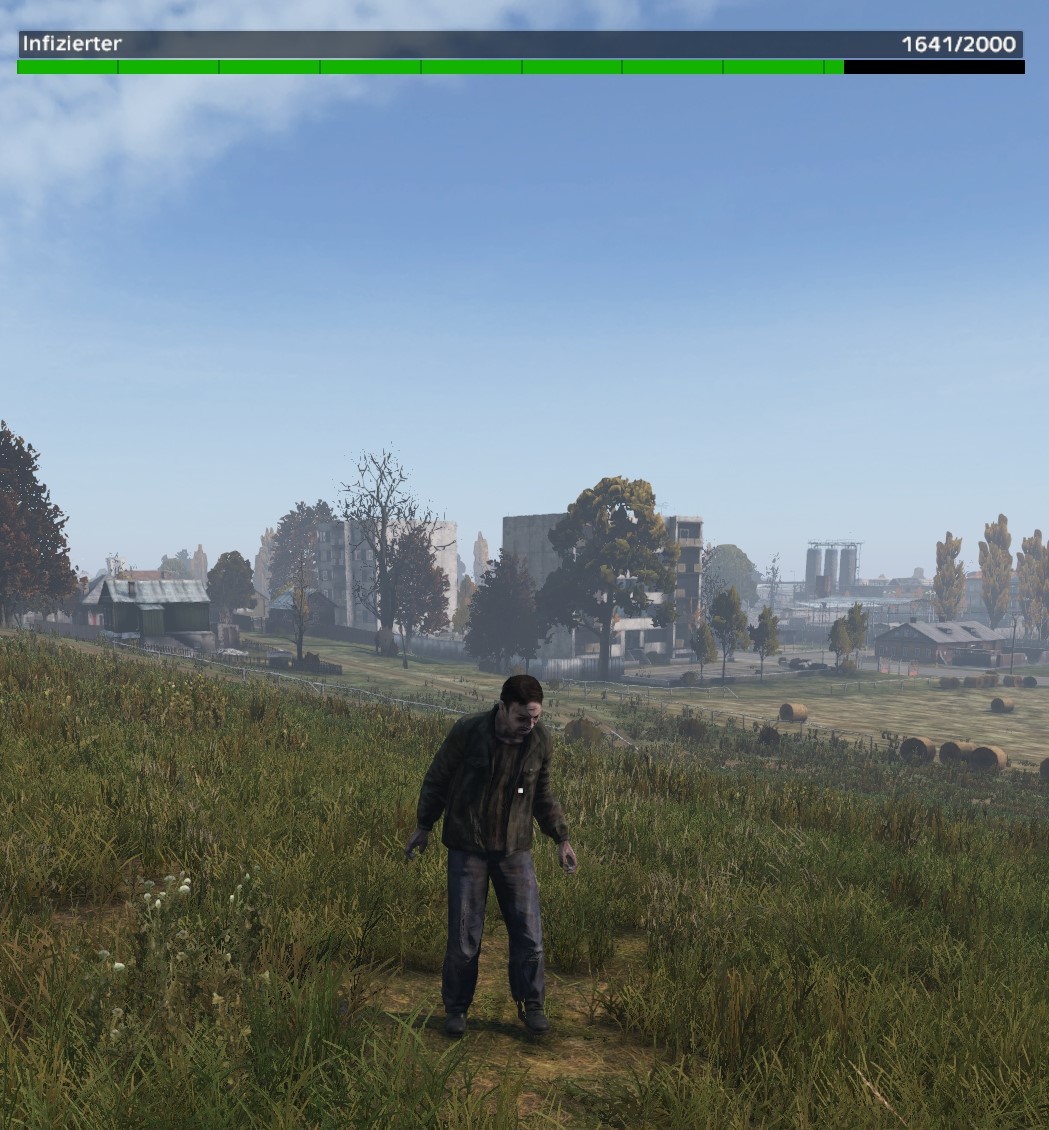
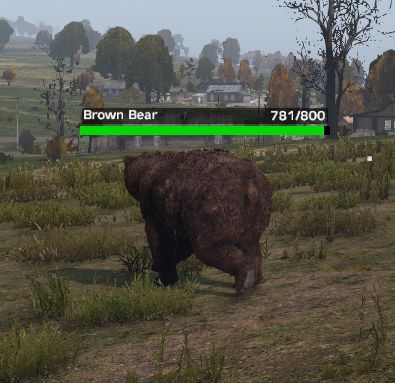
About HealthBar-Ninjins
From Steam WorkshopNijins Caution HP Bar A DayZ mod that shows a dynamic health bar as UI when players deal damage to various entities as like zombies, players, animals, and Expansion AI. Supports PvZmoD: Customisable…
Nijins Caution HP Bar
A DayZ mod that shows a dynamic health bar as UI when players deal damage to various entities as like zombies, players, animals, and Expansion AI. Supports PvZmoD: Customisable Zombies, includes customizable settings, whitelist support, and admin-reloadable configuration.
I have created this mod since there are no free mods out there for this. This one is totally free to use!
General Information • This is still in early stage of development remember that, there could be issues!
KNOWN ISSUES: PVZ_moD is maybe not 100% compatible like for mutant mods and such. But was tested on :Erapulsar_Zombies,AJs Creatures, Exiled - Terrifying Creatures and some dbo.
[hr]
Features
• Display a health bar when damaging: • Zombies (including PvZmoD support) but can have issues not 100% done. • Animals • Other players • Expansion AI • Useable with Ninjins-Pve-PvP palyer states. • ItemBased Items with a Whitelist for only specific ClassNames or Baseclasses like for Basebuilding in expansion would be "ExpansionBaseBuilding"
Shared HP Bar: When multiple players attack the same target (e.g., an infected), they see a synchronized HP bar for that entity.
Each target keeps a list of attackers. Players are automatically removed from this list if: •They stop attacking the target for a duration defined by RemoveFromTargetsInSeconds in the settings json. • They switch to a different target This makes sure the HP bar is only shown to actively engaged players and remains up to date in combat.
Configurable via JSON:
• Show/hide for specific target types • Whitelist for zombie or animal classes • Custom display duration • Admin-only config reload
Admin Functions Server admins can reload settings visa set Hotkey under DayZ Options. Admins are defined in Admins.json On successful reload, the mod shows confirmation notification and logs it to the server log.
Others:
• Prevents showing HP bar on self-damage • Calculates custom zombie max HP using PvZmoD’s simulated health points, with inheritance
[hr]
Installation
1. Mod is needed server and client side. 2. In your server's profiles/config folder you will find the folder NijinsHPBar. 3. On first time:
NijinsHPBarSettings.json[/code]
[code]Admins.json
will be created there.
4. You have to use the GUID and NOT the SteamID. Each Admin Tool will show you GUID.
[hr]
How It Works
1. When an entity is damaged, the attacker is resolved. 2. If the attacker is a player, info is sent with:
• Target display name (will show "Survivor" instead of player name if target is a player) • Current HP • Max HP • Display duration
3. On the client, the HP bar UI is updated to show that data for a short set duration in the config file. 4. For PvZmoD-enabled zombies, health is pulled from simulated PvZ data and resolved via inheritance.
---
Configuration: NijinsHPBarSettings.json
{
"DisplayDuration": 4.5,
"ShowForZombies": true,
"ShowForPlayers": true,
"ShowForAnimals": true,
"ShowForExpansionAI": true,
"ShowInPvPState": 1,
"ShowInPvEState": 1,
"ShowInRaidState": 1,
"ZombieWhitelist": ["ZmbM_Jacket_Base", "ZmbM_PatrolNormal_Base"],
"AnimalWhitelist": ["Animal_UrsusArctos", "Animal_BosTaurusF"]
}
Settings: • ShowFor: Toggles for each entity type (Zombies, Players, Animals, ExpansionAI) • Whitelist: Only entities matching these types (or their base classes) will show HP bars • Duration: How long the HP should stay after damage to the entity.
Mod Supports
It works with every Infected Mod as long as the mod doe snot modify the HP like pvz mod does. Even if you modded the .cpp for zombies it will work. Pvz works differently.
• PvZmoD_CustomisableZombies • DayZ-Expansion-AI
Credits
Created by Ninjins aka Naij0
[hr]
REPACK & MODIFICATION
• You are not permitted to repack or modify any part of this mod. Yet!
CONTACT:
(click the image) 
Highlights
From source dataFootprint
A 254 KB download, rated a light load on a server.
Last update
Its author last shipped an update 6 mo ago.
HealthBar-Ninjins on Nxeon
From our catalogue- One-click install
- Not available. One-click install isn't available for this game's mods yet. Download it and upload it to your server in Files.
- Server load
- light
- Smallest plan we suggest
- DayZ — 6 GB (6 GB RAM). This follows our own load rating above, not a benchmark.
- Latest build
- 2026-04-28, released 2026-04-28, 254 KB
Game versions by loader
| Loader | Game versions | Newest |
|---|---|---|
| Workshop |
From 1 recorded build of HealthBar-Ninjins.
Dependencies
- Required: CF
Declared by the newest build that lists any. Required ones are installed with it on one-click installs.
Run HealthBar-Ninjins on a DayZ server
Deploy a server above, then upload the file in Files.
What kind of mod it is
From the catalogCreatures & NPCs
Adds or changes creatures, NPCs and how they behave.
Compatibility
- Game
- DayZ
- File size
- 254 KB
Verified at the source
- ✓Steam WorkshopOfficial listing, checked 2026-10-10Open ↗
- ✓AuthorNinjin, as published on Steam Workshop
- ✓LicenseNot published by the sourceFree














