







About Holding2Discord
From Steam WorkshopDescription This mod sends the class name of the item the player is holding in the hands to a Discord channel, using webhooks, by pressing "Left shift + H" on the keyboard. The key mapping can be…
Description
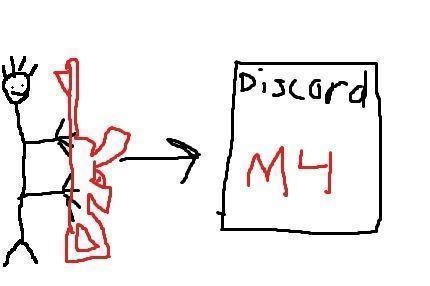
This mod sends the class name of the item the player is holding in the hands to a Discord channel, using webhooks, by pressing "Left shift + H" on the keyboard. The key mapping can be changed in the games options menu if you feel like it.
I use it myself as an easy way for players to notify me about items missing from the trader. Just copy the class name from Discord and paste it into the trader config file. Heck, I even used it the other day when deciding what loot to include in the Airdrop mod. I went on a shopping spree with one brazillion dollars in my pocket and filled my 1000 slot admin jacket with nice stuff. I mean, sometimes you need to see a picture behind a class name. Especially with all the nice SNAFU guns and the such. I don't know what they look like or do, so I just go by the description in the trader.
Anyways! Then I put each item in my hands and sent it to Discord. Threw it away and on with the next one. Boom! Instant list of class names to include in the Airdrop config. After a little trimming in Notepad++ that is.
The nickname, SteamID and BohemiaID of the player is also shown along with the name of the item in the message sent to Discord. This makes it easy to copy the SteamID and paste it into the Blacklist.txt for immediate denial of usage if the player for some reason abuses the mod. No need to restart the server.
There is ofcourse a setting for a minimum amount of seconds that has to pass between messages to prevent flooding.
You can't use the BohemiaID in the black/whitelist. I just sent it along because why not.
The mod "CF" is required for this mod to work.
The source code is included in the "SourceCode" folder within the mod.
Note: If you want to build this mod yourself you have to add *.xml to "List of files to copy directly" in the Addon Builder's options or the key mapping won't work.
Permission is granted to do whatever you want with the mod and source code.
Features
In the config file you can: • Define the Discord webhook URL.
• Define the nick the message should appear to come from on Discord. Important: Don't include the word "Discord" in the nick, or the message won't be posted since Discord doesn't allow nicks with the word "Discord" in them.
• Define how many seconds have to pass before a player can send another message to Discord. This is to limit flood abuse.
• Enable/disable a whitelist containing the SteamID:s of the players you want to allow using the mod.
• Enable/disable a blacklist containing the SteamID:s of the players you don't want to use the mod. This list takes precedence over the whitelist in case a player is on both lists for some reason.
• Enable/disable notifying the player if sending to Discord was denied (due to the white/blacklist restrictions).
• Customize the message being sent to the player if access was denied.
• Enable/disable logging. The mod logs date and time (yyyy-MM-dd HH:mm:ss), nickname, SteamID, BohemiaID and coordinates (XXXX/ZZZZ) for when a player successfully or unsuccessfully send a message to Discord.
Change Notes
v5 2023-09-10 • The mod only worked with webhook URLs starting with discord.com. Turns out there are also webhook URLs starting with discordapp.com. This should be fixed now so it works with both.
v4 2023-02-09 • Changed the default nick of the bot from "Holding2Discord" to "HoldingBot", since it seems Discord doesn't allow the word "Discord" in nicks anymore. This probably happened a while ago, but I don't use this mod anymore and didn't know about this change. Thanks ZonemaN for bringing it to my attention.
Installation
• Copy @Holding2Discord to your servers root directory
• Copy the mods keyfile, "Holding2Discord.bikey", to the servers "Keys" directory.
• Edit the bat file used to start the server and add the mod to the -mod parameter, like: "-mod=@Holding2Discord;@OtherMod1;@OtherMod2" etc.
• Install the mod "CF" according to its instructions.
Configuration
When the server is started for the first time a folder called "Holding2Discord" is created inside the server's profile folder. Inside this folder several files are created. Below is a description of what they do.
Filename: Config.json { "discordWebhookURL": "Put your complete Discord webhook URL here", "discordBotNick": "HoldingBot", "secondsBetweenSends": 60, "enableWhitelist": 0, "enableBlacklist": 0, "notifyOnDeny": 1, "whitelistDenyMessage": "Only whitelisted players are allowed to send to Discord on this server, and you are not.", "blacklistDenyMessage": "You are blacklisted from sending to Discord on this server.", "enableLogging": 0 }
This is the default content of the configuration file.
• discordWebhookURL - The entire Discord webhook URL.
• discordBotNick - The nick the message should appear to come from on Discord. Important: Don't include the word "Discord" in the nick, or the message won't be posted since Discord doesn't allow nicks with the word "Discord" in them.
• secondsBetweenSends - The number of seconds a player has to wait before another name of an item can be sent to Discord. This is to limit flood abuse.
• enableWhitelist - If set to 1 the content of the file "Whitelist.txt" in the same directory will be read. This file should contain the SteamID:s of the players you want to be able to use the mod. Anyone not on the list won't be able to use the mod.
• enableBlacklist - If set to 1 the content of the file "Blacklist.txt" in the same directory will be read. This file should contain the SteamID:s of the players you don't want to be able to use the mod. This list takes precedence over the whitelist in case a player is on both lists for some reason.
Highlights
From source dataFootprint
Rated a light load on a server.
Last update
Its author last shipped an update 3 yr ago.
Holding2Discord on Nxeon
From our catalogue- One-click install
- Not available. One-click install isn't available for this game's mods yet. Download it and upload it to your server in Files.
- Server load
- light
- Smallest plan we suggest
- DayZ — 6 GB (6 GB RAM). This follows our own load rating above, not a benchmark.
- Latest build
- 2023-09-10, released 2023-09-10
Game versions by loader
| Loader | Game versions | Newest |
|---|---|---|
| Workshop |
From 1 recorded build of Holding2Discord.
Dependencies
- Required: CF
Declared by the newest build that lists any. Required ones are installed with it on one-click installs.
Run Holding2Discord on a DayZ server
Deploy a server above, then upload the file in Files.
What kind of mod it is
From the catalogWeapons, items & crafting
New weapons, gear, items and the recipes to make them.
Compatibility
- Game
- DayZ
Verified at the source
- ✓Steam WorkshopOfficial listing, checked 2026-10-10Open ↗
- ✓AuthorMartin, as published on Steam Workshop
- ✓LicenseNot published by the sourceFree














