






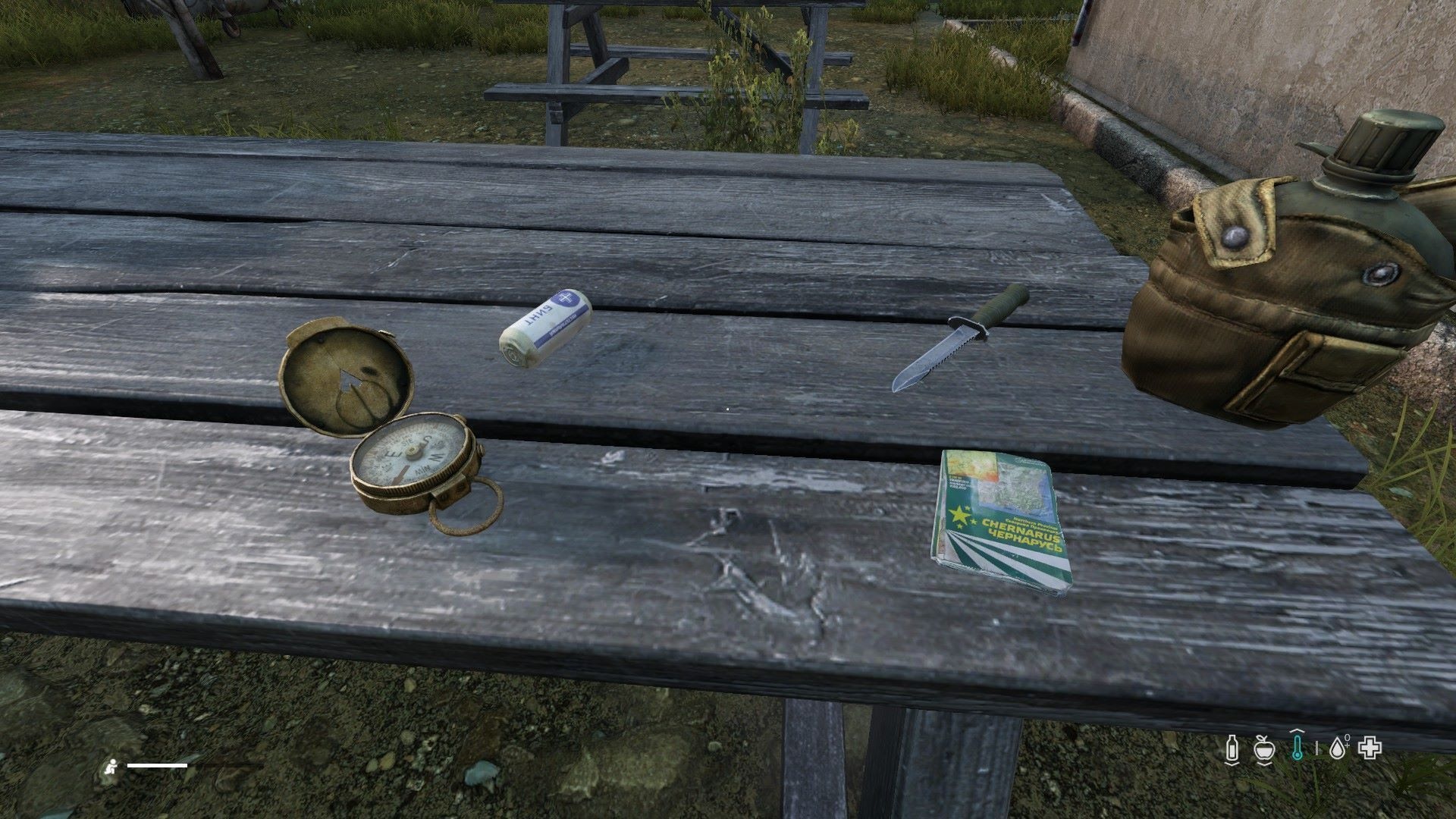
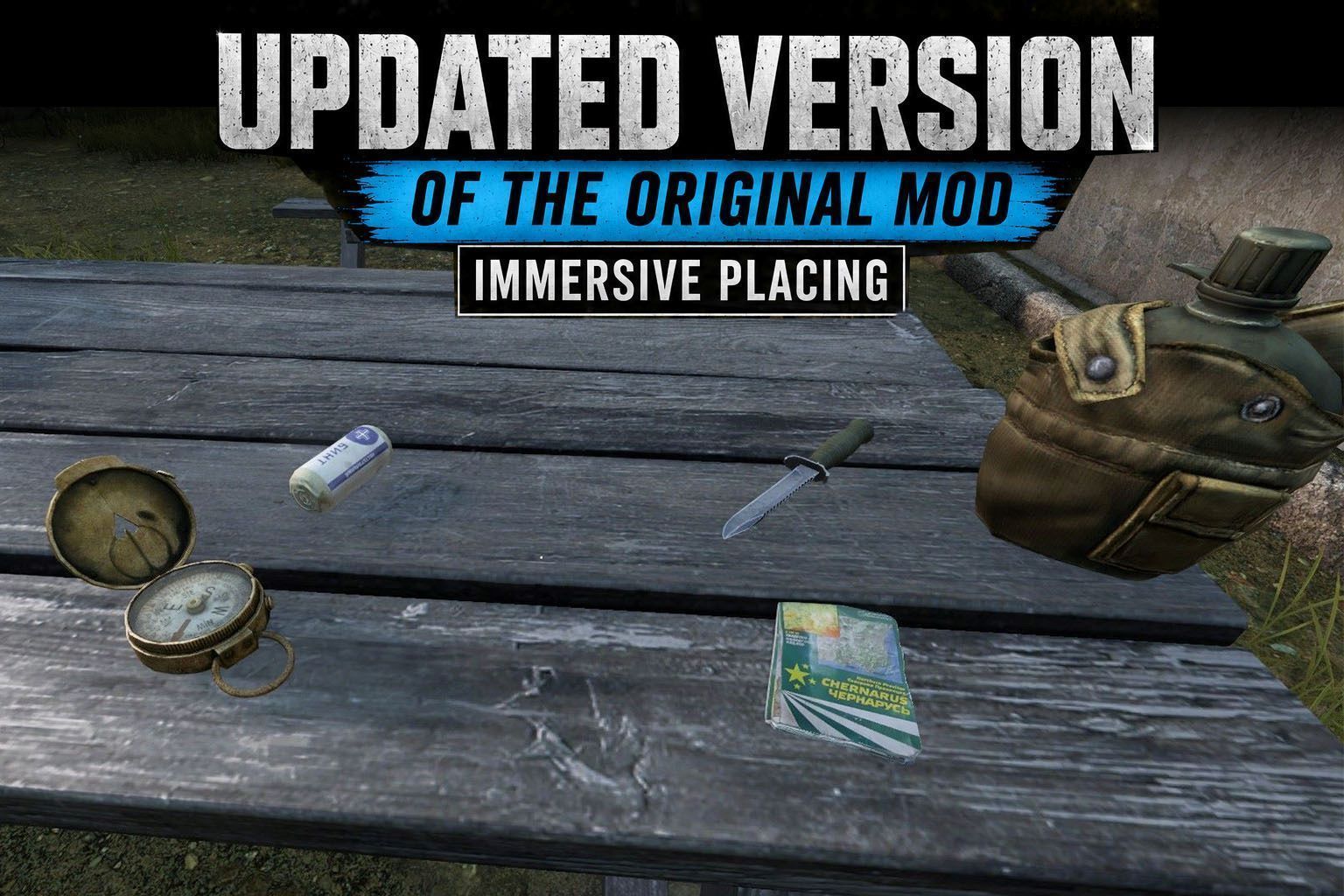
About Immersive Placing Update
From Steam WorkshopImmersive Placing Drop and place items exactly where you want them — no more items snapping to your feet. This is an updated, cleaned-up build of MaxCross's classic Immersive Placing , verified to…
Immersive Placing
Drop and place items exactly where you want them — no more items snapping to your feet. This is an updated, cleaned-up build of MaxCross's classic Immersive Placing, verified to work on DayZ 1.29. [hr][/hr]
Features
- Quick drop — tap the key to instantly drop the item in your hands at the crosshair.
- Immersive placing — hold the key to show a live placement hologram, aim to position it, then press your Use key to place the item exactly where the preview sits.
- Flip / re-orient — tap the key while the hologram is shown to change the item's resting orientation.
- Rotate — use the mouse wheel to rotate the hologram, just like vanilla deployment.
- Smart surface handling — items plate flat against walls and ceilings, lie flat on floors and tables, and drop onto the individual levels inside furniture such as shelves.
- No mid-air placement — you can only place where there is a real surface, so nothing floats in the void.
- Works the same in first-person and third-person.
- Items rest cleanly on surfaces without clipping into them.
- Does not conflict with items that already have a built-in deploy/placement action.
[hr][/hr]
Controls
Default key: Z (QWERTY) / W (AZERTY) — it is the same physical key on both layouts. Rebind it anytime in Configure Controls → Immersive Placing.
- Tap (not previewing): drop at crosshair
- Hold: toggle the placing preview on/off
- Tap (while previewing): reverse item
- Mouse wheel: rotate the hologram
- Mouse click (while previewing): confirm placement
[hr][/hr]
What's new in this update
- Verified compatible with DayZ 1.29 (server-side placement included).
- Rebuilt placement engine: works in first- and third-person, plates correctly against walls at any distance, and reaches the inside levels of furniture like shelves.
- No more placing in mid-air — a real surface is now required.
- Comfortable ground reach — place on the floor while standing, no crouching.
- A real default keybind — the original shipped unbound.
- Full localization in 16 languages (keybind name + every action label): English, French, German, Italian, Spanish, Russian, Czech, Polish, Hungarian, Portuguese, Chinese (Traditional & Simplified), Japanese, Korean, Turkish.
- Hardened code (null-safety across the placement/hologram path) and a cleaned project structure.
- Lighter download (unused source art removed).
NEW — Extended lifetime for placed items (server-side, optional)
- Items placed with this mod (quick-drop or hologram) can be given a longer despawn timer. Vanilla drops are never affected.
- Two durations: one outside any territory, one inside the zone of a built flag (a flag pole with a flag attached). After the configured time, the item despawns naturally.
- Timers persist across restarts (handled by the Central Economy), with a light periodic refresh as a safeguard.
Server configuration
A config file is created on first launch at: <server profile>/ImmersivePlacing/PlacementLifetime.json
{
  "enableExtendLifeTime": 1,
  "lifetimeOutsideZone": 86400,
  "lifetimeInsideFlagZone": 604800,
  "flagRadius": 60,
  "refreshInterval": 1800,
  "elevationCorrection": [
    { "classname": "PortableGasLamp", "elevation": 2.0 }
  ]
}
- enableExtendLifeTime — 1 to enable the extended-lifetime system, 0 to disable it (placement still works).
- lifetimeOutsideZone — lifetime, in seconds, for mod-placed items that are NOT in a flag zone (86400 = 24h).
- lifetimeInsideFlagZone — lifetime, in seconds, for mod-placed items inside a built flag zone (604800 = 7 days).
- flagRadius — radius in meters around a flag that counts as "in the zone" (60 = vanilla default).
- refreshInterval — how often, in seconds, the server refreshes protected items so they don't despawn early (safeguard).
- elevationCorrection — per-item placement fix for the few items that don't sit flush. Each entry has a classname and an elevation in centimeters: a higher value pushes the item lower into the surface. Items not listed use the default (no correction). Leave the list empty to disable it entirely.
Note: the config is read at server start and synced to clients on connect. After editing it, restart the server and reconnect.
[hr][/hr]
Notes
The flip action rolls a new resting orientation each time, so for items with several placement offsets you may need to tap it a couple of times to get the side you want — this is the original behaviour, kept as-is.
[hr][/hr]
Server admins
No special server configuration is required — the mod works out of the box.
[hr][/hr]
Credits
- Original mod by MaxCross — Immersive Placing (original Workshop page)
Highlights
From source dataFootprint
Rated a light load on a server.
Last update
Its author last shipped an update 3 mo ago.
Immersive Placing Update on Nxeon
From our catalogue- One-click install
- Not available. One-click install isn't available for this game's mods yet. Download it and upload it to your server in Files.
- Server load
- light
- Smallest plan we suggest
- DayZ — 6 GB (6 GB RAM). This follows our own load rating above, not a benchmark.
- Latest build
- 2026-07-04, released 2026-07-04
Game versions by loader
| Loader | Game versions | Newest |
|---|---|---|
| Workshop |
From 1 recorded build of Immersive Placing Update.
Run Immersive Placing Update on a DayZ server
Deploy a server above, then upload the file in Files.
What kind of mod it is
From the catalogWeapons, items & crafting
New weapons, gear, items and the recipes to make them.
Compatibility
- Game
- DayZ
Verified at the source
- ✓Steam WorkshopOfficial listing, checked 2026-10-10Open ↗
- ✓AuthorJim, as published on Steam Workshop
- ✓LicenseNot published by the sourceFree














