






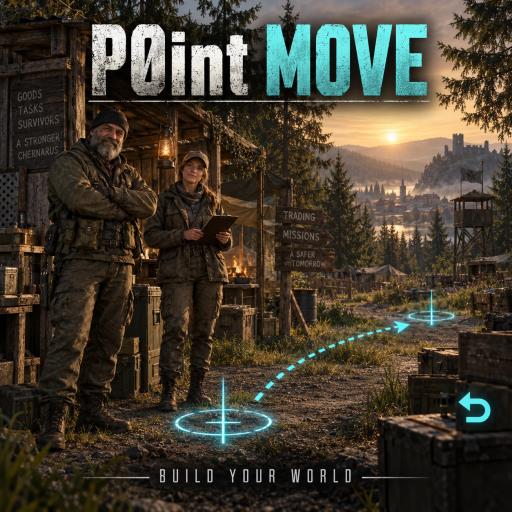
About P0int Move | World Admin Tools
From Steam WorkshopBuild your community world with P0int Move, created for Old Farts - Where Friends Meet. FEATURES - Cut Position and Place / Paste Position move an existing Expansion trader or Expansion quest giver…
Build your community world with P0int Move, created for Old Farts - Where Friends Meet.
FEATURES - Cut Position and Place / Paste Position move an existing Expansion trader or Expansion quest giver to the camera crosshair hit point. The NPC is selected, not destroyed or duplicated. Each successful placement clears the selection, ready for the next Cut. - Ctrl+X: Cut Position. Ctrl+V: Place / Paste Position. Ctrl+Z: undo your latest active saved static-map-object removal. Enable VPP admin tools and close text-entry/dialogs to use world shortcuts. - The VPP Object Builder includes named Cut Position, Place / Paste Position and Undo Removal buttons. Existing LIVE groups, rotation and direct handle dragging remain available. - Static cleanup integrates with VPP Delete Object at Crosshair, preserves its confirmation, saves removals and broadcasts them to connected clients. Undo restores the same hidden map object immediately and saves its restored state. - Saved NPC positions and static removals survive ordinary server restarts. Undo history is per administrator and can step back through active saved static removals. - Admin free building uses VPP permissions. Ordinary players keep their normal building restrictions. - Traders and quest NPCs are protected from the ordinary VPP crosshair Delete command by this mod.
PERMISSIONS AND SCOPE All gameplay changes are authorized by the server using VPP permissions. NPC placement requires MenuObjectManager:EditSet. Static removal/undo requires DeleteObjectAtCrosshair. Free building follows MenuObjectManager. Supports Expansion traders, humanoid quest NPCs (including AI), and quest boards. Movement of quest AI in shared multi-member groups is refused to protect the group. Static undo is limited to native map objects and does not cover player-built objects, vehicles or inventory items. Static undo does not undo ordinary VPP deletion of spawned items or bases. NPC movement retains the original trader role or quest ID. Single-member quest-giver AI waypoints move with their NPC. It does not relocate market/safe-zone boundaries, vehicle purchase spawn points or quest objectives; configure those separately when moving an entire trading hub.
DEPENDENCIES VPPAdminTools, DayZ Expansion Bundle, DayZ Expansion Licensed, CF and Dabs Framework. Load their normal dependencies first and P0int Move last. Required Workshop items are linked on this page.
PLAYERS Subscribe and enable the server's required mods using the normal DayZ Launcher setup. Admin controls require server-granted permissions; subscribing does not grant admin access.
SERVER OWNERS Load @P0intMove in -mod on both server and clients and copy its public key to server keys. Do not run the previous P0intLiveMoveClient, P0intJPBuilder, P0intLiveMove, P0intStaticCleanup or P0intAdminFreeBuild together with this consolidated package. Keep existing VPP sets, profiles/P0intLiveMove/placements.json and profiles/P0intStaticCleanup/removed.json. Back them up before updates. Existing Expansion trader and quest-giver spawn configurations remain the source of NPC identities.
Version 2.0.3. Designed for ChernarusPlus coordinate bounds. Workshop cover created with AI assistance. No third-party mod assets or source are bundled. Dependencies are provided by their respective authors. New controls require a connected administrator gameplay test after installation; server/client compilation and isolated persistence tests cannot prove every mod combination. Created by P0int for Old Farts.
Highlights
From source dataFootprint
Rated a light load on a server.
Last update
Its author last shipped an update 11d ago.
P0int Move | World Admin Tools on Nxeon
From our catalogue- One-click install
- Not available. One-click install isn't available for this game's mods yet. Download it and upload it to your server in Files.
- Server load
- light
- Smallest plan we suggest
- DayZ — 6 GB (6 GB RAM). This follows our own load rating above, not a benchmark.
- Latest build
- 2026-10-05, released 2026-10-05
Game versions by loader
| Loader | Game versions | Newest |
|---|---|---|
| Workshop |
From 1 recorded build of P0int Move | World Admin Tools.
Dependencies
- Required: VPPAdminTools
- Required: DayZ-Expansion-Bundle
- Required: DayZ-Expansion-Licensed
- Required: CF
- Required: Dabs Framework
Declared by the newest build that lists any. Required ones are installed with it on one-click installs.
Run P0int Move | World Admin Tools on a DayZ server
Deploy a server above, then upload the file in Files.
What kind of mod it is
From the catalogAdmin & protection
Permissions, moderation, anti-cheat and land protection for the people running the server.
Compatibility
- Game
- DayZ
Verified at the source
- ✓Steam WorkshopOfficial listing, checked 2026-10-05Open ↗
- ✓AuthorP0intL3ader75™, as published on Steam Workshop
- ✓LicenseNot published by the sourceFree














