







About Wombat GUI Config Editor
From Steam WorkshopCONFIG EDITOR Tweak. Save. Restart. Every Wombat mod writes its settings to a JSON file in your server's mission folder. Wombat GUI Config Editor lets you change all of them from one page in your…
CONFIG EDITOR
Tweak. Save. Restart.
Every Wombat mod writes its settings to a JSON file in your server's mission folder. Wombat GUI Config Editor lets you change all of them from one page in your browser - toggles, sliders and lists instead of hand-editing JSON and hunting for a missing comma.
[hr][/hr]
What It Does
- One editor for every Wombat mod - pick a mod from the sidebar and every setting is laid out with a plain-English explanation of what it does.
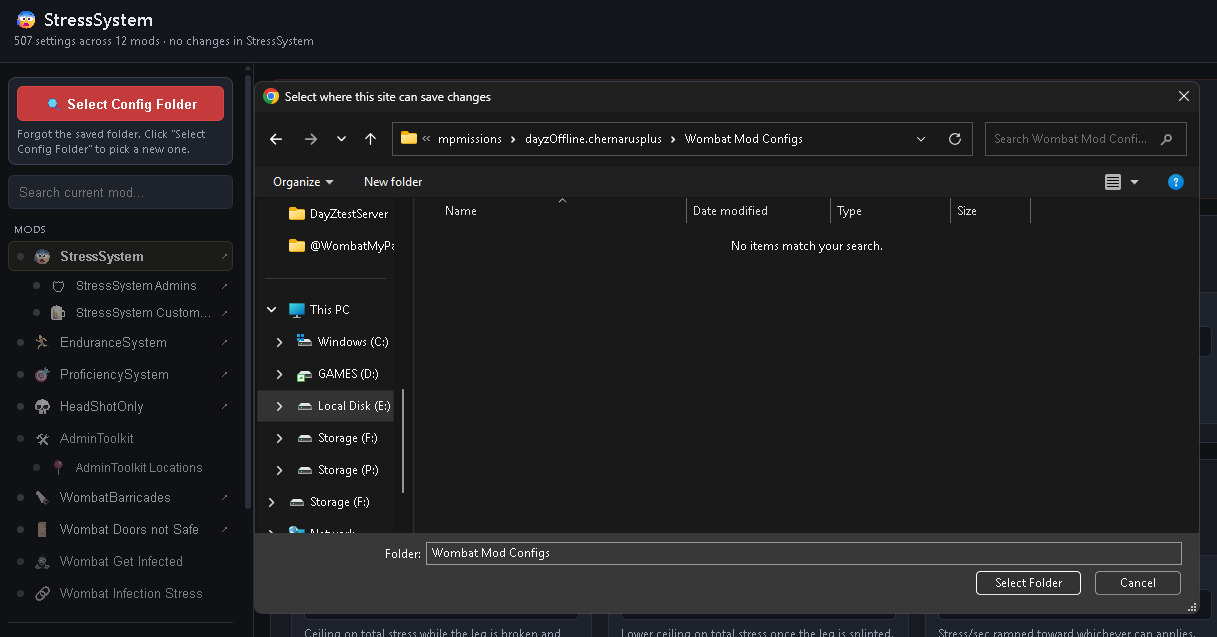
- Connect your config folder - click Select Config Folder and point it at <mission folder>\Wombat Mod Configs. It's remembered after that, and the editor shows which mods have a config there.
- No broken JSON - the editor writes the file for you, so no missing commas or brackets.
- Download one mod's JSON, or all of them at once.
- Reset any mod back to its defaults.
- View JSON - see exactly what will be written before you save it.
- Search a mod's settings to jump straight to the one you want.
Supported Mods
- StressSystem (including its admins and custom items lists)
- EnduranceSystem
- ProficiencySystem
- HeadShotOnly
- AdminToolkit (including saved locations)
- WombatBarricades
- WombatDoorsNotSafe
[hr][/hr]
How To Use
- Subscribe to this item.
- Open the mod's folder and double-click Wombat Config Editor.html. You'll find it in Steam\steamapps\common\DayZ\!Workshop\@Wombat GUI Config Editor.
- Use Chrome or Edge - the folder connection needs a Chromium browser. Other browsers can still edit and download the files.
- Click the "Select Config Folder" button in top left.
- Navigate to "*Your DayZ Server Folder*\mpmissions\dayzOffline.chernarusplus\Wombat Mod Configs" amd select folder.
- Edit, save, then restart the server for the changes to take effect.
Server Setup
None. Nothing in this mod runs in-game. You don't need to add it to your server's -mod= or -servermod= list, and players don't need it. It's just a tool for server owners.
Compatibility
Works with any server running one or more of the Wombat mods above. It only reads and writes their JSON config files - it never touches your mission files, types.xml or anything else.
[hr][/hr]
Disclaimer
Do not repack or reupload this mod. If you want to build on it or include it in a modpack, get in touch first.
Highlights
From source dataFootprint
Rated a light load on a server.
Last update
Its author last shipped an update 7d ago.
Wombat GUI Config Editor on Nxeon
From our catalogue- One-click install
- Not available. One-click install isn't available for this game's mods yet. Download it and upload it to your server in Files.
- Server load
- light
- Smallest plan we suggest
- DayZ — 6 GB (6 GB RAM). This follows our own load rating above, not a benchmark.
- Latest build
- 2026-10-09, released 2026-10-09
Game versions by loader
| Loader | Game versions | Newest |
|---|---|---|
| Workshop |
From 1 recorded build of Wombat GUI Config Editor.
Run Wombat GUI Config Editor on a DayZ server
Deploy a server above, then upload the file in Files.
What kind of mod it is
From the catalogQuality of life & UI
Small conveniences, tweaks and interface improvements players notice straight away.
Compatibility
- Game
- DayZ
Verified at the source
- ✓Steam WorkshopOfficial listing, checked 2026-10-09Open ↗
- ✓AuthorWombat, as published on Steam Workshop
- ✓LicenseNot published by the sourceFree














