
About ECO Discord Status Bot ⭐
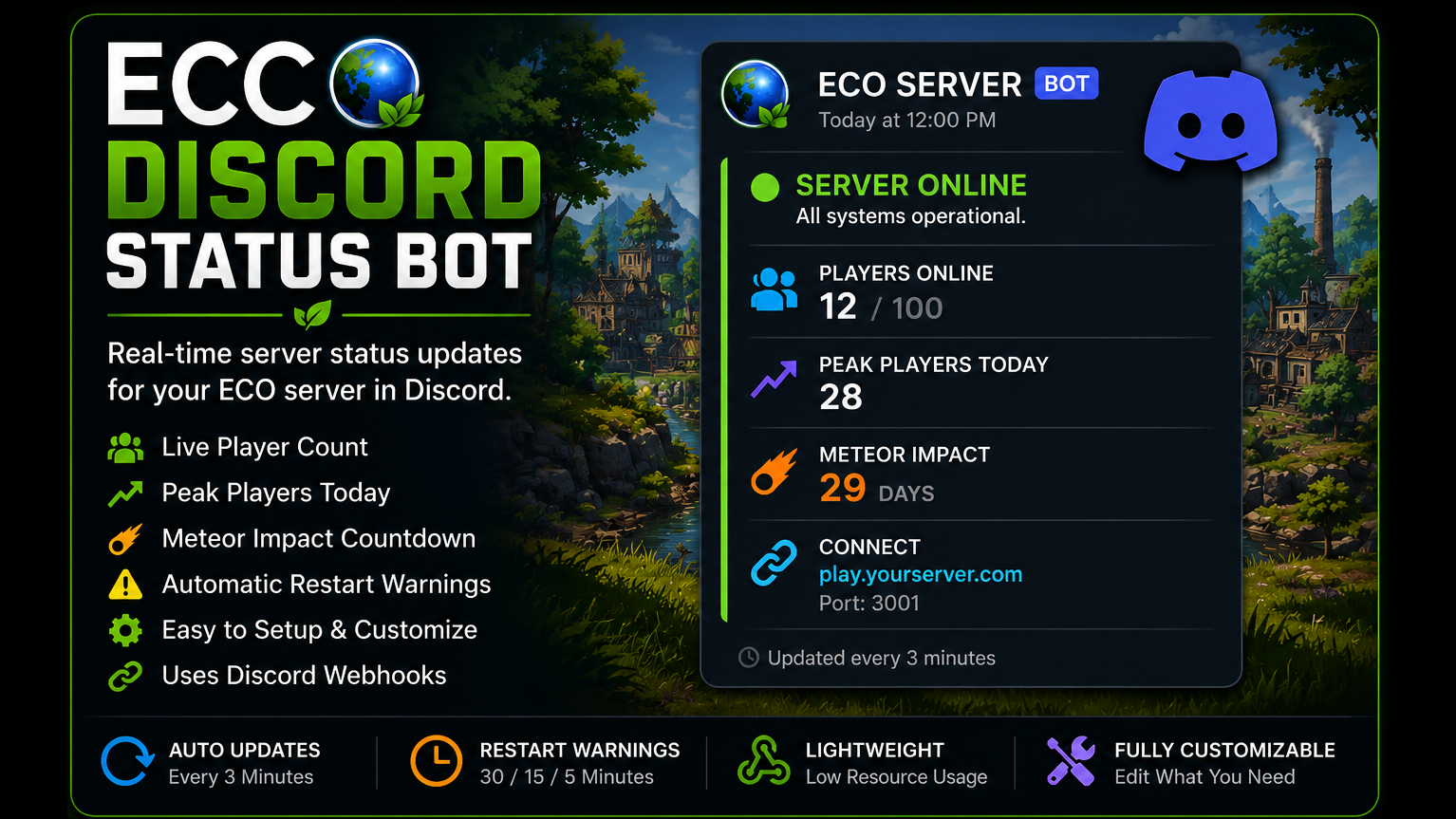
From mod.ioA lightweight Discord webhook bot for ECO servers that posts live server status, player count, peak players, meteor countdown, and restart notifications.
Compatible with ECO 0.13.x and newer.
Requirements:
- ECO Dedicated Server
- Python 3.11 or newer
- Discord Webhook
- ECO Web API enabled
Features
🟢 Live Server Status (Online/Offline)
👥 Current Players Online
📈 Peak Players Today
☄️ Meteor Impact Countdown
🔄 Automatic Restart Warnings
30 Minutes
15 Minutes
5 Minutes
🎮 Join Information
Lightweight Python application
Uses Discord Webhooks (No Bot Account Required)
Easy configuration
Getting the ECO Discord Status Bot running is quick and straightforward. First, download the latest release from this mod.io page and extract the ZIP file to any folder on the computer hosting your ECO Dedicated Server. Next, install the latest version of Python from python.org if it is not already installed, making sure to select the "Add Python to PATH" option during installation. Once Python is installed, create a Discord webhook by opening your Discord server, navigating to Server Settings → Integrations → Webhooks, creating a new webhook, selecting the channel where you want server updates to appear, and copying the webhook URL.
Before starting the bot, make sure your ECO server's Web API is enabled and that you have your server IP address, game port, API port, and API key available if your server requires one. Open the included config.json file with any text editor and enter your server information, Discord webhook URL, and any optional settings you wish to customize, such as the refresh interval, server name, embed colors, connect address, or restart schedule. The bot is designed to be easy to configure without modifying the program itself.
After the configuration is complete, simply double-click start.bat. A console window will open and the bot will connect to your ECO server and Discord webhook. Within a few moments it will create a single status message in your chosen Discord channel and continue updating that message automatically every few minutes instead of creating new messages. The bot displays your server's online status, current player count, peak players for the day, meteor impact countdown, server connection information, and scheduled restart warnings 30, 15, and 5 minutes before a restart, keeping your community informed with minimal setup.
When a new version of the bot is released, updating is simple. Stop the bot, replace the program files with the new version while keeping your existing config.json, and launch start.bat again. If you encounter any issues during setup, double-check that Python is installed correctly, your Discord webhook URL is valid, your ECO Web API is enabled, and your server information is entered correctly in the configuration file. If you need additional assistance or have suggestions for new features, feel free to leave a comment on the mod.io page.
Highlights
From source dataFootprint
Rated a light load on a server.
Last update
Its author last shipped an update 3 mo ago.
ECO Discord Status Bot ⭐ on Nxeon
From our catalogue- One-click install
- Not available. One-click install isn't available for this game's mods yet. Download it and upload it to your server in Files.
- Server load
- light
- Smallest plan we suggest
- Eco — 8 GB (8 GB RAM). This follows our own load rating above, not a benchmark.
- Latest build
- 1.0.0, released 2026-07-22
Run ECO Discord Status Bot ⭐ on a Eco server
Deploy a server above, then upload the file in Files.
What kind of mod it is
From the catalogQuality of life & UI
Small conveniences, tweaks and interface improvements players notice straight away.
Compatibility
- Game
- Eco
Verified at the source
- ✓mod.ioOfficial listing, checked 2026-10-16Open ↗
- ✓AuthorBoosted60, as published on mod.io
- ✓LicenseNot published by the sourceFree