








About NidToolbox: MOTD module
From mod.ioDisplays welcome message to players logging in, accepts all Eco's formatting. Stores MOTD in a text file for easy edits. Managed from command line and/or config files.

for NidToolbox Light

Compatible with Eco 13+
NEW - if you would like to have your server logo appear in the notifications area in messages that come from NidToolbox. Please join my Discord and post them in #server-logos channel.
Brings back "Welcome Message" known from the old NidToolbox, to brighten every user login event 
Support is provided as well as suggestions are accepted on my Discord  here
here
Functionality
- Highly customisable welcome message functionality.
- Can use text tokens to personalise the message and provide current data!
- Can be governed by config files and/or from within the game via commands.
- Easy reloads, without the need of a server restart.
- Possibility to show MOTD as popup, confirm window with OK button and chat message or combination of these.
- Possibility to show MOTD only once on server join or every login.
- Server owner controls both the title of the message (the "brackets tag") as well as the title window.
- Config file as well as the default message are generated on startup of the plugin.
Requirements
As any module of NidToolbox set, it requires nid-core module, available in the main forum thread: here
Installation
- Unpack .zip archive
- Copy Eco.Nid.MOTD.dll to Mods\NidToolbox\Modules
- Configuration files will be created after first run and are located in
\Configs\Mods\NidToolbox
Text Tokens
Modules that use textual files or send data, can now take advantage of the text tokens.
These allow for message customization and a way to provide current server data.
All of the data is read directly from the server, from already available sources, with the exception to USERSPEAKONLINE and USERSPEAKONLINEDATE these two are counted from the moment of installing NidToolbox and can be set manually via respective commands.
Text of Hello, will replaced with the current viewing user intercatable name.
//User related  // returns interactable player name (string).  // returns interactable player name with their server roles (string). NOTE: This respects showInUI setting for ChatTags!
//Admins and active users  // players in Active demographic (integer).  // most the Active demographic ever had (integer).  // most users online (integer)  // when the online peak users occurred (string) i.e. 12-May-2024 16:24   // users online currently (integer).
//Age related  // how long was the world up in format XX days and YY hours (string).  // how long was the world up in format XX days rounded up (string).
//Sea levels  // total change in sea level in meters (integer).  // change in sea level in last 24 hours in meters (integer).
//CO2 levels  // total change in CO2 levels in PPM (integer).  // change in CO2 emissions in last 24 hours in PPM (integer).  // change in CO2 emissions in total only from pollution emitters in PPM (integer).  // change in CO2 emissions from animals in PPM (integer).  // CO2 removed by plants in PPM (integer).  // Total CO2 present (integer).
//Temperature  // total change in temperature levels in degrees of units that server follows. (integer).  // change in temperature in last 24 hours in degrees of units that server follows (integer).  // average global temperature in degrees of units that server follows (integer).
//Ground pollution  // total change in ground pollution levels in PPM (integer).
</pre> Settings
Config files are located at Configs\Mods\NidToolbox\
Motd.json - stores configuration options of the plugin.
MotdMessage.txt - stores actual MOTD message. It accepts all usual Eco's formatting tags .i.e or even icons.
See below for examples.
Motd.json
{ "Info1": "NidToolbox Light: MOTD settings.", "MotdEnabled": true, "ShowAsPopUp": false, "ShowInChat": true, "ShowAsConfirmWindow": false, "ShowOnlyOnce": false, "WindowTitle": "MOTD", "BlackListed": false}MotdMessage.txt
<pre><size=23><color=yellow>Welcome</color> to our Server, !</size>Highlights
From source dataFootprint
Rated a light load on a server.
Last update
Its author last shipped an update 2 mo ago.
NidToolbox: MOTD module on Nxeon
From our catalogue- One-click install
- Not available. One-click install isn't available for this game's mods yet. Download it and upload it to your server in Files.
- Server load
- light
- Smallest plan we suggest
- Eco — 8 GB (8 GB RAM). This follows our own load rating above, not a benchmark.
- Latest build
- 2.14.0, released 2026-08-14
Run NidToolbox: MOTD module on a Eco server
Deploy a server above, then upload the file in Files.
What kind of mod it is
From the catalogTechnology & automation
Machines, power, logistics and automation.
Compatibility
- Game
- Eco
Verified at the source
- ✓mod.ioOfficial listing, checked 2026-10-16Open ↗
- ✓Authornid, as published on mod.io
- ✓LicenseNot published by the sourceFree
More like NidToolbox: MOTD module
Other Eco mods, same category first, ranked by real downloads.


Set CUSTOM Stack Size, Slots, Weight and much more
Technology & automation · mod.io
Set stack size to ANY VALUE (blocks, food, seeds, items), set ANY number of slots, and much more! Compitable with ANY VERSION!


DiscordLink
Technology & automation · mod.io
DiscordLink Connects your Eco server to your Discord server for seamless cross posting of chat messages, live updated displays of the server status and many useful commands!

Cost Calculator
Technology & automation · mod.io
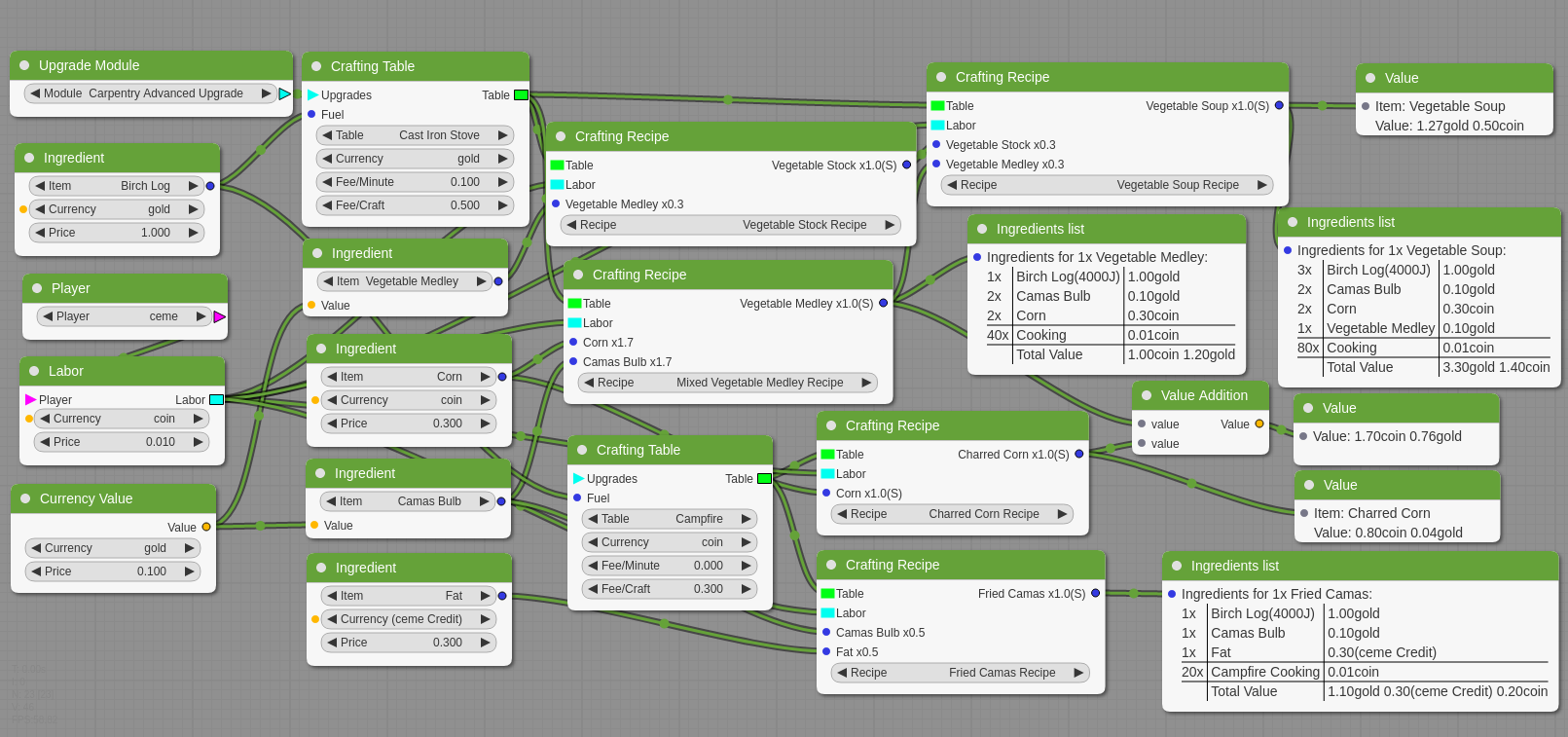
A node based production cost calculation tool.


AdminUtils
Technology & automation · mod.io
Provides utilities and commands for server admins. Comes with the mod Core.


Elixr Mods - EM Framework - Eco V10
Technology & automation · mod.io
Elixr Mods Framework is an extensible system for eco designed for modders and server owners alike! it provides great additions to your server as well as housing great extras for modders! Let us help you give your admins more power and less temptation


Big Shovel
Weapons, items & crafting · mod.io
Big Shovel Mod - Another Vanilla Mod - Make the most out of your shovels! 10.x Compatible


Applied Ecogistics
Weapons, items & crafting · mod.io
An inventory access mod to provide a single point of access for all attached storage.


Shipping Container (Update 10)
Weapons, items & crafting · mod.io
End game storage , similar to Large Lumber Stockpile but for inventory items instead.
NidToolbox: MOTD module, answered
Generated from the mod’s own source data.
Is it free?
Yes. NidToolbox: MOTD module is free to download from mod.io.
How do I add it to my Nxeon server?
One-click install isn't available for this game's mods yet. Download NidToolbox: MOTD module from mod.io and upload it to your Nxeon Eco server in Files.

Run NidToolbox: MOTD module on a Eco server.
Deploy in about a minute from $15.99 a month, then upload NidToolbox: MOTD module in Files.