
About NidToolbox: Optional Assets
From mod.ioThis is a set of optional, graphical assets for NidToolbox.

for NidToolbox Light

Compatible with Eco 12
NEW - if you would like to have your server logo appear in the notifications area in messages that come from NidToolbox. Please join my Discord and post them in #server-logos channel.
This is a set of optional, graphical assets for NidToolbox.
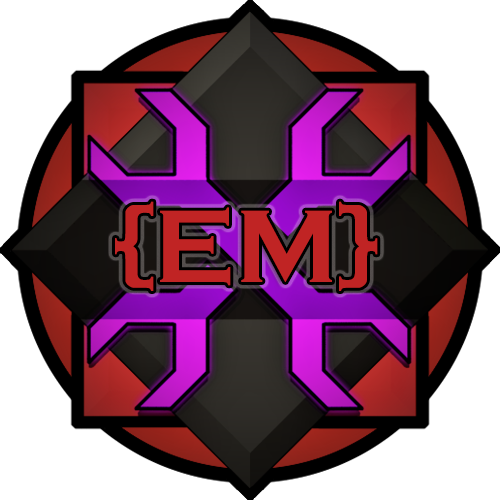
It contains server icons requested by users on my Discord.
If you would like to have your icons or assets added, please join my Discord and request in in #server-logos channel.
Support is provided as well as suggestions are accepted on my Discord  here
here
List of Assets and Asset Ids:
- nid-AWLGaming.unity3d - Ids:
- nid-awl_1
- nid-awl_2
- nid-awl_3
- nid-awl_banner_1
- nid-EcoHispano.unity3d - Ids:
- nid-ecohispano_1
- nid-RevolutionGaming.unity3d
- nid-revolution_1
- nid-TDONetwork.unity3d - Ids:
- tdo_unbrand
- tdo_full
- tdo_banner
- nid-CrimsonProdigy.unity3d - Ids:
- Shamzon_1
- CrimsonGaming_1
- ProdigyGaming_1
- nid-Andora.unity3d - Ids:
- andora_1
- nid-MaiestasHaven.unity3d - Ids:
- MH_1
- nid-ChillEco.unity3d - Ids:
- oneohone
- nid-StormVeil.unity3d - Ids:
- nid_svg_logo
- nid-CapyBara.unity3d - Ids:
- CapyBara_1
- CapyBara_2
- nid-CapyBara.unity3d - Ids:
- BlueTorrentGaming
- nid-AddictedGames.unity3d - Ids:
- addictedGames
- nid-EcoWorldRU.unity3d - Ids:
- EW-RU1
- nid-PlanetAgartha.unity3d - Ids:
- Agartha1
- nid-PixelPioneers.unity3d - Ids:
- PixelPioneers_D
- PixelPioneers_L
- PixelPioneers_T
- nid-RepublicOfEco.unity3d - Ids:
- rep_eco_1
- nid-AceEco.unity3d - Ids:
- nid-ace_eco_1
- nid-EarthCraft.unity3d - Ids:
- nid-EarthCraft_1
- nid-MisfitHQ.unity3d - Ids:
- NID-MisfitHQ-logo
- nid-Franquois.unity3d - Ids:
- nid-Franquois_logo1
- nid-CoH.unity3d - Ids:
- nid-CoH
How to use them:
To use them as server Icon within NidToolbox just set ServerIconId in GeneralSettings to your selected asset id.
To use them on signs and objects within game or within message text, just use <ecoicon name="assetId"> it is possible to surround it with other tags like align, size etc.
To set your ServerIconId either:
- Edit the GeneralSettings.json file set ServerIconId, then reload via /nidCore-reload command or,
- From within the game use /nidCore-SetServerIcon command.
Requirements:
As any module of NidToolbox set, it requires nid-core module, available in the main forum thread: here
How to install:
- Unpack .zip archive
- Copy your selected .unity3d asset file to Mods/NidToolbox/Assets
- Example: If you are an owner of BlueBoxGaming Community, find and unpack BlueBoxGaming.unity3d.
Highlights
From source dataFootprint
Rated a light load on a server.
Last update
Its author last shipped an update 17 mo ago.
NidToolbox: Optional Assets on Nxeon
From our catalogue- One-click install
- Not available. One-click install isn't available for this game's mods yet. Download it and upload it to your server in Files.
- Server load
- light
- Smallest plan we suggest
- Eco — 8 GB (8 GB RAM). This follows our own load rating above, not a benchmark.
- Latest build
- 2.11.14, released 2025-05-24
Run NidToolbox: Optional Assets on a Eco server
Deploy a server above, then upload the file in Files.
What kind of mod it is
From the catalogGameplay & overhauls
New mechanics, content and overhauls that change how the game plays.
Compatibility
- Game
- Eco
Verified at the source
- ✓mod.ioOfficial listing, checked 2026-10-16Open ↗
- ✓Authornid, as published on mod.io
- ✓LicenseNot published by the sourceFree