






About Stack Resizer
From Steam WorkshopLatest Version v.0.5.4 Blacklist command will now return blacklist information when the argument is left empty. Fixed an issue where server and client would not sync settings. Type /stackresize to…
Latest Version
v.0.5.4 Blacklist command will now return blacklist information when the argument is left empty. Fixed an issue where server and client would not sync settings.
Type /stackresize to begin. Commands have been vastly simplified to make using them easier.
The heldItem and heldCategory entries refer to the item name or item's category of the item currently selected in the hotbar or being dragged.
What is Stack Resizer?
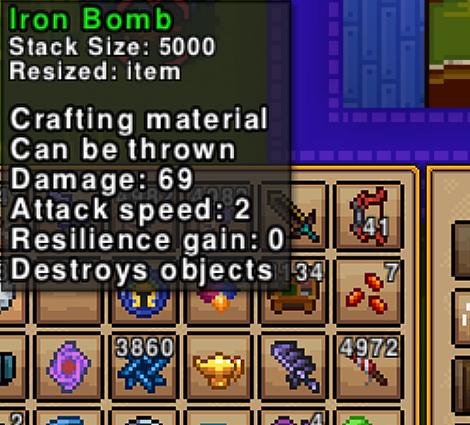
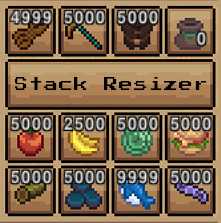
The Stack Resizer mod allows to you to change the maximum items allowed in a stack.
This means you can set your stack sizes to whatever you want! And you can do that on an individual item basis or across classes of items.
Features
- Set custom max stack sizes for any individual item, by name.
- Set custom max stack sizes for categories of items, such as all 'fish', 'weapons'. No need to look the categories up, just start typing and autocomplete will do the rest.
- Blacklist any item from modification, by item or category.
- Modify the stack size of all other items not explicitly modified or blacklisted with a default stack size.
- Provides external mod support, allowing other mods to modify the blacklist and stack sizes dynamically. Check the github page for more information. It's just a single static field you need to add.
- Auto-saves with the server's auto-saves.
Notes and Basic Functionality
* All settings are specific to individual worlds, stored at %APPDATA%/Necesse/cfg/mods in plaintext, making organizing different server settings easy. This configuration file also offers additional methods of manipulating items, such as with internal class type.
* Only server admins or higher may alter stack sizes or use the /stackresize command.
* A base blacklist of items is included to help prevent problems in game. This includes all weapons and armor. It is not recommended to do so, but blacklists can be overridden by adding the item or item category to the stack size modification list. This WILL cause you strange problems.
Visit https://github.com/FerrenF/Necesse-Stack-Resizer to find the code used to create this mod.
Shoutout
A special shout-out goes to the inspiration of this mod, the original Increased Stack Size mod by @dianchia. This mod was created aiming to serve a similar role with more robust features. The author of this original mod is also no longer active in the community.
Highlights
From source dataFootprint
A 159 KB download, rated a light load on a server.
Last update
Its author last shipped an update 18 mo ago.
Stack Resizer on Nxeon
From our catalogue- One-click install
- Supported on Nxeon Necesse servers. We download it from Steam Workshop, place it, and restart the server.
- Server load
- light
- Smallest plan we suggest
- Necesse — 1 GB (1 GB RAM). This follows our own load rating above, not a benchmark.
- Latest build
- 2025-04-24, released 2025-04-24, 159 KB
Game versions by loader
| Loader | Game versions | Newest |
|---|---|---|
| Workshop |
From 1 recorded build of Stack Resizer.
Run Stack Resizer on a Necesse server
Pick a server or deploy a new one above; it is installed in one click.
What kind of mod it is
From the catalogQuality of life & UI
Small conveniences, tweaks and interface improvements players notice straight away.
Compatibility
- Game
- Necesse
- File size
- 159 KB
Verified at the source
- ✓Steam WorkshopOfficial listing, checked 2026-10-10Open ↗
- ✓AuthorFerren-, as published on Steam Workshop
- ✓LicenseNot published by the sourceFree









