About Advanced Trading Post
From Steam WorkshopThis Mod Spawns an Advanced Tradning Post in some locations on the map The Trading Post can be admin Spawned and placed, but see screenshot for default spawn locations. admin character can type…
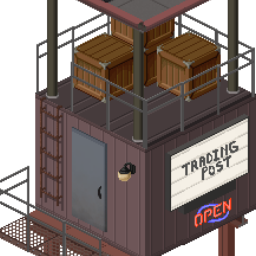
This Mod Spawns an Advanced Tradning Post in some locations on the map The Trading Post can be admin Spawned and placed, but see screenshot for default spawn locations.
admin character can type /additem "ATP.AdvancedTradingPost" to spawn a trading post in their inventory. then right click on it from inventory menu and choose "Set Up"
A Trading Post will spawn with some random loot in it already. Inventory is properly tracked after spawning and there is no creating / buying items out of thin air. If someone sells, the stock of sold items increase, and bought items stock decreases. More stock of a perticular item means lower sell and buy price, while lower stock means higher than normal price. There is no $ or cash involved, you can't eat money or kill zombies with it, just goods for goods.
How to use the Advanced Trading Post:
Drop Items you wish to offer as trade in the Trading Post and the right click on it from the inventory menu for Options. From inventory menu, You will be able to see all the inventory of the trade post group by categories. Anything you cannot afford based on the appraised value of your offering will be shown in red and disabled.
In general, sell value is 10% less than buy value
Once you select an item and quanitity you can afford. The trade post man will remove items from the offering container until the required value for the desired items is met, then he will put your purchased items into the publicly accessable side of the container of the trading post
Dontate Contents Option will put anything in the Trade post container into the locked inventory (Admin can stock the trade post with this)
Show Inventory Option will bring up a window displaying the Trade posts full inventory
NOTES:
Tested and working in MP
This trading post does not use any recipies or cash. It works by simply exchanging items that have defined values (Not all items have defined values yet. I could use some help with this)
Unless a value has been set for an item, its asummed to be worthless Most Base game items have values set, and a small amount of Hydrocraft items. More to come in time.
Can easily be compatible with items from any Mod. When this mod is enabled a global table variable called "ItemValueTable" will be available for you to add item values to any items in your own mods via lua like this:
ItemValueTable["ORGM.BBs"] = 10.00; ItemValueTable["ORGM.BBCan"] = 20.00; ItemValueTable["ORGM.22Box"] = 0.50; ItemValueTable["ORGM.22Can"] = 3.00;
Enjoy! ~Nolan
Workshop ID: 922781416 Mod ID: ATP
Highlights
From source dataFootprint
Rated a light load on a server.
Last update
Its author last shipped an update 8 yr ago.
Advanced Trading Post on Nxeon
From our catalogue- One-click install
- Supported on Nxeon Project Zomboid servers. We download it from Steam Workshop, place it, and restart the server.
- Server load
- light
- Smallest plan we suggest
- Project Zomboid — 6 GB (6 GB RAM). This follows our own load rating above, not a benchmark.
- Latest build
- 2018-09-05, released 2018-09-05
Game versions by loader
| Loader | Game versions | Newest |
|---|---|---|
| Workshop |
From 1 recorded build of Advanced Trading Post.
Run Advanced Trading Post on a Project Zomboid server
Pick a server or deploy a new one above; it is installed in one click.
What kind of mod it is
From the catalogEconomy & shops
Currencies, shops, trading and rewards.
Compatibility
- Game
- Project Zomboid
Verified at the source
- ✓Steam WorkshopOfficial listing, checked 2026-11-01Open ↗
- ✓Authornolanritchie, as published on Steam Workshop
- ✓LicenseNot published by the sourceFree