






About Alternative Crosshair
From Steam WorkshopOne and only Combat Awareness Tool (Btea) The first proper crosshair mod for Project Zomboid that displays all kind of accuracy multiplier in intuitive manner. Yes, I know Btea is suppose to be…
One and only Combat Awareness Tool (Btea)
The first proper crosshair mod for Project Zomboid that displays all kind of accuracy multiplier in intuitive manner. Yes, I know Btea is suppose to be "Beta".
Features
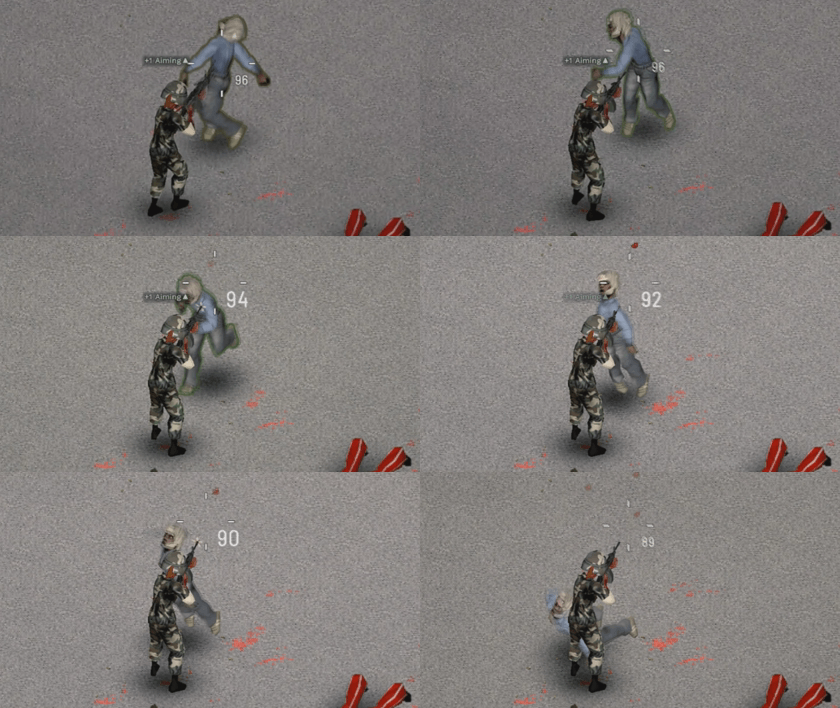
- Reactive Crosshair with Options
- Generic, Quake, Dot, IsoCursor A, B total 5 Options are availble.
- Separated Melee Mode and Firearm Mode.
- Not all weapon is the same. Use the best method that fits for you.
- Reactive Current Ammo Counter
- You can choose between 3 font variation.
- Overrides Existing ISOCursor Aiming Sprite
- This is not drawing over existing crosshair. This will replace vanilla crosshair.
- Configurable with ModOption
- Find your best settings with the Mod Option Support.
- Accurate Melee Direction Display (Soft-Lock Cursor Radius for Melee Weapon)

Notes
- For Brita/Gunfighter Users, Turn off movement gauge option to utilize this mod.

- Currently, there is no Mod Option. Just like "Alternative Inventory" mod, The mod option will be implemented later.
- If you need something to be optional or want something to be changed. Please leave feedback into comment section or discussion.
- You may ask technical details in the Project Zomboid's #modding section.
- I have no plan to make "OwO" crosshair. Do not ask for it.
- Restart is required.
FAQ
- Does it works with....
- Yes.
- The Melee crosshair(IcoCursor) is stuck, What should I do?
- Turn off this option.

- How to turn off Ammo Counter?
- Turn off this option.

- How do I use same crosshair for Melee and Firearms?
- Set the same value for those two options.

- I still can see old crosshair
- Restart the game.
Checkout my other mods


Workshop ID: 2814165668 Mod ID: blkt_crosshair
Highlights
From source dataFootprint
Rated a light load on a server.
Last update
Its author last shipped an update 4 yr ago.
Alternative Crosshair on Nxeon
From our catalogue- One-click install
- Supported on Nxeon Project Zomboid servers. We download it from Steam Workshop, place it, and restart the server.
- Server load
- light
- Smallest plan we suggest
- Project Zomboid — 6 GB (6 GB RAM). This follows our own load rating above, not a benchmark.
- Latest build
- 2022-06-06, released 2022-06-06
Game versions by loader
| Loader | Game versions | Newest |
|---|---|---|
| Workshop |
From 1 recorded build of Alternative Crosshair.
Run Alternative Crosshair on a Project Zomboid server
Pick a server or deploy a new one above; it is installed in one click.
What kind of mod it is
From the catalogQuality of life & UI
Small conveniences, tweaks and interface improvements players notice straight away.
Compatibility
- Game
- Project Zomboid
Verified at the source
- ✓Steam WorkshopOfficial listing, checked 2026-11-01Open ↗
- ✓AuthorBlack Tea Za rebel1324, as published on Steam Workshop
- ✓LicenseNot published by the sourceFree















