






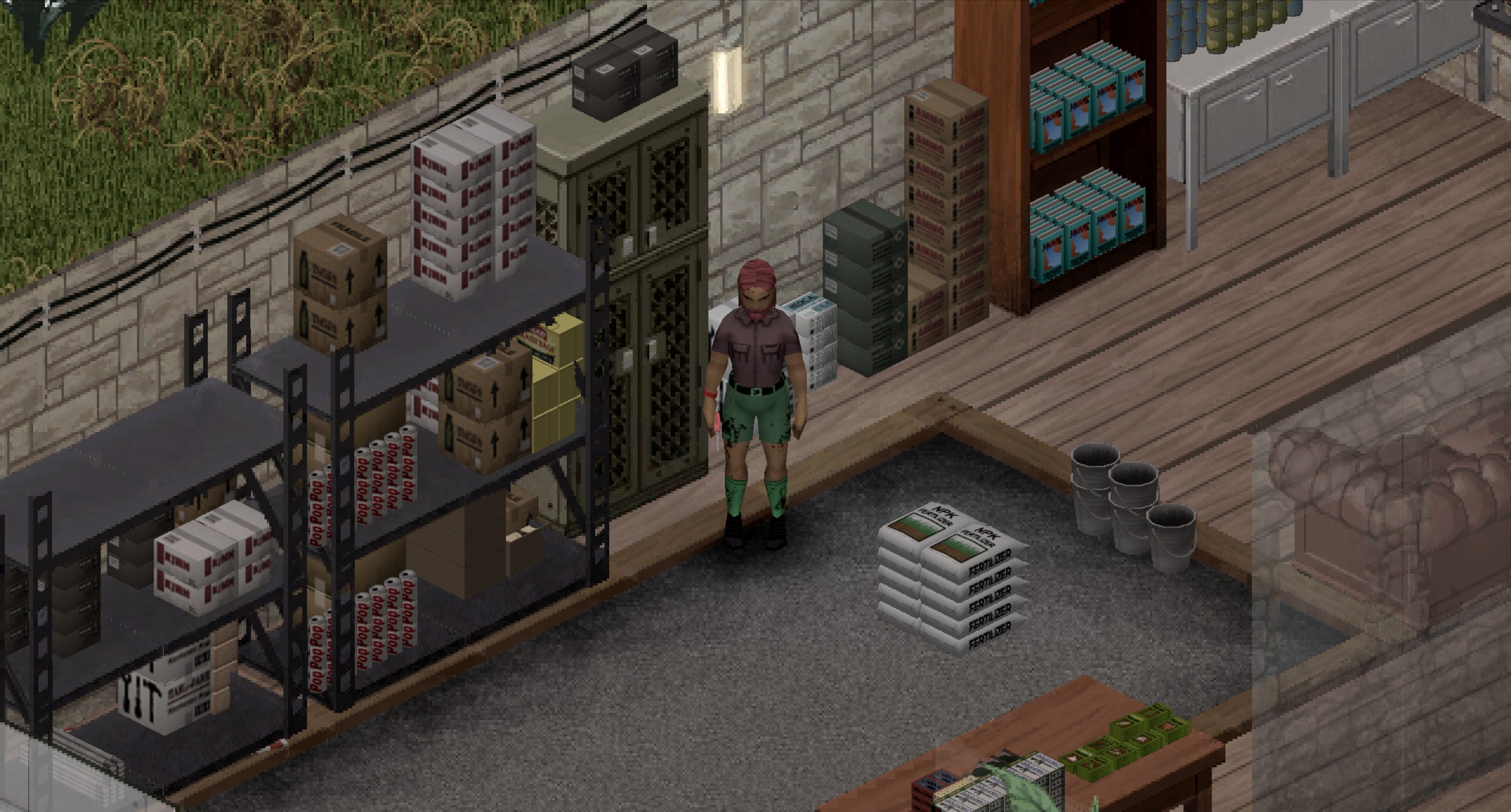
About [B42.20] Item Arrange
From Steam WorkshopItem Arrange V2.9. Build 42.20. Single player and Multi Player Works in SP & MP Hold shift key while dragging items from your inventory to a neighboring ground tile to have them arranged. items will…
Item Arrange
V2.9. Build 42.20. Single player and Multi Player
[table] [tr] [td]
[h1]
- Works in SP & MP
- Hold shift key while dragging items from your inventory to a neighboring ground tile to have them arranged.
- items will be arranged on the floor as well as on surfaces of the furniture.
- Not every item and every furniture works yet
[/td] [/tr] [/table]
What does this mod do?
This mod changes how items are placed when dropped on the ground, tables, shelves, countertops, and other surfaces. Instead of being scattered randomly, items are arranged in an orderly and visually pleasing way.
The result is a cleaner-looking world that's both more practical and more immersive.
Why is this interesting?
- More practical – No more messy piles. Items are easier to find and organize.
- Better looking – Project Zomboid's 3D item models look great, and displaying them neatly opens up many new decoration possibilities.
- More realistic – The number of items that can be placed on a surface is no longer limited by the container's weight capacity, but by the actual space the items occupy.
[h2]How to use the mod HOLD SHIFT KEY WHEN DROPPING ITEMS [/h2] Items are arranged automatically when you drop them from your inventory.
Simply drag the items holding shift keY onto the desired surface before releasing it. You can place items on the ground beneath your character or on any adjacent surface, such as tables, shelves, and countertops. Just drag them to the ground of the current tile or adjacent tile.
Donations / Payments / Gifts

Limitations
- Not every item can be arranged. Currently, only items with simple, regular shapes (such as boxes or cylinders) are supported.
- Not every surface is supported yet. Each surface must be configured manually, which is a time-consuming process. Support for additional furniture and objects will be added over time.
Contact and Support
[h2] Steam lacks any reasonable moderation tools and is thus allowing bad language, hate, harassment, spam and threats. As a result the comment section had to be disabled. The the preferred method of communication is now Discord. Contact me on Discord. [/h2]
Workshop ID: 3767 6392 80 Mod ID: ItemArrange
Highlights
From source dataFootprint
Rated a light load on a server.
Last update
Its author last shipped an update 2 mo ago.
[B42.20] Item Arrange on Nxeon
From our catalogue- One-click install
- Supported on Nxeon Project Zomboid servers. We download it from Steam Workshop, place it, and restart the server.
- Server load
- light
- Smallest plan we suggest
- Project Zomboid — 6 GB (6 GB RAM). This follows our own load rating above, not a benchmark.
- Latest build
- 2026-08-23, released 2026-08-23
Game versions by loader
| Loader | Game versions | Newest |
|---|---|---|
| Workshop |
From 1 recorded build of [B42.20] Item Arrange.
Run [B42.20] Item Arrange on a Project Zomboid server
Pick a server or deploy a new one above; it is installed in one click.
What kind of mod it is
From the catalogQuality of life & UI
Small conveniences, tweaks and interface improvements players notice straight away.
Compatibility
- Game
- Project Zomboid
Verified at the source
- ✓Steam WorkshopOfficial listing, checked 2026-11-01Open ↗
- ✓AuthorSlayer, as published on Steam Workshop
- ✓LicenseNot published by the sourceFree















