






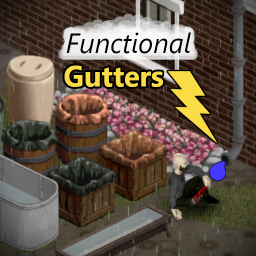
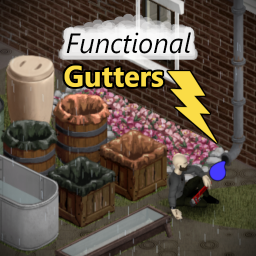
About [B42] Functional Gutters
From Steam WorkshopRealistically harvest rain water from a building's roof by connecting a container to the gutter's drain. Tap into existing gutters or build your own custom gutter system using a variety of new…
Realistically harvest rain water from a building's roof by connecting a container to the gutter's drain.
Tap into existing gutters or build your own custom gutter system using a variety of new craftable gutter pipes.
FAQ
Does this mod work in multiplayer (build 42.13+)?
- Yes, the mod has been updated with initial multiplayer support. Servers will use the default mod options (1.0 rain factor, pipe wrench required) until configurable sandbox values are added in a future update.
Can this mod be safely added mid-save?
- Yes, but it will not change any already existing collectors that happen to be placed on a gutter tile.
Can this mod be safely removed mid-save?
- Yes, but extra steps are required for multiplayer. See the removal section below.
Do gutter collectors work indoors?
- No, currently they still require being outdoors without a covered overhead tile.
What can I connect to the gutter
- All vanilla rain collectors, troughs, and the amphora are supported. Additionally, any modded entities that use the game's FluidContainer system should work out of the box such as the Useful Barrels mod.
Does this work for build 41?
- This mod relies on systems introduced in build `42.4+` and will not function in build `41`.
How To Use
[olist] [*]Build/place supported collector on the same tile as a gutter drain. Either tile works for multi-tile troughs. [*]Open the context menu by right-clicking on the collector. [*]Find the "Gutter Drain" submenu and select the "Connect" option. Requires a pipe wrench unless turned off in mod settings. [*]Enjoy the benefits of a highly-efficient rain collector system. [/olist]
Pre-Existing Structures
Pre-existing structures already have roof gutters meaning you won't have to build your own. To tap into these roof gutters, you will either need to find a building with an existing drain pipe or build a new drain pipe.
On its own a drain pipe will reach the next level above. Additional vertical pipes can be built on top of the drain pipe to access roofs on higher floor levels.
Player-Built Structures
Unlike pre-existing structures, player-built structures will require horizontal gutter pipes to expand the size of the roof's area being covered by the drain pipe. Each gutter pipe can collect rain from up to 4 grid-squares from its attachment point in a line. A roof square will be considered valid if it has a floor, isn't covered by a roof, and isn't occupied by an item such as a rain collector.
Use the "View Pipes" and "View Roof" buttons in the gutter ui panel to help visualize the connected pipes and covered roof area.
Mod Settings
Options -> Mods -> Functional Gutters
[table] [tr] [th]Option[/th] [th]Description[/th] [/tr] [tr] [td]Roof Rain Factor[/td] [td]The rain factor for a single square of roof which defaults to 1.0.[/td] [/tr] [tr] [td]Require Pipe Wrench[/td] [td]If true, requires a pipe wrench to connect/disconnect containers with a gutter.[/td] [/tr] [tr] [td]Debug Mode[/td] [td]If true, prints debug messages to the console and adds an additional context menu option. *Requires Restart[/td] [/tr] [/table]
Removing Mod from Multiplayer
As of 42.13.1, there is an extra step required to properly remove the mod from multiplayer servers. This process is not specific Functional Gutters and will be required for any mods that add custom entities until a fix is added in the base game.
Removal Methods
Choose one of the following methods to maintain an active multiplayer save:
Placeholder Mod To help facilitate removal, a second mod titled "[42] Functional Gutters (Removed)" has been included alongside the main mod. This placeholder mod maintains all entity scripts and tile definitions but none of the main mod's core functionality. [olist] [*]Stop the server [*]Backup the server files if not done automatically on server shutdown [*]Disable the main mod "[42] Functional Gutters" in the server settings [*]Enable the placeholder mod "[42] Functional Gutters (Removed)" in the server settings [*]Start the server back up [/olist]
Manual [olist] [*]Remove any player-crafted gutters from the game world - not required but will prevent invisible asset warnings being logged [*]Stop the server [*]Backup the server files if not done automatically on server shutdown [*]Remove the mod from the server settings [*]Locate and delete the following server files: WorldDictionary.bin, WorldDictionaryLog, WorldDictionaryReadable - location may differ but for hosted files on windows will be Users/<user name>/Zomboid/Saves/Multiplayer/<server name> [*]Start the server back up - this will automatically regenerate the WorldDictionary files and allow clients to connect without crashing [/olist]
But why do I need to do all of this?
The client syncs its own local copy of the server's WorldDictionary when connecting to the server. Any custom entities will still exist in the server's WorldDictionary with the flag removed=True whenever a mod is removed. Unfortunately in the current version of project zomboid multiplayer, this flag appears to be ignored and the client will crash with a reference error since the referenced entity scripts no longer exist for it locally.
Deleting the server's WorldDictionary files forces the server to recreate them from scratch and they will no longer contain any entities from the removed mod allowing the client to properly connect once again.
Translations
[olist] [*]Italian - thanks to Nycotex <3 [*]Spanish - needs validation [*]Portuguese - needs validation [/olist]
Highlights
From source dataFootprint
Rated a light load on a server.
Last update
Its author last shipped an update 59d ago.
[B42] Functional Gutters on Nxeon
From our catalogue- One-click install
- Supported on Nxeon Project Zomboid servers. We download it from Steam Workshop, place it, and restart the server.
- Server load
- light
- Smallest plan we suggest
- Project Zomboid — 6 GB (6 GB RAM). This follows our own load rating above, not a benchmark.
- Latest build
- 2026-09-05, released 2026-09-05
Game versions by loader
| Loader | Game versions | Newest |
|---|---|---|
| Workshop |
From 1 recorded build of [B42] Functional Gutters.
Run [B42] Functional Gutters on a Project Zomboid server
Pick a server or deploy a new one above; it is installed in one click.
What kind of mod it is
From the catalogQuality of life & UI
Small conveniences, tweaks and interface improvements players notice straight away.
Compatibility
- Game
- Project Zomboid
Verified at the source
- ✓Steam WorkshopOfficial listing, checked 2026-11-01Open ↗
- ✓AuthorMancer, as published on Steam Workshop
- ✓LicenseNot published by the sourceFree















