






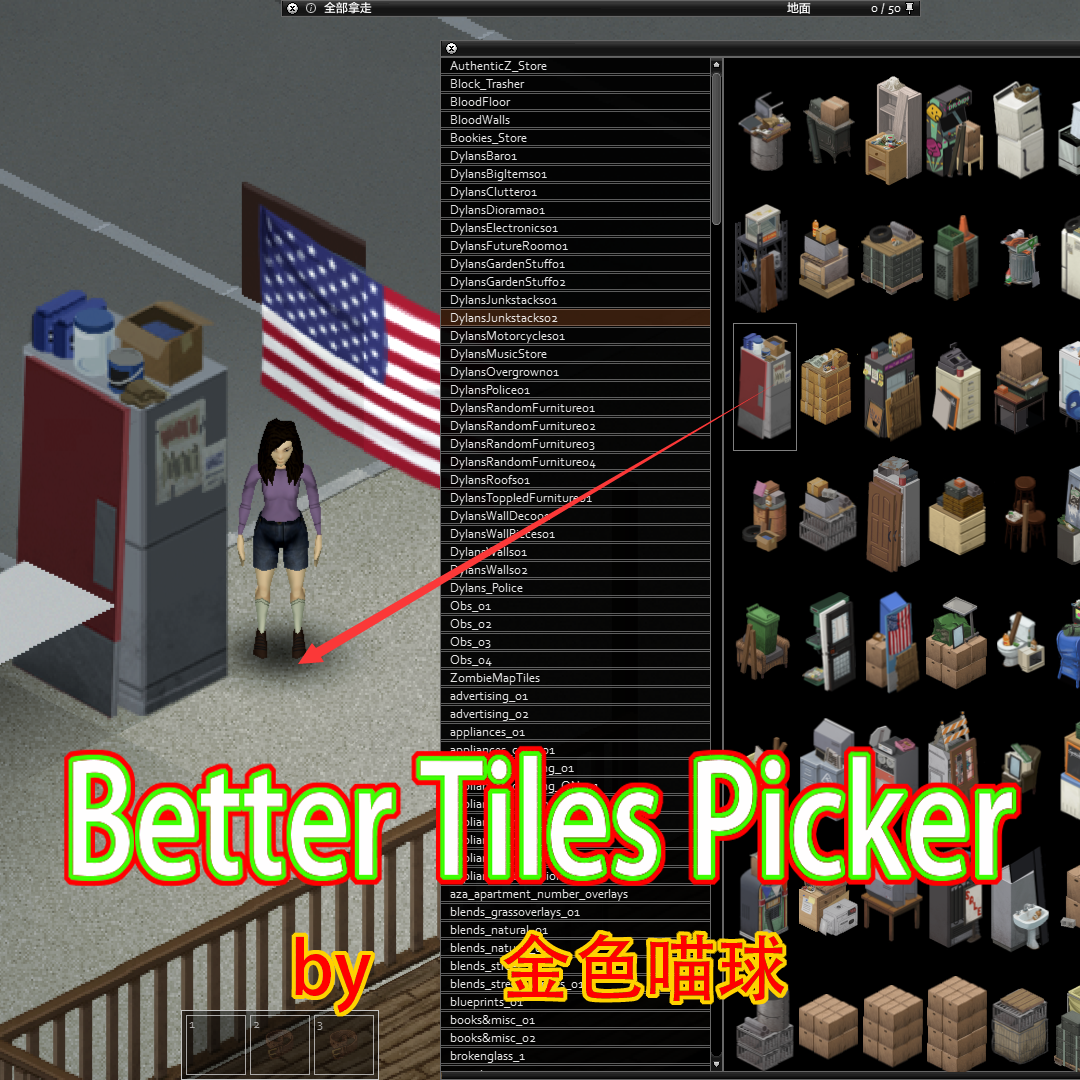
About Better Tiles Picker
From Steam Workshop2022-12-26 update:Add Level analysis UI,It allows you to precisely delete and copy tiles. 1.Right Click the ground to open the TilesPicker. 2.Left Click to select the Tile and Left Click to place the…
2022-12-26 update:Add Level analysis UI,It allows you to precisely delete and copy tiles.
1.Right Click the ground to open the TilesPicker. 2.Left Click to select the Tile and Left Click to place the tile.
Fly mode controls:W+S ↑+arrow key Delete mod control:X
Workshop ID: 2792714394 Mod ID: BetterTilesPicker
Workshop ID: 2792714394 Mod ID: BetterTilesPicker
Highlights
From source dataFootprint
Rated a light load on a server.
Last update
Its author last shipped an update 21 mo ago.
Better Tiles Picker on Nxeon
From our catalogue- One-click install
- Supported on Nxeon Project Zomboid servers. We download it from Steam Workshop, place it, and restart the server.
- Server load
- light
- Smallest plan we suggest
- Project Zomboid — 6 GB (6 GB RAM). This follows our own load rating above, not a benchmark.
- Latest build
- 2025-02-18, released 2025-02-18
Game versions by loader
| Loader | Game versions | Newest |
|---|---|---|
| Workshop |
From 1 recorded build of Better Tiles Picker.
Run Better Tiles Picker on a Project Zomboid server
Pick a server or deploy a new one above; it is installed in one click.
What kind of mod it is
From the catalogQuality of life & UI
Small conveniences, tweaks and interface improvements players notice straight away.
Compatibility
- Game
- Project Zomboid
Verified at the source
- ✓Steam WorkshopOfficial listing, checked 2026-11-01Open ↗
- ✓Author喵了个球(Working!), as published on Steam Workshop
- ✓LicenseNot published by the sourceFree















