






About Grab and Drop
From Steam WorkshopThis mod adds hotkeys to quickly grab / drop carryable items. Along with a dedicated backpack hotkey. Intermediate update: 24 Sep Added mouse functionality. Select nearby items with single click and…
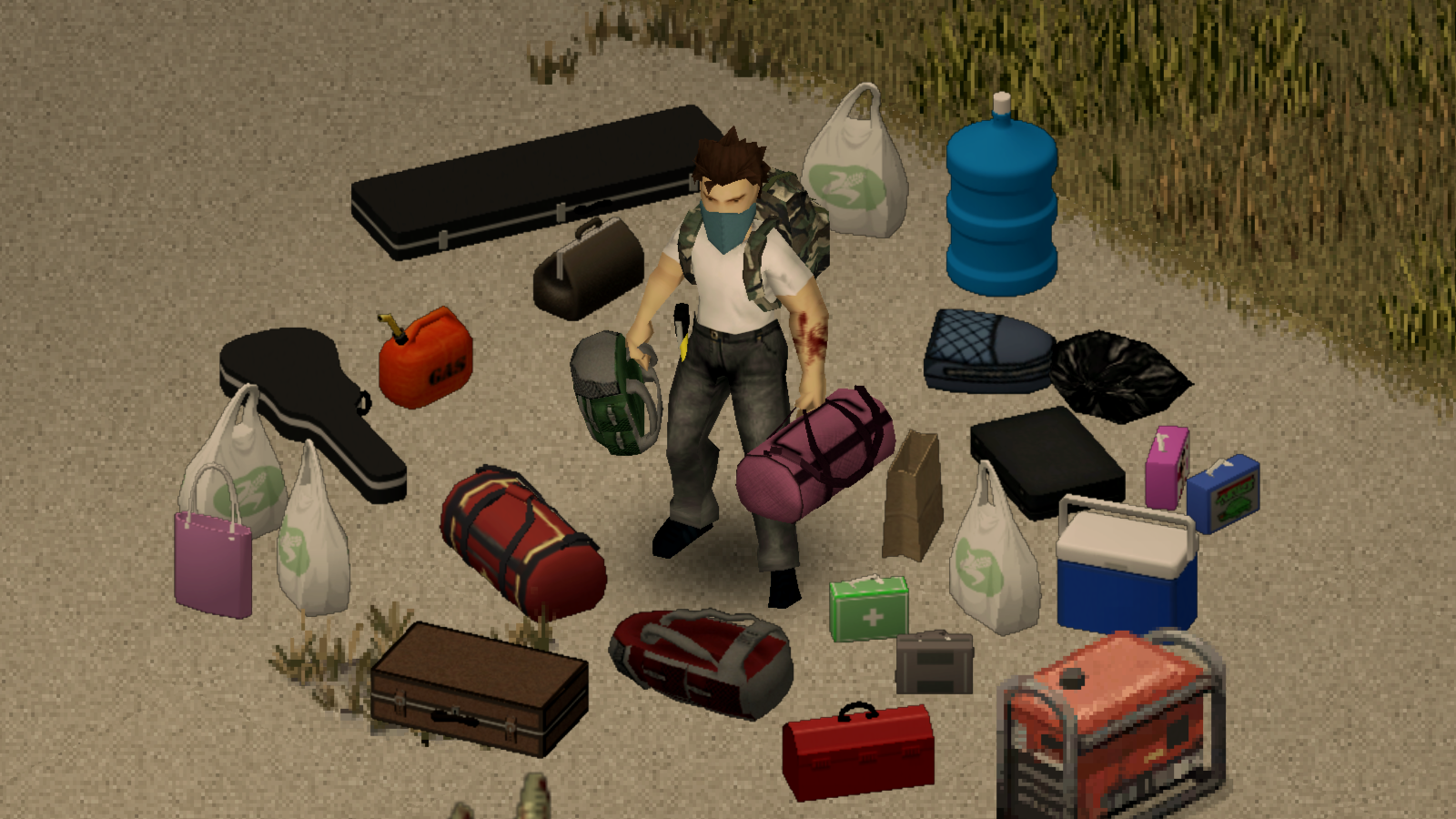
This mod adds hotkeys to quickly grab / drop carryable items. Along with a dedicated backpack hotkey.
[h1]Intermediate update: 24 Sep[/h1] [list] [*]Added mouse functionality. Select nearby items with single click and pick them up with double click. Suggested by Jasdan. [*]Items in hands will no longer be dropped when you pickup other items. This behavior was more confusing than helpful. [*]Added new icon options, including a colored icon that matches the character's skin color. [*]Other icon improvements: more precise positioning and different offsets for each icon type. Added a small delay and timeout to hide the icon after a while. [*]A few small fixes. [/list]
[h1]Update: 9 Sep[/h1][list] [*]New option: "Grab Everything" allows to pickup non-carryable items too. Requested by nurver and V1CeNtE. [*]The Auto-Equip option has been renamed to Auto-Wear as it now also affects clothing. [*]Added several icon options to choose from. [/list]
[h1]Update: 5 Sep[/h1] [list] [*]Weapons can now be dropped using the new Weapon hotkey. Depending on the assigned key, it functions on its own or as a modifier to the Drop key. [*]New option: "Long press to drop". Requested by DogeGoblin. [*]New option: "Drop attached weapons" [*]Options are now located in the drop-down panel below the buttons [*]Added icon that highlights items on the ground [*]Fixed items not dropping while the player is moving [/list] [h1]Additional update:[/h1] [list] [*]New option: "Show Icons" to toggle icons on/off. Requested by luca. [*]New option: "Allow dropping weapons" to drop weapons along with other items without the Weapon key. [*]Keys pressed with modifiers such as Shift, Ctrl, Alt, when isn't used by this mod, will be filtered to allow other mods to use it. [/list]
[h1]Update: 26 Aug[/h1] [h3]Please, revisit Key Bindings section. All mod settings are now located there. Redundant options was removed. Mod Options isn't required anymore.[/h3] Since the mod now supports more than just bags, it made sense to rename it. However, the Mod ID remaines the same (BION_DropBags) to avoid issues for current users.
Features
- Combined Grab and Drop or separate Grab, Drop keys can be assigned.
- Dedicated Backpack key to put on / drop the backpack (optional).
- Dedicated Weapon key to drop weapon (optional).
- Wield a two-handed weapon in one hand when picking up an item, and equip in both hands when dropping it.
- "Auto-Drop" option: Automatically drop items in hands when equipping a weapon.
- Favorite items always remain with the character.
- Compatible with Swap It, Fancy Handwork, Eggon's Hotkeys.
Supported items
- In short, any carryable item (visible in hands) is supported. Vanilla or from mods.
- Handheld and wearable bags, backpacks, cases, gas cans, etc.
- All weapon, flashlights, most tools, instruments, umbrella, fishing rod.
- Everything from Skizot's Carryable Everything mod.
- Water Jug from Water Dispenser mod.
- Large Gas Can from Fuel API mod.
- Generator and corpses from Visible Generators and Corpses mod.
- Paper Bag from Grab That Paper Bag mod.
"Grab Everything" option allows to loot any regular items using the Grab key as well. These items will be stored in inventory instead of being carried in hands.[/quote] [h1]Keyboard Controls[/h1][quote]It is safe to assign the same key to Grab and Interact actions. In that case, the mod checks for an available interaction and gives it priority if necessary.
The layout is flexible and depends on which actions are bound and which are not. Pay attention to the tooltips for additional keyboard shortcuts.
Here are examples of different configurations and available shortcuts:
1. Combined "Grab and Drop" key only:


2. Separate "Grab" and "Drop" keys:


3. Separate "Grab", "Drop" and "Backpack" keys:


Controller Layout and Button Prompts

Does it work on existing saves?
Yes. Safe to enable/disable at any time.
Check out my other mods
Plain Moodles Warm Up Clickless Radial Menus
Workshop ID: 3018929461 Mod ID: BION_DropBags
Highlights
From source dataFootprint
Rated a light load on a server.
Last update
Its author last shipped an update 3 yr ago.
Grab and Drop on Nxeon
From our catalogue- One-click install
- Supported on Nxeon Project Zomboid servers. We download it from Steam Workshop, place it, and restart the server.
- Server load
- light
- Smallest plan we suggest
- Project Zomboid — 6 GB (6 GB RAM). This follows our own load rating above, not a benchmark.
- Latest build
- 2023-09-25, released 2023-09-25
Game versions by loader
| Loader | Game versions | Newest |
|---|---|---|
| Workshop |
From 1 recorded build of Grab and Drop.
Run Grab and Drop on a Project Zomboid server
Pick a server or deploy a new one above; it is installed in one click.
What kind of mod it is
From the catalogQuality of life & UI
Small conveniences, tweaks and interface improvements players notice straight away.
Compatibility
- Game
- Project Zomboid
Verified at the source
- ✓Steam WorkshopOfficial listing, checked 2026-11-01Open ↗
- ✓AuthorBion, as published on Steam Workshop
- ✓LicenseNot published by the sourceFree















