






About Immersive Overlays Retexture
From Steam WorkshopImmersive Overlays Retexture Retexture of the screen overlays from Immersive Overlays and Immersive Overlays Expanded . Each overlay has been redesigned to be more atmospheric and less visually…
Immersive Overlays Retexture
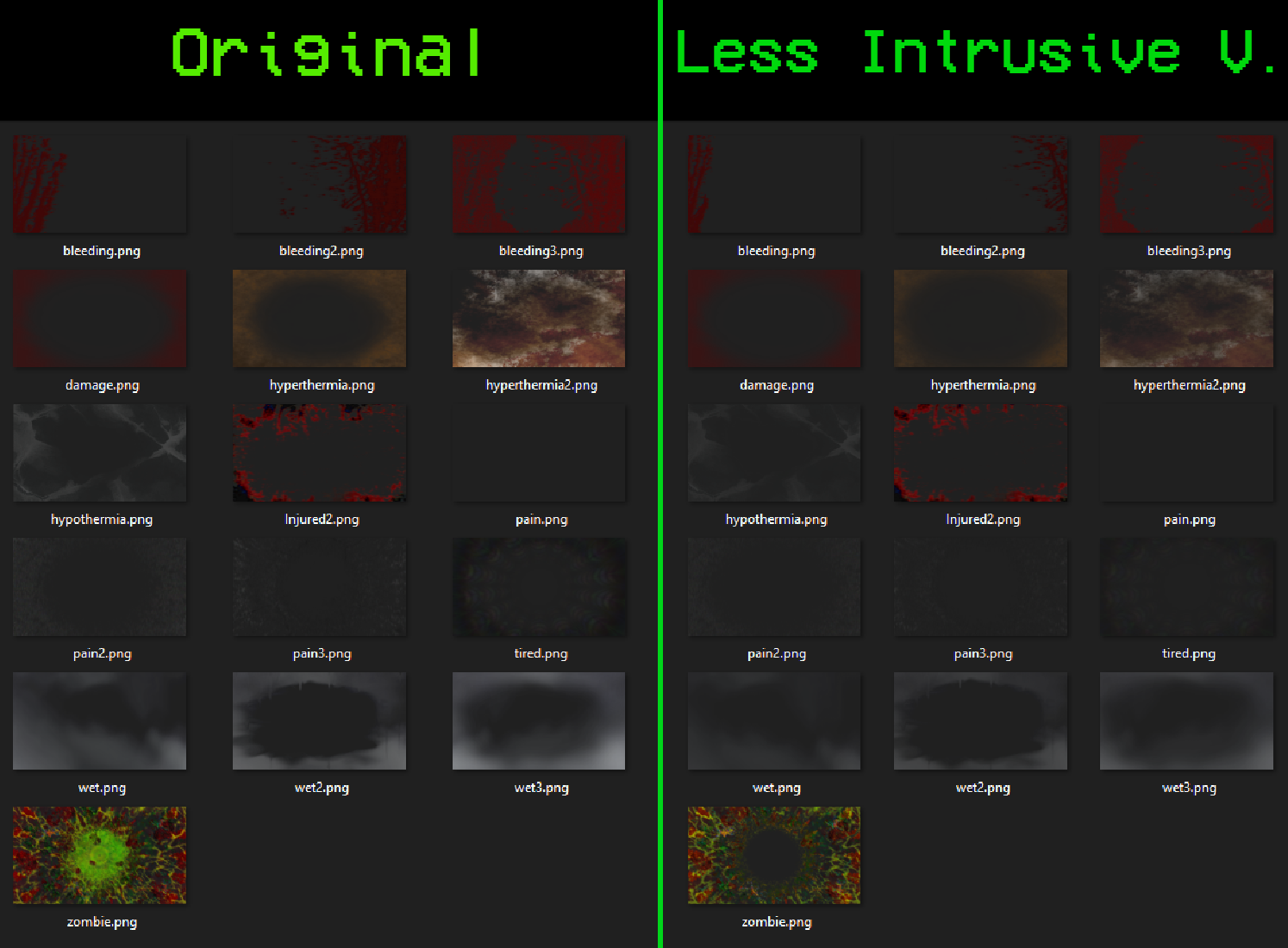
Retexture of the screen overlays from Immersive Overlays and Immersive Overlays Expanded. Each overlay has been redesigned to be more atmospheric and less visually intrusive.
Overlays included
- Pain — sine pulse that throbs faster and brighter as pain increases
- Injury — fades in as body damage accumulates
- Bleeding — pulsing intensity that grows with bleed level
- Wetness — layered wet effect that builds with exposure
- Hyperthermia / Hypothermia — activates at temperature extremes
- Tiredness — encroaching fatigue vignette
- Zombie Infection — slow ominous pulse that intensifies as infection progresses, remains visible after death
Two variants
- Immersive Overlays Retexture — standard intensity
- Immersive Overlays Retexture - Less Intrusive Version — reduced opacity
For those who's still playing on B41 Version of the game, I do not have the time to revert my game back to B41 ersion just to upload the old version of this mod.
Requirements: any text editor (Notepad works).
[olist] [*]Subscribe to the mod and let Steam download it normally.
[*]Open the mod folder in Explorer:
steamapps\workshop\content\108600\2857584360\mods\[/code]
You will find two folders: [b]Immersive Overlays Retexture[/b] and [b]Immersive Overlays Retexture - Less Intrusive[/b].

[*]Copy your chosen folder to:
[code]C:\Users\YourName\Zomboid\mods\
[*]Inside the copied folder you will find a subfolder called 42. Open it, select everything inside (Ctrl+A), cut (Ctrl+X), go back to the parent folder and paste (Ctrl+V). Delete the now empty 42 folder.
[*]Open mod.info with Notepad and delete the line:
versionMin=42.0[/code]
Save the file.

[*]Open each of the three [b].lua[/b] files inside [b]media\lua\client\[/b] and replace all occurrences:
[code]MoodleType.PAIN → MoodleType.Pain
MoodleType.INJURED → MoodleType.Injured
MoodleType.HYPERTHERMIA → MoodleType.Hyperth
MoodleType.HYPOTHERMIA → MoodleType.Hypothermia
MoodleType.TIRED → MoodleType.Tired
MoodleType.WET → MoodleType.Wet
MoodleType.BLEEDING → MoodleType.Bleeding
MoodleType.ZOMBIE → MoodleType.Zombie
Use Ctrl+H (Find and Replace) in each file. Save all.
[*]Launch Build 41, go to Mods and enable the mod normally. [/olist]
Credits
Original Immersive Overlays and Immersive Overlays Expanded by Stephanus van Zyl (Viceroy) — Workshop page
Workshop ID: 2857584360 Mod ID: ImmersiveOverlaysRetexture Mod ID: ImmersiveOverlaysRetextureLessIntrusiveVersion
Highlights
From source dataFootprint
Rated a light load on a server.
Last update
Its author last shipped an update 3 mo ago.
Immersive Overlays Retexture on Nxeon
From our catalogue- One-click install
- Supported on Nxeon Project Zomboid servers. We download it from Steam Workshop, place it, and restart the server.
- Server load
- light
- Smallest plan we suggest
- Project Zomboid — 6 GB (6 GB RAM). This follows our own load rating above, not a benchmark.
- Latest build
- 2026-08-11, released 2026-08-11
Game versions by loader
| Loader | Game versions | Newest |
|---|---|---|
| Workshop |
From 1 recorded build of Immersive Overlays Retexture.
Run Immersive Overlays Retexture on a Project Zomboid server
Pick a server or deploy a new one above; it is installed in one click.
What kind of mod it is
From the catalogQuality of life & UI
Small conveniences, tweaks and interface improvements players notice straight away.
Compatibility
- Game
- Project Zomboid
Verified at the source
- ✓Steam WorkshopOfficial listing, checked 2026-11-01Open ↗
- ✓Authorܟܟܓ, as published on Steam Workshop
- ✓LicenseNot published by the sourceFree















