






About Map Mod Manager (41 and 42)
From Steam WorkshopMap Mod Manager is a tool for managing and organizing your map mods. With a cell grid display, you can visually identify conflicts between maps, regardless of if you're subscribed to them or picked…
Map Mod Manager is a tool for managing and organizing your map mods. With a cell grid display, you can visually identify conflicts between maps, regardless of if you're subscribed to them or picked from the huge database of over 800 maps. Whether you're curating a fine collection of maps, checking your current subscriptions for conflicts or expanding your map collection, Map Mod Manager is the tool to help you do it.
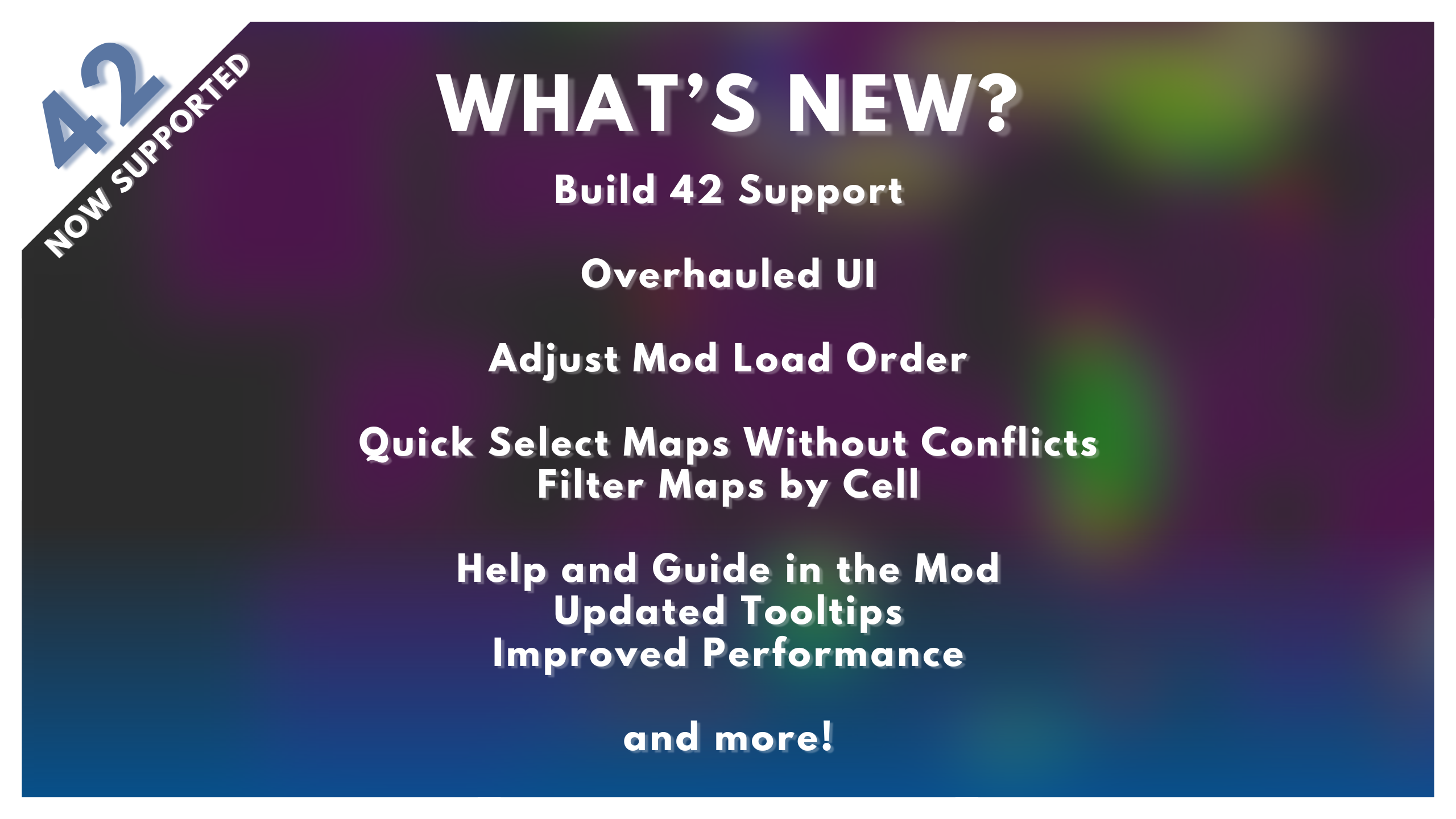
Now reads subscribed mod cells!
The latest update enables Map Mod Manager to read your map files directly, so you don't need to wait for the database to update when a new map is released. As long as you're subscribed, it will know exactly where on the map it belongs. Currently available for Build 42 only.
Features:
Interactive Cell Display:
View maps on a detailed grid that highlights selected mods to instantly spot conflicts - either with other mods or with vanilla map areas.
Toggle Mods:
Quickly enable or disable your subscribed mods and their dependencies directly in Map Mod Manager, you don't have to go back to mods to manage them.
Quick Select and Filter:
Quickly select map mods that don't conflict with your current selection or filter by specific cells to find compatible mods.
Steam Links:
Open any map or dependency workshop page directly from Map Mod Manager - if a map works with your current collection, you can update it in a few clicks and a refresh of the game.
Dependency Checker:
See required mods for every selected or enabled map. Hover over a dependency to see which maps are relying on it, so you don't miss anything essential - preventing in-game issues.
Read Subscribed Maps (Build 42):
Automatically reads the cells of any subscribed map, ensuring that even the newest maps are checked for conflicts with your collection.
Export Data:
The export function generates a list of selected maps, including their URL's, dependencies and multiplayer data, enabling you to quickly set up a server or share it with a mate.
Re-Order Mods and MapFolders:
Easily reorder both ModIDs and MapFolders.
How do I use it?
- Enable Map Mod Manager in the mods menu, save and go back to the main menu. A button called 'Map Mod Manager' will appear under the Quit button.
- Select maps to show them on the cell grid, conflicting maps appear red, if they conflict with a vanilla map they appear yellow.
- Purple cells are map mods without conflicts, green and blue cells are vanilla maps.
- Hover your mouse over any cell in the grid to show what map/s are occupying that cell.
- If you're subscribed to a map, it will appear in the Subscribed Map Mods list, green maps are enabled.
- Dependencies will populate for both active mods and selected mods, active mods are green, required dependencies that aren't enabled are white, dependencies you aren't subscribed to are red.
- Hover over a dependency to see what map enabled it.
- Use the steam link next to any map or dependency to navigate to the workshop page, if you subscribe to a new mod, you'll need to quit and re-open the game for it to show up in your Subscribed Map Mods list.
- Buttons have tooltips, so you know exactly what they are doing.
- Mod changes are saved by closing the UI.
Note, if you have increased your font size, you will have issues displaying the UI. Reduce your font size to default while using this mod.
Important disclaimers about maps that aren't in the database:
- Uninstalled Dependencies: If a required dependency isn’t installed and isn’t already in the database, it won’t be listed as required. Always check the map Workshop page for any dependencies when subscribing to new maps.
- Mod Packs: Map Mod Manager will detect “mod packs” (workshop items that contain multiple mods). This can cause issues if you’re subscribed to both a mod pack and one of its individual mods. It’s best to avoid subscribing to both at the same time.
 French thanks to Aatheom! Korean thanks to Teray! Italian thanks to Nycotex!






On Lockdown This mod cannot be modified by anyone else, for anything else, at all, ever. Even if the user disappears, he or she would much rather you didn't touch the fruits of their hard labour. You are not allowed to repack this mod under any circumstances, ever.
Workshop ID: 3360392628 Mod ID: mapmodmanager
Highlights
From source dataFootprint
Rated a light load on a server.
Last update
Its author last shipped an update 54d ago.
Map Mod Manager (41 and 42) on Nxeon
From our catalogue- One-click install
- Supported on Nxeon Project Zomboid servers. We download it from Steam Workshop, place it, and restart the server.
- Server load
- light
- Smallest plan we suggest
- Project Zomboid — 6 GB (6 GB RAM). This follows our own load rating above, not a benchmark.
- Latest build
- 2026-09-11, released 2026-09-11
Game versions by loader
| Loader | Game versions | Newest |
|---|---|---|
| Workshop |
From 1 recorded build of Map Mod Manager (41 and 42).
Run Map Mod Manager (41 and 42) on a Project Zomboid server
Pick a server or deploy a new one above; it is installed in one click.
What kind of mod it is
From the catalogQuality of life & UI
Small conveniences, tweaks and interface improvements players notice straight away.
Compatibility
- Game
- Project Zomboid
Verified at the source
- ✓Steam WorkshopOfficial listing, checked 2026-11-01Open ↗
- ✓Authorjiizzjacuzzii, as published on Steam Workshop
- ✓LicenseNot published by the sourceFree















