






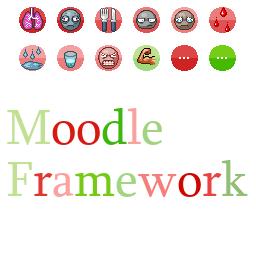
About Moodle Framework B41
From Steam WorkshopMakes it easy to add moodles for modders. Moodle Framework Configuration If you want colors to be easier to distinguish, you can set to white the reference color for moodles. This applies to both…
Makes it easy to add moodles for modders.
Moodle Framework Configuration
If you want colors to be easier to distinguish, you can set to white the reference color for moodles. This applies to both vanilla and modded moodles. You can also deactivate various displays to enhance mod compatibility. Modded Backgrounds with small extensions right or down are now handled too.
How to create a new moodle
If you wanna create a Moodle * then follow the next steps, replacing * by your moodle name.
1/ Moodle Texture
Add Moodle *.png under media\ui. Should be 30 by 30 pixels png with alpha enabled.
2/ Texture
Add the following text under media\lua\shared\Translate\EN
Moodles_EN {
    Moodles_*_Good_lvl1 = "text_1",
    Moodles_*_Good_desc_lvl1 = "text_desc_1",
    Moodles_*_Good_lvl2 = "text_2",
    Moodles_*_Good_desc_lvl2 = "text_desc_2",
    Moodles_*_Good_lvl3 = "text_3",
    Moodles_*_Good_desc_lvl3 = "text_desc_3",
    Moodles_*_Good_lvl4 = "text_4",
    Moodles_*_Good_desc_lvl4 = "text_desc_4",
    Moodles_*_Bad_lvl1 = "text_1",
    Moodles_*_Bad_desc_lvl1 = "text_desc_1",
    Moodles_*_Bad_lvl2 = "text_2",
    Moodles_*_Bad_desc_lvl2 = "text_desc_2",
    Moodles_*_Bad_lvl3 = "text_3",
    Moodles_*_Bad_desc_lvl3 = "text_desc_3",
    Moodles_*_Bad_lvl4 = "text_4",
    Moodles_*_Bad_desc_lvl4 = "text_desc_4",
}
You can implement only a subset of this as long as you call only the implemented part.
3/ Moodle object creation
Add these lines in your mod:
require "MF_ISMoodle"
MF.createMoodle(*);
4/ Moodle value updates
Access your moodle from your code with
require "MF_ISMoodle"
MF.getMoodle(*,playerNum):setValue(myNewMoodleValue)--float
0.0 <= myNewMoodleValue <=1.0 Missing playerNum will make the mod incompatible with SplitScreen.
For tuning options see dedicated discussion
Limitations
- Not tested with multiplayer. (it is expected to work)
- Not tested with splitscreen. (it is expected to work since last version)
- Oscillations are not based on vanilla value and the behaviour may depend on performances.
Credits where it is due
- This is inspired from the (removed) mod Zombie Camouflage moodle management by the awesome Dislaik.
Known mods using this
- More Traits
- Auto Sewing
- ProteinsMoodle
- CannotAttackMoodle
- SixthSense
- Excrementum
- MoodleCombatSpeed
- Nuclear Winter
- MoodleSanity
- SanityMoodleRocky
- Rick's MLC Concussion
- General Anxiety
- MoodleDog
- Evolving Traits World (ETW)
- Weather Moodles
- Seismic Events
- More Smokes
- Serious Cigarette Withdrawl
- More Moodles
- Out of Breath Moodle
- Dirtiness Sickness
- BCU Mod
- Radiated Zones
- Sleepy Moodle
- Pregnancy
- Customizable Fake Infection
- Anomaly Roasting
- Real Knockouts
- Medicine Moodles
Have a look at how they use this mod.
If you still have questions, ask on Official PZ Discord: mod_support channel.
On Lockdown This mod cannot be modified by anyone else, for anything else, at all, ever. Even if the user disappears, he or she would much rather you didn't touch the fruits of their hard labour.
You wanna support? A nice word is always welcome. Constructive feedback too.
Highlights
From source dataFootprint
Rated a light load on a server.
Last update
Its author last shipped an update 11 mo ago.
Moodle Framework B41 on Nxeon
From our catalogue- One-click install
- Supported on Nxeon Project Zomboid servers. We download it from Steam Workshop, place it, and restart the server.
- Server load
- light
- Smallest plan we suggest
- Project Zomboid — 6 GB (6 GB RAM). This follows our own load rating above, not a benchmark.
- Latest build
- 2025-12-11, released 2025-12-11
Game versions by loader
| Loader | Game versions | Newest |
|---|---|---|
| Workshop |
From 1 recorded build of Moodle Framework B41.
Run Moodle Framework B41 on a Project Zomboid server
Pick a server or deploy a new one above; it is installed in one click.
What kind of mod it is
From the catalogQuality of life & UI
Small conveniences, tweaks and interface improvements players notice straight away.
Compatibility
- Game
- Project Zomboid
Verified at the source
- ✓Steam WorkshopOfficial listing, checked 2026-11-01Open ↗
- ✓AuthorTchernobill, as published on Steam Workshop
- ✓LicenseNot published by the sourceFree















