






About Multiplayer Three Zones: PVE, PVPE, PVP
From Steam Workshop[url=patreon.com/_tsar] https://steamuserimages-a.akamaihd.net/ugc/2047488292130357038/307A1EFBD98F7B63C736466AACD5CF58235FB88A/ Description There will now be 3 zones in multiplayer: PVE - players…

Description
There will now be 3 zones in multiplayer:
- PVE - players cannot attack each other.
- PVPE - players can attack each other only if both players have PVP mode enabled.
- PVP - PVP mode is automatically enabled for all players.
Features
PVPE mode is enabled by default on the entire map.
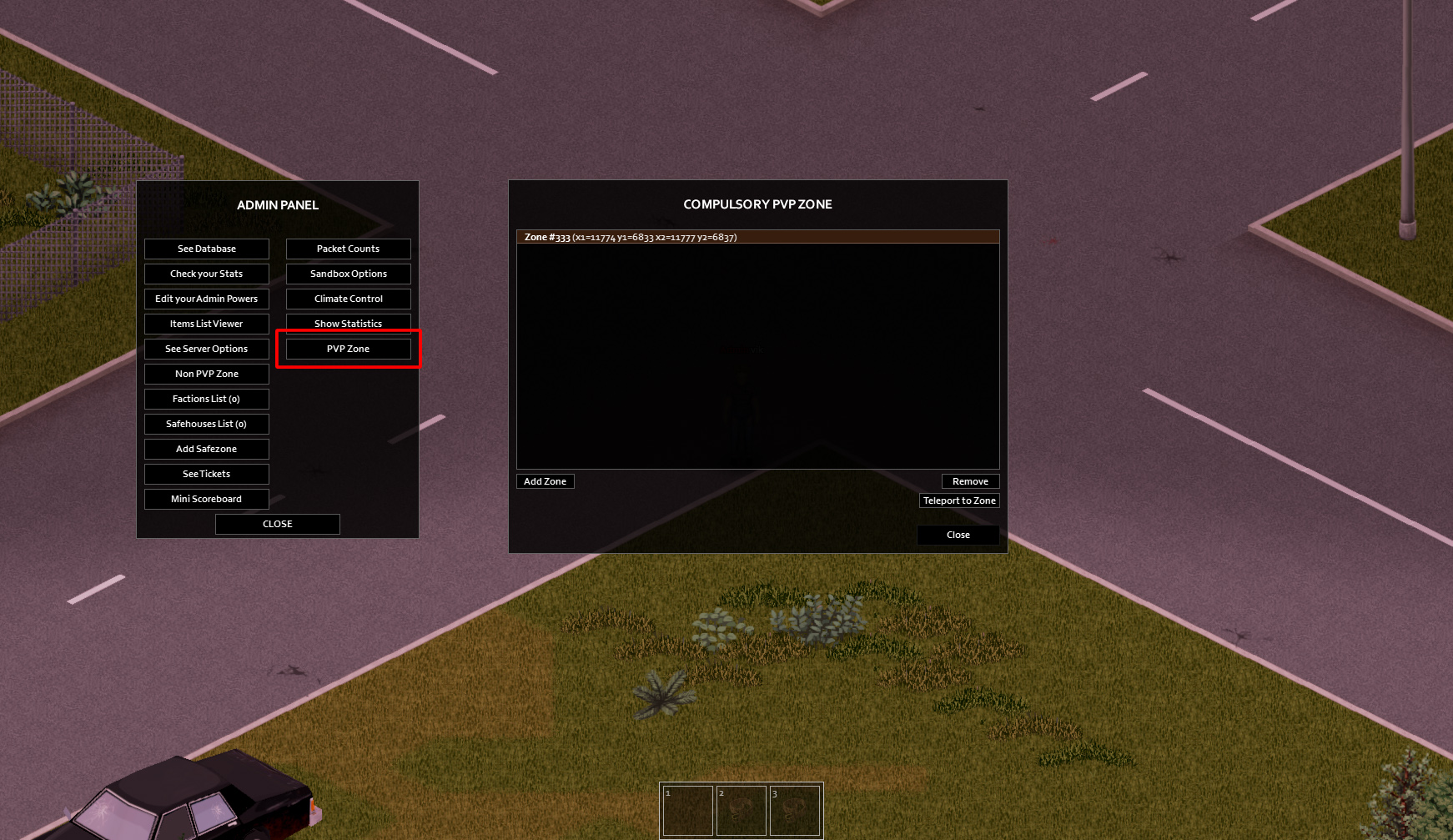
A new item is available in the admin panel to create a PVP zone: "PVP Zone".
When adding a new PVP zone, a file yourservername_pvpzone.lua is created in the folder Zomboid\Lua on the server, it is needed to restore all zones after the server is wiped. Copy this file to your server configuration folder and immediately after wipe all zones will be restored.
Also, through the file yourservername_pvpzone.lua (located near the server configuration file) you can set zones using a text editor. An example of its syntax:
ServerPvpZoneList = {
	{title = "Zone #111", x = 11774, y = 6833, x2 = 11777, y2 = 6837},
	{title = "Zone #222", x = 12724, y = 6733, x2 = 12777, y2 = 5837},
	{title = "Zone #333", x = 14774, y = 3633, x2 = 7777, y2 = 4837}
}
NOTE!!! The zones from yourervername_pvpzone.lua file will only be read and added to the server if no PVP zone is manually created (via admin panel). If you want to force update list of zones from this file, you need to remove all zones from list and restart server.
If you don't see the "PVP Zone" button in the admin panel, then you have another mod installed that isn't done correctly. You can call the PVP zone control panel at any time via debug commands:
local pvpzone = PVPE_ISPvpZonePanel:new(50,50,600,600, getPlayer());
pvpzone:initialise();
pvpzone:addToUIManager();





Version: 1.02 Workshop ID: 2939521600 Mod ID: PVE_PVPE_PVP
Highlights
From source dataFootprint
Rated a light load on a server.
Last update
Its author last shipped an update 4 yr ago.
Multiplayer Three Zones: PVE, PVPE, PVP on Nxeon
From our catalogue- One-click install
- Supported on Nxeon Project Zomboid servers. We download it from Steam Workshop, place it, and restart the server.
- Server load
- light
- Smallest plan we suggest
- Project Zomboid — 6 GB (6 GB RAM). This follows our own load rating above, not a benchmark.
- Latest build
- 2023-03-15, released 2023-03-15
Game versions by loader
| Loader | Game versions | Newest |
|---|---|---|
| Workshop |
From 1 recorded build of Multiplayer Three Zones: PVE, PVPE, PVP.
Run Multiplayer Three Zones: PVE, PVPE, PVP on a Project Zomboid server
Pick a server or deploy a new one above; it is installed in one click.
What kind of mod it is
From the catalogQuality of life & UI
Small conveniences, tweaks and interface improvements players notice straight away.
Compatibility
- Game
- Project Zomboid
Verified at the source
- ✓Steam WorkshopOfficial listing, checked 2026-11-01Open ↗
- ✓AuthoriBrRus, as published on Steam Workshop
- ✓LicenseNot published by the sourceFree















