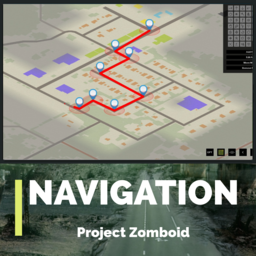
About NAVIGATION
From Steam WorkshopI want to go on a long trip with my friends by car, but the road is too far, so I think I'll wander in the middle? That's the mode I recommend to you. How do I use it? - When you ride the car, there…
I want to go on a long trip with my friends by car, but the road is too far, so I think I'll wander in the middle? That's the mode I recommend to you.
How do I use it?
- When you ride the car, there is an icon at the bottom left, and you can hear the explanation by voice when you press it. - Open the map and add a destination or waypoint with the left shift [leftstick] key. - Open the map and remove all destinations or waypoints set to the spacebar [LB]. - Open the map and press the x [LT] key to remove one by one in the order of the destinations you have recently saved - When you get out of the car, turn off the engine, and when you get off, reset the setting value (keep the setting when you get back on the car) - Set the stopover and destination and convert to the left ctrl [rightstick] key *Self-driving mode. (Insecure)
[Self-driving mode]
- Set the destination and stopover and press the left Ctrl [rightstick] key at a certain speed to enter autonomous mode at the current speed. (The speed becomes 0 when entering autonomous mode when stopped.)
- The waypoint you set will appear as a red arrow mark, and if you step on it, the car will rotate and move automatically. (If you can't step on the arrow, adjust it so that you can step on it by pressing the left and right keys.)
- If you see a scrapped car in front of you or any other obstruction while driving autonomously, you must manually press the left and right keys to avoid it.
- In the autonomous state, you can exit by pressing the left Ctrl [rightstick] key again.
- The car will stop automatically when it arrives at its destination.
FAQ
1. Does it only work if I take a car?
- Yes
2. Can't I sit in the passenger seat?
- Yes. Only drivers can use it.
3. Can't you turn off the voice?
- You can turn it off in the sandbox option.
4. I think I found something error!
- Please leave a comment. (I don't know when I'll fix it.)
5. Is it okay to just set up one destination without a stopover?
- It's okay to do that, but it's less precise. (I recommend putting a stopover in the middle.)
6. Can you multi-play?
- It's possible.
7. The symbol can't be deleted and it's still there. What should I do?
- I think it probably doesn't erase due to conflicts with other map-related e.g. the mode of sharing maps with friends in multi. turn off the symbol display through the sandbox option.

Workshop ID: 3178093292 Mod ID: Navigation
Highlights
From source dataFootprint
Rated a light load on a server.
Last update
Its author last shipped an update 3 yr ago.
NAVIGATION on Nxeon
From our catalogue- One-click install
- Supported on Nxeon Project Zomboid servers. We download it from Steam Workshop, place it, and restart the server.
- Server load
- light
- Smallest plan we suggest
- Project Zomboid — 6 GB (6 GB RAM). This follows our own load rating above, not a benchmark.
- Latest build
- 2024-04-20, released 2024-04-20
Game versions by loader
| Loader | Game versions | Newest |
|---|---|---|
| Workshop |
From 1 recorded build of NAVIGATION.
Run NAVIGATION on a Project Zomboid server
Pick a server or deploy a new one above; it is installed in one click.
What kind of mod it is
From the catalogVehicles & ships
Cars, boats, aircraft, ships and other things to drive or fly.
Compatibility
- Game
- Project Zomboid
Verified at the source
- ✓Steam WorkshopOfficial listing, checked 2026-11-01Open ↗
- ✓AuthorGIK, as published on Steam Workshop
- ✓LicenseNot published by the sourceFree