






About Nepenthe's High Beams
From Steam WorkshopB42.13.0 update: after testing this mod is still working (NOTE: tested in single player only) Updated for 42.9.0! > Made vehicle headlights extend much farther. The latest update made headlights a…
B42.13.0 update: after testing this mod is still working (NOTE: tested in single player only)
Updated for 42.9.0!
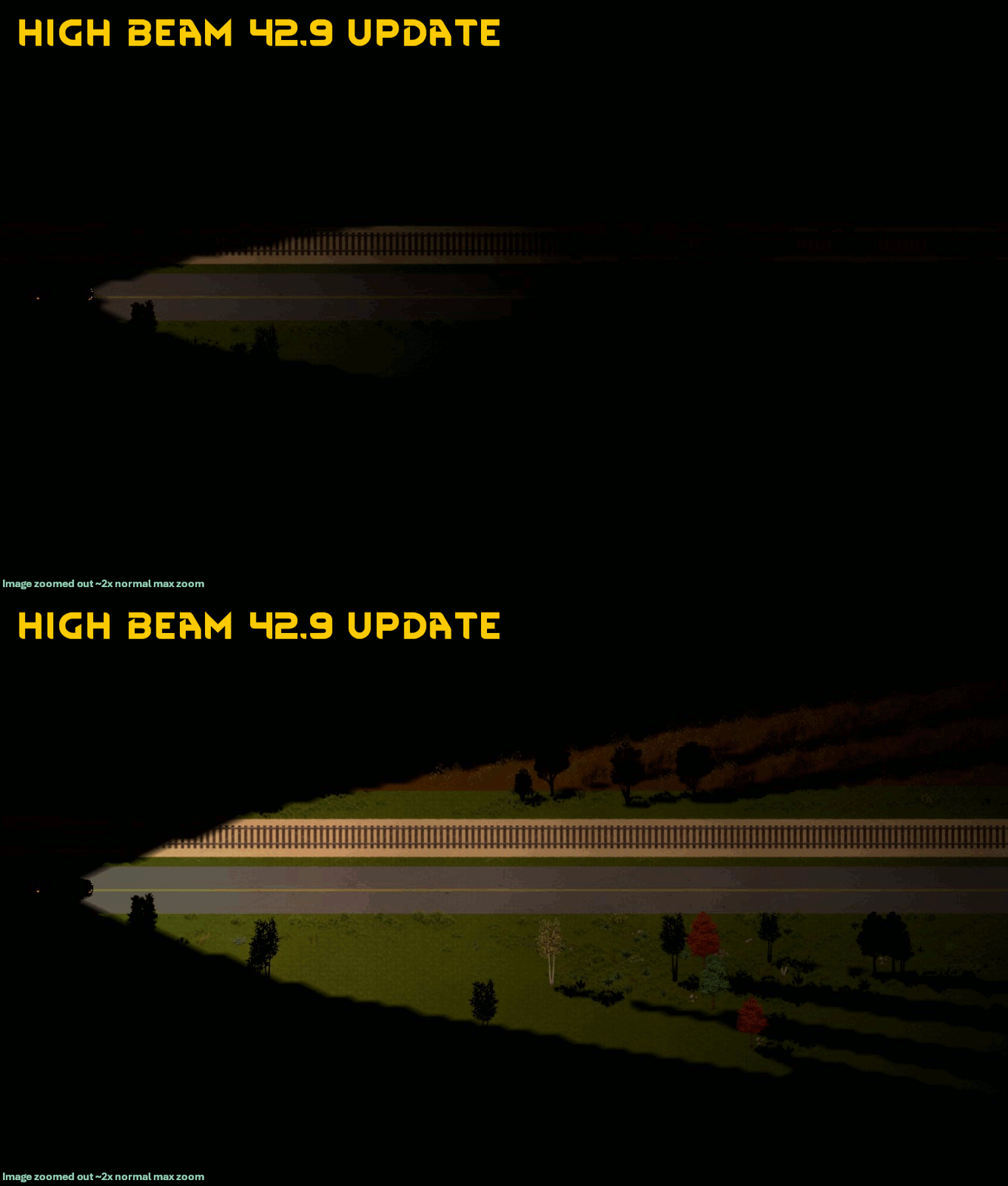
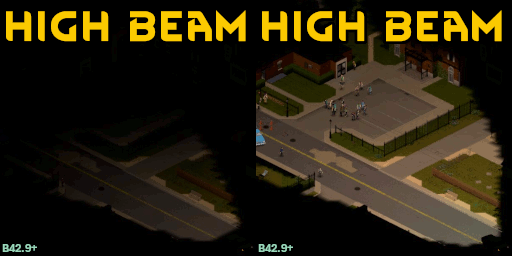
> Made vehicle headlights extend much farther.
The latest update made headlights a lot better... but they could be even brighter! This mod has been updated using the new functionality in B42.9.0 for the best headlights ever, without any manual java file installation.
Anyone using the main mod will have it automatically updated to version 3 if they are using Zomboid 42.9 or later (same modID, new code & name). The 2.0 WIP version has been removed, and the Java mod is now depreciated.
Bonus update: you can now toggle high beams using the radial menu (this can be disabled in mod options)
---
High Beams! Because driving at night needs more than 8 feet of visibility.
This mod adds high-beams you can toggle on/off that give your headlights extra distance and (optionally) light up the immediate area around the car.
Credits
十叁 for their mod BrighterHeadlights which showed me the final missing piece to make the first version of this mod
Indie Stone for updating the headlight code to make more available via lua.
Fkekexue for the radial menu icon
FAQ
How do I use this mod?
First, you need to be playing B42 and you need a vehicle with working headlights. Then get in your car and toggle high-beam mode with the hotkey (set to '.' by default.) The headlight indicator will be blue when headlights are on and in high-beam mode.
What do the options do?
In Options -> Mods -> High Beams you can change a few settings:
- Keybind: The key to toggle high beams
- Always On: high beams are always on automatically
- Length multiplier: default length is 36 tiles, this lets you increase that distance
- Intensity Multiplier: allows you to blind other drivers with your aftermarket xenon bulbs
- Radial Menu: Adds a high beam toggle to the vehicle radial menu.
- Debug Mode: Prints extra info to console.
After changing settings turn high beams off and on again for them to take effect.
Does this mod work in B41?
This mod is B42 only. It relies on new functionality added in B42.9.0 and can't be back-ported to B41.
Can this mod be safely added mid-save?
Yes.
Can this mod be safely removed mid-save?
Yes.
Does this work with modded vehicles?
It works with every modded vehicle I've tested, and there should be no issues. It will print a debug message if you try to use it in a vehicle without headlights.
Does using high beams while the engine is off consume more battery power than normal lights?
No, because when I tried the game crashed so for now power usage is unchanged.
Can I make the lighting smoother as I drive?
In Options -> Display & Performance -> Lighting Updates set the number of lighting updates to a value higher than 15 per second. (this technically has nothing to do with this mod, but is worth knowing since you're probably paying more attention to the lighting while looking at the effects of this mod)
Workshop ID: 3438126404 Mod ID: NepHighBeams
Highlights
From source dataFootprint
Rated a light load on a server.
Last update
Its author last shipped an update 8 mo ago.
Nepenthe's High Beams on Nxeon
From our catalogue- One-click install
- Supported on Nxeon Project Zomboid servers. We download it from Steam Workshop, place it, and restart the server.
- Server load
- light
- Smallest plan we suggest
- Project Zomboid — 6 GB (6 GB RAM). This follows our own load rating above, not a benchmark.
- Latest build
- 2026-03-10, released 2026-03-10
Game versions by loader
| Loader | Game versions | Newest |
|---|---|---|
| Workshop |
From 1 recorded build of Nepenthe's High Beams.
Run Nepenthe's High Beams on a Project Zomboid server
Pick a server or deploy a new one above; it is installed in one click.
What kind of mod it is
From the catalogQuality of life & UI
Small conveniences, tweaks and interface improvements players notice straight away.
Compatibility
- Game
- Project Zomboid
Verified at the source
- ✓Steam WorkshopOfficial listing, checked 2026-11-01Open ↗
- ✓AuthorNepenthe, as published on Steam Workshop
- ✓LicenseNot published by the sourceFree















