






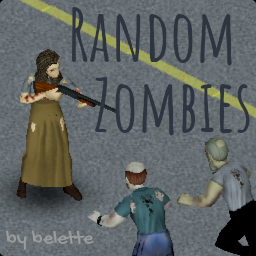
About Random Zombies
From Steam WorkshopNOT COMPATIBLE WITH BUILD 42. Compatible with version 41.76 (solo & multiplayer). This mod lets you customize how many zombies of each type (crawler, sprinter, smart, tough, etc.) appear in your…
NOT COMPATIBLE WITH BUILD 42. Compatible with version 41.76 (solo & multiplayer).
This mod lets you customize how many zombies of each type (crawler, sprinter, smart, tough, etc.) appear in your game. Inspired by Customizable Zombies.
Please make sure you've read the FAQ below before commenting if you have any issues.
Features
- easily customize how many Crawlers, Shamblers, Fast Shamblers or Sprinters appear in the world
- easily customize how many Smart zombies, which can open doors, appear in the world
- easily customize how many Tough and Fragile zombies appear in the world
- more consistent and less CPU-intensive approach than other mods, with customizable update rate
How to customize spawn rates and update rate
- go to the Random Zombies page during Sandbox creation (make sure the mod is enabled at the main menu for the Random Zombies sandbox tab to appear) or edit your (servername)_SandboxVars.lua file
- note that Crawler%, Shambler%, FastShambler% and Sprinter% must add up to 100%
- note that Fragile%, NormalTough% and Tough% must add up to 100%
- speed defaults to 2% crawlers, 15% shamblers, 78% fast shamblers, 5% sprinters
- toughness defaults to 100% normal, 0% fragile, 0% tough
- cognition defaults to 0% smart
- you can disable the check in the sandbox settings if you know what you're doing/can't be bothered configuring the mod
Frequently Asked Questions & Troubleshooting
- Can you use it in an existing save?
- You can safely enable/disable this mod in an existing save.
- How does using Random Zombies compare to the sandbox settings available in B42?
- With 42.20.0, this mod is retired. This mod was indispensable for me and many in B41, but the value added in B42 is small, and I cannot justify the time spent working on it any longer.
- I'm getting a lot of red box errors
- This is most likely due to a misconfiguration. Please make sure you read the How to customize spawn rates and update rate section above. If you're still having issues, check the actual error messages in your console.txt file or comment below with a link to your console.txt file (it can be found at C:\Users\(yourname)\Zomboid\console.txt, or ~/Zomboid/console.txt on macOS and Linux).
- I am not seeing the exact number of sprinters I configured
- There is a random component to the algorithm, but the probability distribution has been tested to be accurately represented (in the limits of what computers can do, i.e. pseudo-randomness). If you notice a consistent large disparity, please check for conflicts with other mods. If you're still having issues, please run `BLTRandomZombies.fullCheck()` in your Lua console in Debug mode and comment below with a link to the 5 generated files (placed in C:\Users\(yourname)\Zomboid\Lua, or ~/Zomboid/Lua on macOS and Linux).
- Do I need to set Zombie Lore Speed to Random?
- No, the mod will overwrite zombie speed regardless of that setting.
- What is the Frequency parameter?
- Because of how the game works (modability, zombie recycling, etc.), Random Zombies has to check at regular intervals if the zombies are properly configured. Frequency allows you to choose how often RZ should do the check. In practice, the default setting (7500) works really well and you should not have to worry about it.
- Can you allow the customization of strength, sight, memory as well?
- Unfortunately, there's no way to do that that I know of today.
- Is this mod compatible with Night Sprinters?
- Yes, thanks to TheIlluminati!
Enjoy!


Workshop ID: 2818577583 Mod ID: BLTRandomZombies
Highlights
From source dataFootprint
Rated a light load on a server.
Last update
Its author last shipped an update 21 mo ago.
Random Zombies on Nxeon
From our catalogue- One-click install
- Supported on Nxeon Project Zomboid servers. We download it from Steam Workshop, place it, and restart the server.
- Server load
- light
- Smallest plan we suggest
- Project Zomboid — 6 GB (6 GB RAM). This follows our own load rating above, not a benchmark.
- Latest build
- 2025-02-24, released 2025-02-24
Game versions by loader
| Loader | Game versions | Newest |
|---|---|---|
| Workshop |
From 1 recorded build of Random Zombies.
Run Random Zombies on a Project Zomboid server
Pick a server or deploy a new one above; it is installed in one click.
What kind of mod it is
From the catalogQuality of life & UI
Small conveniences, tweaks and interface improvements players notice straight away.
Compatibility
- Game
- Project Zomboid
Verified at the source
- ✓Steam WorkshopOfficial listing, checked 2026-11-01Open ↗
- ✓Authorbelette, as published on Steam Workshop
- ✓LicenseNot published by the sourceFree















