About RV Interior
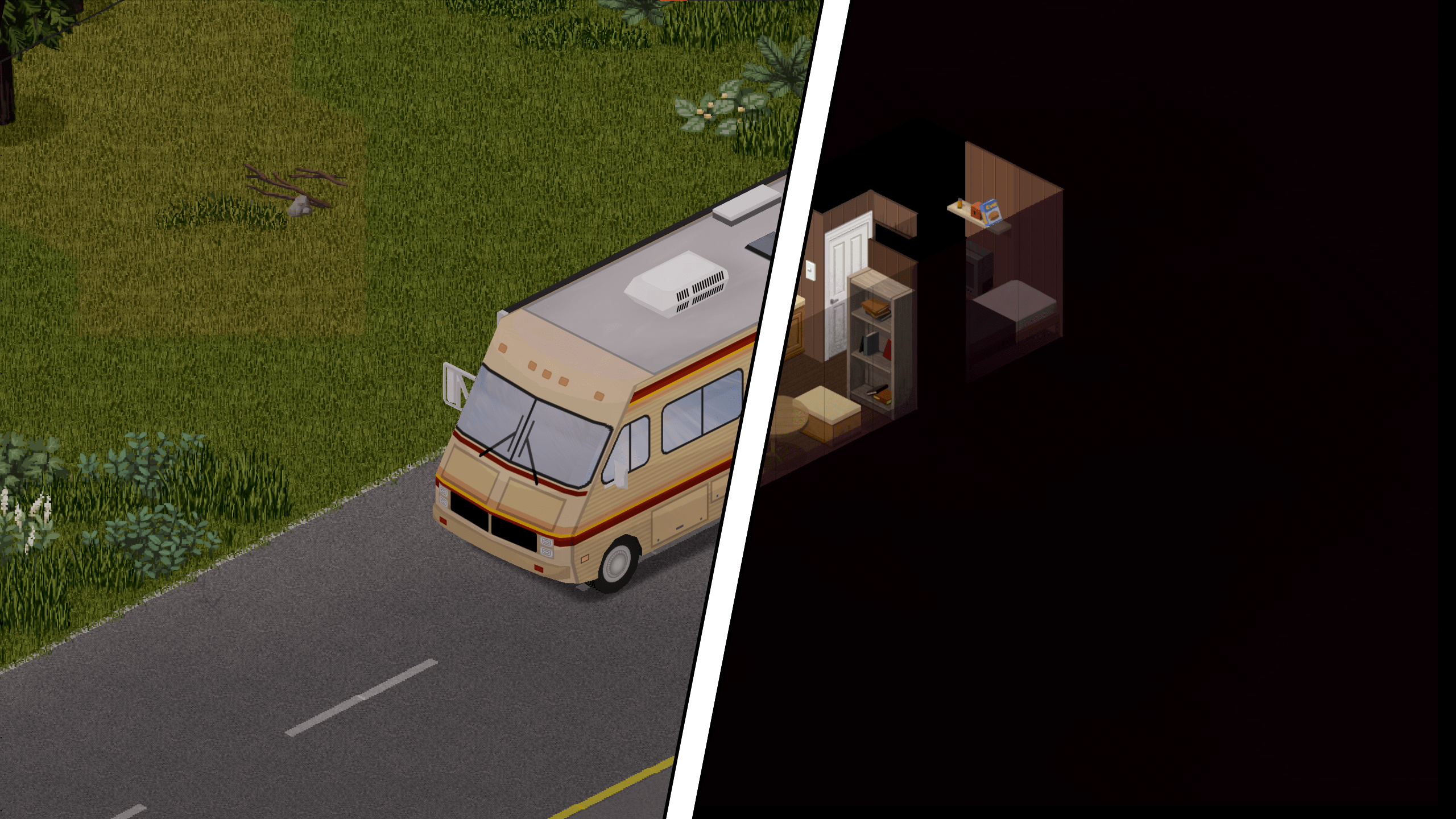
From Steam WorkshopREAD THE INSTRUCTIONS BEFORE ENABLING THE MOD Simulate interiors of some vehicles. Support over a 100 vehicles. Each vehicle has 25 fully-customizable independent spaces. The power is tied to the car…
READ THE INSTRUCTIONS BEFORE ENABLING THE MOD
Simulate interiors of some vehicles. Support over a 100 vehicles.
Each vehicle has 25 fully-customizable independent spaces.
The power is tied to the car battery. Some trailers have no battery of their own, and need to be attached to another vehicle to have power.
Some vehicles are entered from the back (trunk area) via the radial menu or hotkey. The trunk can be locked to avoid entry.
An interior with a sink has water collector on the roof available for plumbing.
Instructions
[hr][/hr]
[b][list] [*] /!\ FOLLOW THIS GUIDE TO ADD THE MOD TO AN EXISTING SAVE. FOR MP FOLLOW PHONEY'S GUIDE IN THE DISCUSSION.
[*]Non-standard maps (such as Challenge maps) are not supported.
[*]In Multiplayer, the map file "vehicle_interior" needs to be put in top priority. Map=vehicle_interior;OtherMaps;Muldraugh, KY;
[*]In Multiplayer, Anti cheat Type 2 and 12 might need to be disabled. [/list][/b]
[hr][/hr]
Enable the mod "RV Interior". The same mod works in both singleplayer and multiplayer. RV Interior - Vanilla Addon is an optional add-on for vanilla vehicle support.
Enter a vehicle and open the vehicle radial menu. If the vehicle is of a type that has an interior map, an "Enter" option will appear.
To exit an interior, right click on the ground and select the "Exit" context menu option.
With the Mod Options mod installed, a hotkey can be defined to enter and exit the interior (Options -> Keybindings -> Vehicle)
The safe zombie distance to enter can be configured (or disabled) in the Sandbox options. Players in SP who want to change these mid-game can use the Change Sandbox Options mod.
At least one of the following mods is required:


Full list available here.
Recommended Mods
[table] [tr] [th]
Highlights
From source dataFootprint
Rated a light load on a server.
Last update
Its author last shipped an update 3 yr ago.
RV Interior on Nxeon
From our catalogue- One-click install
- Supported on Nxeon Project Zomboid servers. We download it from Steam Workshop, place it, and restart the server.
- Server load
- light
- Smallest plan we suggest
- Project Zomboid — 6 GB (6 GB RAM). This follows our own load rating above, not a benchmark.
- Latest build
- 2023-12-17, released 2023-12-17
Game versions by loader
| Loader | Game versions | Newest |
|---|---|---|
| Workshop |
From 1 recorded build of RV Interior.
Run RV Interior on a Project Zomboid server
Pick a server or deploy a new one above; it is installed in one click.
What kind of mod it is
From the catalogBuilding & decoration
Blocks, furniture, decorations and building tools.
Compatibility
- Game
- Project Zomboid
Verified at the source
- ✓Steam WorkshopOfficial listing, checked 2026-11-01Open ↗
- ✓AuthorMaxwelt, as published on Steam Workshop
- ✓LicenseNot published by the sourceFree