






About Shops
From Steam WorkshopHello survivors, are you tired of using the crafting window as a shopping system? Because I was ... So I coded a Shopping UI for Valhalla Community But is not just a simple UI its has a lot of…
Hello survivors, are you tired of using the crafting window as a shopping system? Because I was ...
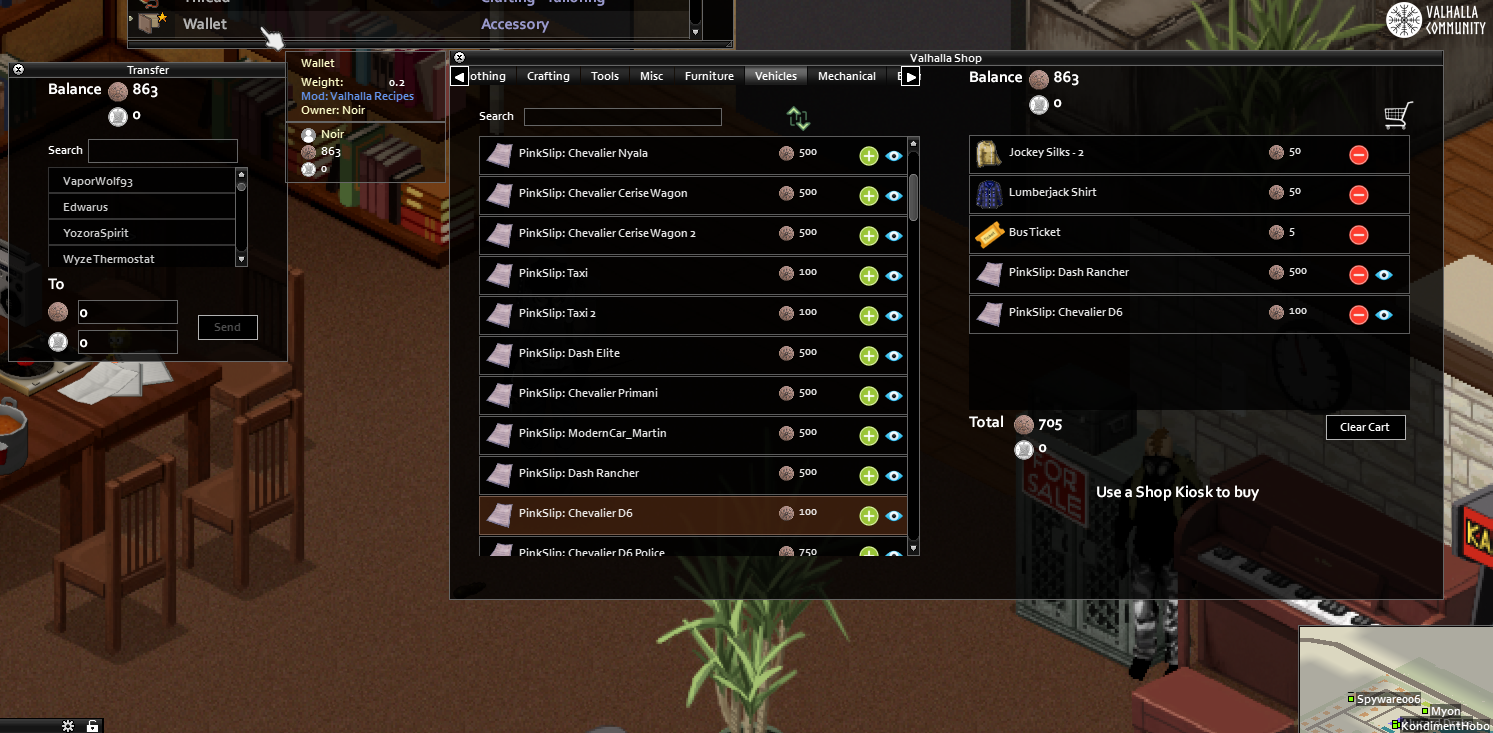
So I coded a Shopping UI for Valhalla Community But is not just a simple UI its has a lot of features that you are going to love (or maybe not)
Currency
- Loot Coin/Money Script = loot all the coins/money available in all nearby containers ("Loot All Coins" option in context menu when you right click on coin/money item)
- Wallet has 4 context menu options "Link", "Unlink", "Transfer" and "Move Coins to Account"
- Wallet needs to be Linked to your character, use right click on the wallet, you can only have 1 wallet linked, the others ones will be invalid
- You can Unlink wallets to let other people use them. Your money will stay in your account.
- Wallet will display your balance in the tooltip and its used to deposit money in your account
- Right click on coins/money to put them in your wallet (wallet needs to be in main inventory)
- Your wallet doesn't store your coins/money, coins/money are stored in your account when you use the option "Move Coins to Account"
- If you die your money is safe
- Transfer option, it will display a UI for coins transfers
Transfer
- Transfer UI
- Search for another survivor in the search input and transfer them money
- The user that receives the money will get a notification with the transfer information (only when he's in game at the same moment that the transfer was made)
Shops
- Shopping UI no more crafting windows
- There's 2 context menu options when you left click on the world
- 1) Shop: this option shows up when you left click on the shop tile
- 2) View Shop items: this option is available from everywhere is used to view the shop items (not to buy)
- Support 2 types of currency "normal" and "special" (for event type stuff)
- Tabs for item categorization
- Search for items and put them as Favorite is you don't have enough money to buy them
- Sell items that are in your character inventory (using the Sell Tab)
- Support for "Pack Items" (item that can contain more items inside)
- 3D Car model viewer, ( CarWanna pinkslip support only, or write your custom patch lol)
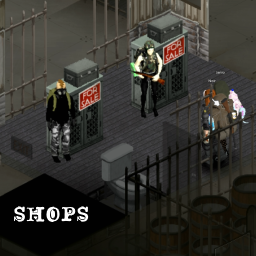
- Shop tiles with fake NPC's (4 variations with a "For Sale" sign) that can be set up by an Admin to use the Shop
- Shop tiles can be rotated in 2 positions (Use your building rotation key, default is "R" if you didn't change it before)
- Shop tiles is indestructible, only admin can remove/sledghammer it
- You can only buy stuff with your account money, there's no need to have a wallet on you to buy stuff
- You can view the shop from anywhere but only purchase items at the shop kiosk
- Right click the new kiosk and click on "shop" to open shopping window
Player Shops
- Players can build their own shop ( Crafting window in Carpentry tab )
- Place your Player Shop using the context menu by clicking in the world (not the player shop item) then use "Add Player Shop" option
- Player Shop tiles can be rotated in 2 positions (Use your building rotation key, default is "R" if you didn't change it before)
- Set prices to your items: you need to have an item that has the tag "Write" (items that let you write on map,journal ...) and the item that you want to sell in your inventory
- right click on the item that you want to sell use option "Set Price" a UI to set price will show up (if you are using 2 types of currencies the highest price in the UI will be the selling price of the item)
- Player Shop is a 100 unit container (yes is affected by traits like Organized or Disorganized)
- Only the player shop owner can remove items from the player shop container.
- Player Shop has one context menu option "Manage Shop" with 5 sub menu options:
- 1) "Lock shop container" locks shop container to avoid another seeing the containers items
- 2) "Unlock shop container" unlocks shop container
- 3) "View Income" displays a UI with your shop transactions (Buyer name and total payment), Get button will sent
- your income to your linked account
- 4) "Pick up player shop" pick ups the player shop if there's not items or income left in your shop
- 5) "Change Sign" change your shop sign theres 10 options available
- Your selling items needs to be transferred to the Player Shop container and they need to have a price set to show up in the Player Shop UI (dont forget to lock your shop container)
- Player Shop can be used only by one player at the time, you will have to wait until the other player leaves the shop to use it
- Player Shop has a 10 min protection lock when a player is viewing a player shop and it has a CTD or another type of disasters
- Player Shop is indestructible, only admin can remove/sledghammer it
ITS COMPATIBLE WITH X,Y or Z MOD?
No, write a patch :)
HOW TO WRITE A PATCH?
Take a look a the mod ShopsX, the code has more info on how to do it with examples, YOU NEED TO READ THE COMMENTS IN THE CODE
Workshop ID: 2840330802 Mod ID: nshops
Highlights
From source dataFootprint
Rated a light load on a server.
Last update
Its author last shipped an update 4 yr ago.
Shops on Nxeon
From our catalogue- One-click install
- Supported on Nxeon Project Zomboid servers. We download it from Steam Workshop, place it, and restart the server.
- Server load
- light
- Smallest plan we suggest
- Project Zomboid — 6 GB (6 GB RAM). This follows our own load rating above, not a benchmark.
- Latest build
- 2022-08-18, released 2022-08-18
Game versions by loader
| Loader | Game versions | Newest |
|---|---|---|
| Workshop |
From 1 recorded build of Shops.
Run Shops on a Project Zomboid server
Pick a server or deploy a new one above; it is installed in one click.
What kind of mod it is
From the catalogQuality of life & UI
Small conveniences, tweaks and interface improvements players notice straight away.
Compatibility
- Game
- Project Zomboid
Verified at the source
- ✓Steam WorkshopOfficial listing, checked 2026-11-01Open ↗
- ✓AuthorNoir, as published on Steam Workshop
- ✓LicenseNot published by the sourceFree















