






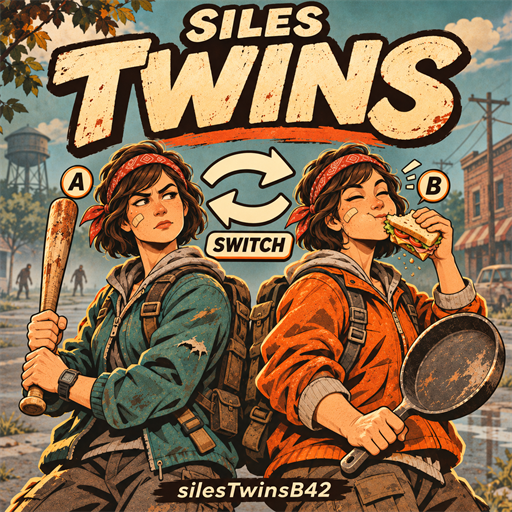
About SilesTwinsB42
From Steam Workshop1. Play two survivors on one account. Switch between them, or leave them in different places. 2. Link them within three tiles and let your partner follow you on foot or in a vehicle. 3. Turn on…
1. Play two survivors on one account. Switch between them, or leave them in different places. 2. Link them within three tiles and let your partner follow you on foot or in a vehicle. 3. Turn on nearby self-defense and let your linked partner eat or drink from their own inventory. 4. Write your own RP reminders for hunger, thirst and nearby zombies. They work with SilesChatSyestemB42. 5. Admins can open the Twins menu with F8. Map markers appear after you create a second character, and stay visible only while you have admin access.
This is a test build. I've tried to make it work with as many mods as possible, but some combinations may still break. Found a bug? Please report it with your game version, mod list and steps to reproduce it.
Before you install For Project Zomboid 42.21 multiplayer. Only admin characters can open the F8 menu. The Windows client extension is required to control twins. Other players don't need it. Enable SilesChatSyestemB42 on both sides if you want the chat-based RP reminders.
Client setup 1. Subscribe and let Steam finish downloading. Close the game. 2. Find this item's folder: steamapps/workshop/content/108600/<this item's Workshop ID>/mods/silesTwinsB42/client 3. If you have an old manual copy in Zomboid/mods/silesTwinsB42, back it up outside mods first. 4. Already using ZombieBuddy on Windows? Exit Steam, open PowerShell in the client folder and run:
powershell -NoProfile -ExecutionPolicy Bypass -File .\silesTwinsB42.install.ps1 -SteamLaunch[/code]
Then use Play in Steam as usual. Keep ZombieBuddy installed and enabled for this mode.
If the installer lists several Steam accounts, enter the number beside the account you use for PZ. Enter Q to cancel.
5. Without ZombieBuddy, use the standalone startup option:
[code]powershell -NoProfile -ExecutionPolicy Bypass -File .\silesTwinsB42.install.ps1
Start with silesTwinsB42.cmd in your ProjectZomboid folder. This option does not require ZombieBuddy. 6. Join as admin and press F8.
The Java extension is included as silesTwinsB42.jar and uses the game's bundled Java. No separate Java download is needed. Both options keep your MOD list and saves. Subscribing won't run the installer for you. After extension updates, close the game and repeat the same installation command.
Seeing "Java extension is not loaded"? Install the extension on that player's PC, then restart PZ. Joining a server alone won't load it. If you used the earlier Steam startup package, reinstall the extension from this update to fix loading alongside ZombieBuddy.
Server setup Stop the server and back up its save. Add this item's numeric ID to WorkshopItems= and silesTwinsB42 to Mods=, keeping the existing entries. Keep AllowCoop=true and leave room for two characters per twin user. The server needs the Lua mod only: don't install the client extension or add a server Java agent. Keep the server mod and twin users' client extension on the same release. Try updates on a test save with your mod list before using them on the main server.
Mod ID: silesTwinsB42 Version: 0.2.8 beta Windows launcher tested; Linux/macOS client installation is not covered. Source and build instructions: client/source.
Workshop ID: 3833060432 Mod ID: silesTwinsB42
Highlights
From source dataFootprint
Rated a light load on a server.
Last update
Its author last shipped an update today.
SilesTwinsB42 on Nxeon
From our catalogue- One-click install
- Supported on Nxeon Project Zomboid servers. We download it from Steam Workshop, place it, and restart the server.
- Server load
- light
- Smallest plan we suggest
- Project Zomboid — 6 GB (6 GB RAM). This follows our own load rating above, not a benchmark.
- Latest build
- 2026-11-04, released 2026-11-04
Game versions by loader
| Loader | Game versions | Newest |
|---|---|---|
| Workshop |
From 2 recorded builds of SilesTwinsB42.
Recent builds
| Build | Released | Game versions | Loaders |
|---|---|---|---|
| 2026-11-04 | 2026-11-04 | n/a | Workshop |
| 2026-11-03 | 2026-11-03 | n/a | Workshop |
Run SilesTwinsB42 on a Project Zomboid server
Pick a server or deploy a new one above; it is installed in one click.
What kind of mod it is
From the catalogQuality of life & UI
Small conveniences, tweaks and interface improvements players notice straight away.
Compatibility
- Game
- Project Zomboid
Verified at the source
- ✓Steam WorkshopOfficial listing, checked 2026-11-04Open ↗
- ✓AuthorHurzskile_, as published on Steam Workshop
- ✓LicenseNot published by the sourceFree















