







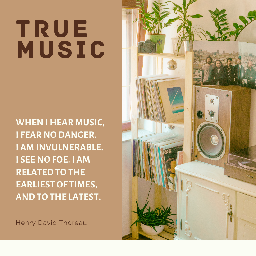
About True Music
From Steam Workshop[url=patreon.com/_tsar] https://steamuserimages-a.akamaihd.net/ugc/2047488292130357038/307A1EFBD98F7B63C736466AACD5CF58235FB88A/ It's time for true music in Project Zomboid again. The mod allows all…

It's time for true music in Project Zomboid again.
The mod allows all users to add their music to the game. In addition, you can add your own vinyl covers.
Features of the mod:
- item "Boombox" (powered by batteries)
- item "Pocket player" (powered by batteries)
- item "Vinyl player" (works only on electricity)
- all cars are equipped with a cassette player
- playing music lures zombies
[h3]How to add your own music in SINGEPLAYER (only for Windows):[/h3] Video tutorial: https://youtu.be/9DZghSBPOy4 [olist] [*]Go to \workshop\content\108600\2613146550\mods\True Music\media\yourMusic [*] Extract the contents of yourMusic.rar or yourMusic.zip (before rename the file "yourMusic.zi" to "yourMusic.zip") to the yourMusic folder. [*]Place audio files in mp3, wav, ogg format in the TCBoombox and TCVinylplayer folders. [*](optional) Place vinyl cover photos in TCVinylplayer folder in jpg format. They should be named the same as the music track file. Each music file can have its own cover. For example, the file with the track is called "AC DC - Highway To Hell (1979).mp3", the file with the cover should be called "AC DC - Highway To Hell (1979).jpg". The easiest way to find the cover is when you google it: "AC DC - Highway To Hell vinyl cover". [*]Run AddYourMusicToTheMod.exe. Depending on which folder the files is placed in, either a cassette or vinyl will be generated. [*]After that, your cassettes and vinyl records will start spawning in the world, you just have to find them. [/olist]
[h3]How to add your music in the MULTIPLAYER:[/h3] Video tutorial: https://youtu.be/b7SUjPzmgfM [olist] [*] Create a new mod from the template: https://disk.yandex.com/d/iS8o8ZxnV7UxLA [*] WARNING In the file mod.info change the ID to your own [*] WARNING To ensure that your mod does not conflict with other True Music addons, you need to rename the files: [code]media\lua\server\Items\TCGLoadingTCBoombox.lua media\lua\server\Items\TCGLoadingTCVinylplayer.lua media\lua\shared\TCGMusicDefenitionsTCBombox.lua media\lua\shared\TCGMusicDefenitionsTCVinylplayer.lua media\scripts\TCGMusicScriptTCBoombox.txt media\scripts\TCTCGMusicScriptTCVinylplayer.txt media\scripts\TCGSoundsTCBombox.txt media\scripts\TCGSoundsTCVinylplayer.txt[/code] For example, add your mod Workshop ID to their names: [code]media\lua\server\Items\TCGLoadingTCBoombox2722332157.lua media\lua\server\Items\TCGLoadingTCVinylplayer2722332157.lua media\lua\shared\TCGMusicDefenitionsTCBombox2722332157.lua media\lua\shared\TCGMusicDefenitionsTCVinylplayer2722332157.lua media\scripts\TCGMusicScriptTCBoombox2722332157.txt media\scripts\TCTCGMusicScriptTCVinylplayer2722332157.txt media\scripts\TCGSoundsTCBoombox2722332157.txt media\scripts\TCGSoundsTCVinylplayer2722332157.txt[/code] [*] Send the mod to all users of the server (we allow to publish a mod created from the template) [*] If you want to upload your work to Workshop, you will need to delete folders and files: [code] \media\yourMusic\audioConverter \media\yourMusic\pictureConverter \media\yourMusic\AddYourMusicToTheMod.exe \media\yourMusic\DeleteYourMusicFromTheMod.exe [/code] [/olist]




You can freely use this mod on your server. We publish information about mod update times on Discord in advance: https://discord.gg/PHhsuQxDue Mod permission according to TIS policy: Ask for permission Redistribution of this mod without explicit permission from the original creator is prohibited under any circumstances. This includes, but not limited to, uploading this mod to the Steam Workshop or any other site, distribution as part of another mod or modpack, distribution of modified versions. The product can be published on Steam only through an account with the name iBrRus. © iBrRus

Version:2.15 Workshop ID: 2613146550 Mod ID: truemusic
Highlights
From source dataFootprint
Rated a light load on a server.
Last update
Its author last shipped an update 4 yr ago.
True Music on Nxeon
From our catalogue- One-click install
- Supported on Nxeon Project Zomboid servers. We download it from Steam Workshop, place it, and restart the server.
- Server load
- light
- Smallest plan we suggest
- Project Zomboid — 6 GB (6 GB RAM). This follows our own load rating above, not a benchmark.
- Latest build
- 2023-02-19, released 2023-02-19
Game versions by loader
| Loader | Game versions | Newest |
|---|---|---|
| Workshop |
From 1 recorded build of True Music.
Dependencies
- Required: Tsar's Common Library 2.0 [Only for B41]
- Required: steam_workshop project 2688809268 (steam_workshop, not in our catalogue)
Declared by the newest build that lists any. Required ones are installed with it on one-click installs.
Run True Music on a Project Zomboid server
Pick a server or deploy a new one above; it is installed in one click.
What kind of mod it is
From the catalogQuality of life & UI
Small conveniences, tweaks and interface improvements players notice straight away.
Compatibility
- Game
- Project Zomboid
Verified at the source
- ✓Steam WorkshopOfficial listing, checked 2026-11-01Open ↗
- ✓AuthoriBrRus, as published on Steam Workshop
- ✓LicenseNot published by the sourceFree















