







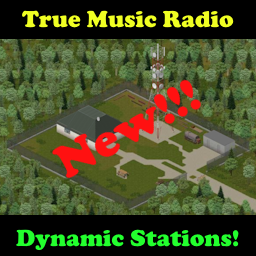
About True Music Radio
From Steam WorkshopThere is also a 42 stand alone version: https://steamcommunity.com/sharedfiles/filedetails/?id=3631572046 True Music Radio Default Radio Stations: 94FM (92FM in B42) plays from the global list or the…
There is also a 42 stand alone version: https://steamcommunity.com/sharedfiles/filedetails/?id=3631572046
True Music Radio Default Radio Stations:
94FM (92FM in B42) plays from the global list or the Terminal A playlist at the station
94.2FM (92.2FM in B42) plays from the global list or the Terminal B playlist at the station
94.4FM (92.4FM in B42) plays from the global list or the Terminal C playlist when activated by an admin at a terminal
94.6FM (92.6FM in B42) plays from the global list or the Terminal D playlist when activated by an admin at a terminal
94.8FM (92.8FM in B42) plays from the global list or the Terminal E playlist when activated by an admin at a terminal
True Music MTV TV Ch.211 in B42 plays from the global list or the Terminal MTV playlist when activated by an admin at a terminal
Stations can now be changed in the sandbox settings, it is possible to change them mid-playthrough but you will need to restart a server if involved or replace the sandbox file in a solo game.
These radio stations were made compatible with the True Music player mod and it's cassettes and vinyl.
Without True Music song mods loaded, you will only hear the game's theme song and the terminals will only have a single tape and a single record.
New! Song announcements, weather reports, and Horde Night compatibility. When using Horde Night, the radio will display a warning every hour on the hour. You can turn these off in sandbox settings and in solo games in mod options.
Horde Night! https://steamcommunity.com/sharedfiles/filedetails/?id=2714850307
If you make the trip out to this station in the west end of Riverside, you can update two special terminals next to the computer. Drop your music items into the terminal and update the music list. The only limit to the number of tape/vinyl tracks added is the weight that the terminal can hold.
Alternatively all the radio stations start with a default list of all the True Music mod packs you have in your mod list. The terminals can also revert the music back off the playlist if you want to change it back. If you switch the terminal options, all radios on those channels will update and play a new song. So you can use it to resync immediately or switch songs but it's always random.
Just added in v1.11 the terminals will now start with some random music media in them but it does not pull tracks to the terminal channels immediately. You still need to make the trip out. Also the terminal on the western wall has an option to eject media. It will allow random spawns of media from that terminal. I will be working on a way to choose a title in the future so you can download the songs of your choice. The new sandbox settings allow control of the amount of media found in each terminal. The west terminal eject system is also limited to the same spawn amounts and the ability disappears once empty.
Added in v1.13 play radios everywhere in single player with immediate world sync. In multiplayer the music must stop and be restarted between world switching as radios in inventories and backpacks can only be heard by that player.
Added in v1.18 you can now turn off all TMRadio station music on all radios with mod options. Great for streamers that need to control the music.
Added in v1.21 an admin can now activate terminals to control the 94FM and 94.2FM stations that are not at the station. This will help custom maps to control the music. Even though multiple terminals can change the music, only one can control the music list at a time. The last one that updated will be the one in control.
Added in v1.27 radio stations can be moved in the sandbox settings.
Added in v1.29 an admin can now remove songs from the global list so that the 5 music stations will never play those songs unless overridden by playing them from the terminal list directly. The admin can go through the terminal menu and add and remove songs from the list. The sandbox is also updated to choose to remove the theme music with TrueMusic, the additional songs added by TCCacheMP, or just the holiday music from the TCCacheMP mod.
Known issues:
***On servers you may need to set anti-cheat 21 as false if it kicks players, it seems to be a generic failure involving corrupted mod files that differ from server to client.***
They way this works now, no longer needing script codes from the broadcast, just turn on a radio and tune in to one of the 5 stations. It will start a song immediately but if someone already started a song on that station it will be out of sync until the next song is played. Then both radios will be in sync.
Handheld and inventory radios are not heard by other players in multiplayer.
Handheld radios are only heard by the owner in multiplayer but zombies will still hear them unless you use a headset. New in v1.13 zombie attraction has a toggle and is default to off.
Disassembling running radios will cause the audio emitter to detach, have not written a fix for it yet but on the way.
Station location in southwest Riverside: https://map.projectzomboid.com/#4835x6283x6360
Updates:
v1.28 Added - ability for the admin to activate the other 3 channels for control through a terminal, by default only the first 2 could be controlled Added - ability to turn off the theme music from the radios in the sandbox
v1.29 Added - Blacklist for admins to remove music titles from the lists Added - Sandbox settings so that the theme music, TCCacheMP music, or just the TCCacheMP holiday music can be removed from the lists
v1.30 fixed - bug with empty blacklist causing client mod data issues on disconnect
v1.31 Updated to 42, work around to get tapes and records to drop until True Music is updated, can be used without True Music or the cache for now.
Highlights
From source dataFootprint
Rated a light load on a server.
Last update
Its author last shipped an update 3 mo ago.
True Music Radio on Nxeon
From our catalogue- One-click install
- Supported on Nxeon Project Zomboid servers. We download it from Steam Workshop, place it, and restart the server.
- Server load
- light
- Smallest plan we suggest
- Project Zomboid — 6 GB (6 GB RAM). This follows our own load rating above, not a benchmark.
- Latest build
- 2026-08-17, released 2026-08-17
Game versions by loader
| Loader | Game versions | Newest |
|---|---|---|
| Workshop |
From 1 recorded build of True Music Radio.
Run True Music Radio on a Project Zomboid server
Pick a server or deploy a new one above; it is installed in one click.
What kind of mod it is
From the catalogQuality of life & UI
Small conveniences, tweaks and interface improvements players notice straight away.
Compatibility
- Game
- Project Zomboid
Verified at the source
- ✓Steam WorkshopOfficial listing, checked 2026-11-01Open ↗
- ✓Authornorby007, as published on Steam Workshop
- ✓LicenseNot published by the sourceFree















