About TwisTonFire - Improved Soundoptions
From Steam Workshophttps://imgur.com/BaUyxax.png https://imgur.com/RQYClYI.png TwisTonFire - Improved SoundOptions Take full control over Project Zomboid's individual sounds. This mod enables and completely improves…


TwisTonFire - Improved SoundOptions
Take full control over Project Zomboid's individual sounds.
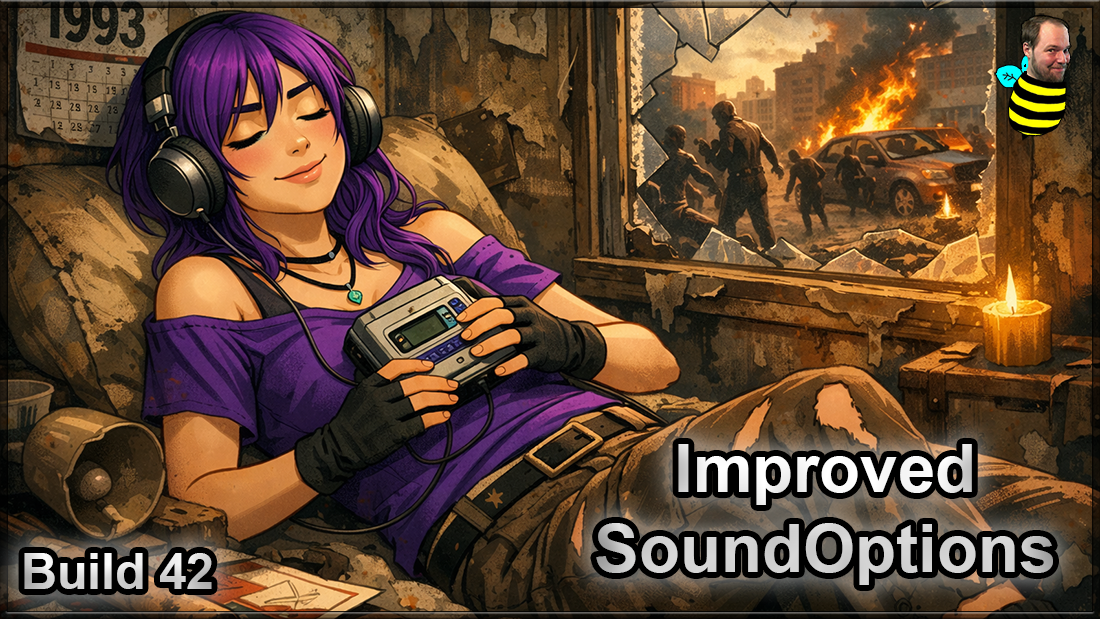
This mod enables and completely improves the game's advanced sound settings, making it much easier to find, preview, organize, and adjust specific sounds.
Whether a particular sound is too loud, too quiet, or simply annoying, you can search for it and configure its volume individually.
It also adds additional sound-related options, including the ability to mute the main menu ambience and music.
Features
- Enables the Advanced Sound Options automatically.
- Individual Sound Volume Controls
- Adjust specific game sounds independently from 0% up to 200%.
- Organized Sound Categories
- Browse the available game sounds through their respective category tabs.
- Sound Search
- Quickly filter the sounds displayed inside the currently selected category.
- Search Across All Categories
- Enable the global category search to find matching sounds throughout the entire sound library without manually checking every category.
- Sound Preview
- Play individual sounds directly from the options menu before changing their volume.
- Favorites Tab
- Add frequently adjusted sounds to your personal Favorites list for quick access.
- Add Sounds by Internal Name
- Advanced users and mod authors can manually add a GameSound by entering its internal sound name.
- Persistent Favorites
- Your custom sound list and its selected volume values are saved between game sessions.
- Adjust All Filtered Sounds
- After searching for a sound, use one shared slider to increase or decrease every visible search result together.
- Reset Filtered Sounds
- Reset all currently filtered sounds back to 100% volume with a single button.
- Synchronized Sound Controls
- When the same sound appears in multiple places, changing its volume updates the other displayed controls as well.
- Mouse Wheel Support
- Sound sliders can also be adjusted using the mouse wheel.
- Controller Support
- Navigate categories and adjust sound volumes using a controller.
- [quote]Mute Main Menu Ambience and Music
- A dedicated Main Menu option allows you to disable the ambient sounds and music played while in the main menu.
- The setting is remembered automatically and can be restored to vanilla behavior at any time.
- [/quote]
How to use
[list=1] [*]Open the Project Zomboid Options menu. [*]Open the Sounds section. [*]Select a sound category or use the search field. [*]Press the speaker button to preview a sound. [*]Adjust the individual volume slider. [*]Use the Fav button to save important sounds in your Favorites tab. [*]Open the Main Menu category to optionally mute the main menu ambience and music. [/list]
Sound volume changes are saved automatically when closing the Improved SoundOptions window.
The main menu mute setting is also stored automatically between game sessions.
Finding a specific sound
GameSounds use internal names that may not always clearly describe what they belong to.
Start by searching for part of the expected sound name. You can also enable the global category search to display matching results from every sound category.
Modded GameSounds can be added manually from the Favorites tab when you know their internal sound name.
Favorites
Every sound row includes a Fav button.
Your Favorites tab allows you to create a personal collection of sounds that you adjust frequently. Favorites are stored locally and remain available after restarting the game.
Sounds can also be removed from the Favorites tab at any time.
Compatibility
This mod works in both Singleplayer and Multiplayer.
It can also display and control GameSounds added by other mods, provided those sounds are registered through the game's GameSound system.
Important: This standalone version is not intended to be enabled together with TwisTonFire - QoL Modpack, because Improved SoundOptions is already included there.
 Your support helps me keep going — thank you very much!
[h2]Compatibility[/h2] [table] [tr] [th]Mode[/th] [th]42.15[/th] [th]42.16[/th] [th]42.17[/th] [th]42.18[/th] [th]42.19[/th] [th]42.20[/th] [/tr] [tr] [td]Singleplayer[/td] [td]✅[/td] [td]✅[/td] [td]✅[/td] [td]✅[/td] [td]✅[/td] [td]✅[/td] [/tr] [tr] [td]Multiplayer[/td] [td]✅[/td] [td]✅[/td] [td]✅[/td] [td]✅[/td] [td]✅[/td] [td]✅[/td] [/tr] [/table]
Workshop ID: 3575778063 Mod ID: twistimso
Highlights
From source dataFootprint
Rated a light load on a server.
Last update
Its author last shipped an update 48d ago.
TwisTonFire - Improved Soundoptions on Nxeon
From our catalogue- One-click install
- Supported on Nxeon Project Zomboid servers. We download it from Steam Workshop, place it, and restart the server.
- Server load
- light
- Smallest plan we suggest
- Project Zomboid — 6 GB (6 GB RAM). This follows our own load rating above, not a benchmark.
- Latest build
- 2026-09-16, released 2026-09-16
Game versions by loader
| Loader | Game versions | Newest |
|---|---|---|
| Workshop |
From 1 recorded build of TwisTonFire - Improved Soundoptions.
Run TwisTonFire - Improved Soundoptions on a Project Zomboid server
Pick a server or deploy a new one above; it is installed in one click.
What kind of mod it is
From the catalogQuality of life & UI
Small conveniences, tweaks and interface improvements players notice straight away.
Compatibility
- Game
- Project Zomboid
Verified at the source
- ✓Steam WorkshopOfficial listing, checked 2026-11-01Open ↗
- ✓AuthorTwisTonFire, as published on Steam Workshop
- ✓LicenseNot published by the sourceFree