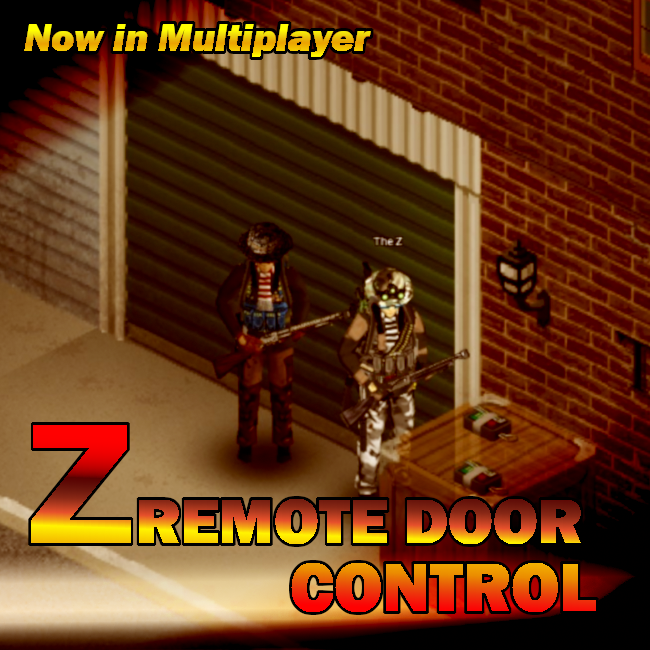
About Z Remote Door Control
From Steam WorkshopRemote Door Control Credits to original version of Stig's Remote Door Control Z Remote Door Control mod is an optimized version of Stig's Remote Door Control mod. The idea behind this optimization is…
Remote Door Control
[hr][/hr] Credits to original version of Stig's Remote Door Control
Z Remote Door Control mod is an optimized version of Stig's Remote Door Control mod. The idea behind this optimization is not to check all containers in your remote control range, but only specified ones with potential receivers inside.
Works in Multiplayer and Singleplayer
Now all players in coop could link their Remote Door Control Receivers to their personal Remote Controls. It doesn't matter who is last or first connected to the server.
How does it works?
Then server starts, we are checking once for all receivers and storing this information. Then player wants to put a new receiver next to a desired door, it is required to click him on a container with it and select "Remote Door Control -> Activate Remote Control". By doing that, we are registering this container as a new additional spot to check for RDCs. Then player trigger's the Remote Controller via assigned HotKey - we are checking all linked devices in the current player's range from our RDCs stored list.
Can I switch from Stig's Remote Door Control to Z Remote Door Control?
Yes. You can safely switch from Stig's Remote Door Control to Z Remote Door Control and vice versa. Your Receviers will stay with you on their places. But only one of these mods could be activated at the same time to work properly.
Is it safe to use from a mid saved game?
Yes, it is safe enough. You will need to reread Engineers magazines to get recipes.
It works on any floor from any container
For example in my Angry Turret mod video I'm using it from turrets placed next to the garage doors. But on a video you also could see that there is a lag then I'm activating the door opening mechanism even if there is only one floor checked. If we are walking or driving then triggering it, there is always a visible lag before actual activation. That is why I actually started to work on this optimization.
Main Activation flow, step by step
[olist] [*]Find or Create "Simple Remote Door Control Receiver" or "Door Remote Control Receiver" [*]Take it into your inventory [*]Find or Create any vanilla Remote Controller v1,v2, v3 or v4 from Long range remote mod [*]Take it also into your inventory [*]Right click on Receiver and select "Link it to Remote Controller" [*]Find or Create any Movable Container such as Crate [*]Place the Movable Container near your desired door (1 square max from a door) [*]Put your linked Receiver into this container [*]Make sure your Remote Controller with matching frequency is still with you [*]Right click on your Movable Container which is placed near the desired door [*]Select "Remote Door Control" -> "Activate Remote Control" [*]Open your game settings with Key bindings [*]Find there "RDC Z Hot key" and bind your suitable key [*]Use this HotKey to open/close the door near the Movable Container [*]Optional: Install RDC UI Mod to control it via UI and use another features such as "Lock/Unlock" [*]Enjoy, have fun ^^ [/olist]
Sharing RDC data
Now, as an owner of a device, you could "Share" it or make it back "Private". - Shared Devices could be controlled by Master Remotes as user. - Private Devices are NOT controllable by Master Remotes. Sharing is available via right clicking on active RDC container (container with an RDC receiver device in it).
Hijacking
Hijacking is a new feature introduced with mod update v2.0 This regulates the mechanics of connecting the same door with another remote id from another container. Hijacking key points:
- could be performed by the same player or by another player in case of MP
- allows to connect and manipulate the door from the other side of a wall without direct contact with the original device this door is controlled by
- comparing to lockpicking (better lockpicking mod), the hijacking allows not only open the door, but to control it from a range of your remote, lock it (for now only possible using our UI mod) or open it - this could bring a real mess for a door owner and surely will lure him out of his cozy base to deal with you and your cruel device ;).
- Hijacking takes 3 times more time than normal activation and requires additional tools and knowledge to perform
- requires Electricity 3, Screwdriver in your MAIN inventory, 'Hijacking for dummies' magazine read, device in container and linked remote in your inventory - the main idea of setting such requirements is to not allow to bring such a mess by just newly created characters. You must be already someone in this world, to do such a thing.
- you could attach by this way to garage doors from any underlying square around it (same as just activating it), but if you will put it just in front of the door - you will not being able to open it after, because it will count as blocked door.
- if you an owner of the door (first door activation and you got a linked remote for this device in your inventory), then this action is counting as "Joining" instead of 'Hijacking" and no specific skills of electricity and magazines are needed in this case.
Highly recommended to use alongside with Long Range Remote to uncover its truly potential: Long Range Remote
❤️ Made with love and we hope that you will enjoy it same, as we do ;)
⛔ Redistribution of this mod without explicit permission from the original creator is prohibited under any circumstances. This includes, but not limited to, uploading this mod to the Steam Workshop or any other site, distribution as part of another mod or modpack, distribution of modified versions. You are free to do whatever you want with the mod provided you do not upload any part of it anywhere.
© 2023 The Z
Highlights
From source dataFootprint
Rated a light load on a server.
Last update
Its author last shipped an update 3 yr ago.
Z Remote Door Control on Nxeon
From our catalogue- One-click install
- Supported on Nxeon Project Zomboid servers. We download it from Steam Workshop, place it, and restart the server.
- Server load
- light
- Smallest plan we suggest
- Project Zomboid — 6 GB (6 GB RAM). This follows our own load rating above, not a benchmark.
- Latest build
- 2023-06-01, released 2023-06-01
Game versions by loader
| Loader | Game versions | Newest |
|---|---|---|
| Workshop |
From 1 recorded build of Z Remote Door Control.
Dependencies
- Required: Mod Options (Build 41)
Declared by the newest build that lists any. Required ones are installed with it on one-click installs.
Run Z Remote Door Control on a Project Zomboid server
Pick a server or deploy a new one above; it is installed in one click.
What kind of mod it is
From the catalogBuilding & decoration
Blocks, furniture, decorations and building tools.
Compatibility
- Game
- Project Zomboid
Verified at the source
- ✓Steam WorkshopOfficial listing, checked 2026-11-01Open ↗
- ✓AuthorThe Z, as published on Steam Workshop
- ✓LicenseNot published by the sourceFree