About Automatic LCDs 2
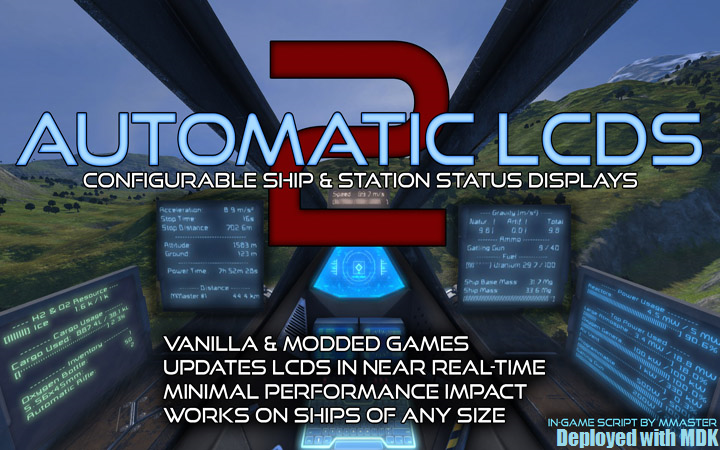
From Steam WorkshopEverything you will ever need to know about your ship and station displayed in real time on LCD panels in any vanilla games. modded games and servers! Now with cockpit panels support! Thank all of…
Everything you will ever need to know about your ship and station displayed in real time on LCD panels in any vanilla games. modded games and servers! Now with cockpit panels support!
Thank all of you for making amazing creations with this script, using it and helping each other use it. It's been 10 years already since I uploaded first Configurable Automatic LCDs script and you are all still using it (in "a bit" upgraded form). Its just amazing :)
v:2.0207 (Apex Survival compatibility) In-game script by MMaster
Programmable blocks and in-game scripts are now in "Experimental mode" in game that you need to turn on in game options and advanced world settings.
Last Update: Check change notes above
This is in-game script, not a mod, you will not find it in in-game mods.
Basics video guide
This guide is quite old, but still applicable. (timer block is not needed, few interface changes) https://youtu.be/vqpPQ_20Xso
[b][h1]############################################## READ THIS FULL GUIDE IT EXPLAINS EVERYTHING[/h1] http://steamcommunity.com/sharedfiles/filedetails/?id=407158161
[h1]##############################################[/h1][/b]
Now also available on mod.io: https://spaceengineers.mod.io/automatic-lcds-2
[b]Manages multiple LCDs based on commands written in LCD Custom Data.
- [h1]Stable & always up-to-date with game![/h1]
- Jump drives charge display
- Oxygen pressure, farms output & tanks content!
- Damaged blocks list with progress bars!
- Filtered inventory items listing & missing items listing
- Reactor, solar & battery power stats
- Block details display
- Doors, gears & connectors status
- Ammo report
- Custom scrolling text display
- Linked LCDs!
- Works on LCD, Wide LCD, text panels and their modded counterparts!
- Any font size!
- Filter blocks by name or by group
- Cargo space
- Block count
- Producing, Idle & Enabled summary / list
- Laser antenna status
- Stopping distance and stopping time
- Location, Speed, Acceleration, Date & Time, Gravity
- Nicely formatted text with progress bars!
- Multiple commands in single LCD!
- Works on any server (with in-game scripts enabled)
NO PROGRAMMING NEEDED.[/b]
~~~~~~~~~~~~~~~~~~~~~~~~~~~~~~~~~~~~~~~~~~~~~~~~~~~~~~~~~~~~~~~~~~~~~~~~~~~~~ Every captain wants to have displays that show some useful info. Make your bridge display damaged blocks in engineering, engine room, etc. Make big screen by joining multiple Wide LCDs! Show power output, batteries status, laser antenna connections and much more. Make your docking bay display which landing gears are occupied. Make screens for docking fighers when landing gear is ready to dock so they can nicely see it from cockpit! Make one LCD per container to see its contents.. and much more! ~~~~~~~~~~~~~~~~~~~~~~~~~~~~~~~~~~~~~~~~~~~~~~~~~~~~~~~~~~~~~~~~~~~~~~~~~~~~~
German version
Thanks a lot to JD.Horx for translating: http://steamcommunity.com/sharedfiles/filedetails/?id=858003266
French version
Thanks a lot to =SW42=Hydeki_ for translating: http://steamcommunity.com/sharedfiles/filedetails/?id=822980231
Portuguese / Brazilian version
Unfortunately the author decided to remove the translation - I will put link to your translation here if you make one :)
Spanish version
Thanks a lot to Alpha Dragon for translating: https://steamcommunity.com/sharedfiles/filedetails/?id=2583843256
Russian version
Thanks a lot to AlERK for translating: https://steamcommunity.com/sharedfiles/filedetails/?id=1710929351
Chinese version
Thanks a lot to lengchen for translating: https://steamcommunity.com/sharedfiles/filedetails/?id=1686705560
Example world
http://steamcommunity.com/sharedfiles/filedetails/?id=1205019270
TOP community member
Huge thanks to Kham for helping people in the comments below for several years!
STEAM GROUP
I usually notify about updates on twitter & recently I created Steam group so follow/join if interested. http://steamcommunity.com/groups/mmnews
[h1]~~~~~~~~~~~~~~~~~~~~~~~~~~~~~~~~~~~~~~~ CHECK MY OTHER MODS (almost all 5 star) http://steamcommunity.com/id/mmaster/myworkshopfiles/?browsefilter=myfiles ~~~~~~~~~~~~~~~~~~~~~~~~~~~~~~~~~~~~~~~[/h1]
[b]Please DO NOT publish this script or its derivations without my permission! Feel free to use it in blueprints!
YOU ARE NOT ALLOWED TO MONETIZE USE OF THIS SCRIPT. EVERYONE WHETHER THEY PAY EXTRA OR NOT HAS TO HAVE SAME RIGHTS TO USE THE SCRIPT.[/b]
THE SCRIPT IS PROVIDED "AS IS", WITHOUT WARRANTY OF ANY KIND, EXPRESS OR IMPLIED, INCLUDING BUT NOT LIMITED TO THE WARRANTIES OF MERCHANTABILITY, FITNESS FOR A PARTICULAR PURPOSE AND NONINFRINGEMENT. IN NO EVENT SHALL THE AUTHORS OR COPYRIGHT HOLDERS BE LIABLE FOR ANY CLAIM, DAMAGES OR OTHER LIABILITY, WHETHER IN AN ACTION OF CONTRACT, TORT OR OTHERWISE, ARISING FROM, OUT OF OR IN CONNECTION WITH THE SCRIPT OR THE USE OR OTHER DEALINGS IN THE SCRIPT.
HOW TO UPDATE?
This script is not a mod so it does not update by itself. You need to load new version of script to your programmable block to overwrite the old one. You do that in exactly the same way as when you first loaded the script into programmable block. Open your programmable block, click Edit, click Browse Workshop, select Automatic LCDs 2, click OK, Check code, Remember & Exit. Done. Your script is now updated.
RATING
If you like this script please give it positive rating, it gives me "fuel" to continue. If you plan to give it negative rating, please at least let me know what makes it deserve negative rating so I can learn from it and/or fix it.
!! PLEASE READ THIS !!
Highlights
From source dataFootprint
A 675 KB download, rated a light load on a server.
Last update
Its author last shipped an update 13 mo ago.
Automatic LCDs 2 on Nxeon
From our catalogue- One-click install
- Not available. One-click install isn't available for this game's mods yet. Download it and upload it to your server in Files.
- Server load
- light
- Smallest plan we suggest
- Space Engineers — 8 GB (8 GB RAM). This follows our own load rating above, not a benchmark.
- Latest build
- 2025-09-19, released 2025-09-19, 675 KB
Game versions by loader
| Loader | Game versions | Newest |
|---|---|---|
| Workshop |
From 1 recorded build of Automatic LCDs 2.
Run Automatic LCDs 2 on a Space Engineers server
Deploy a server above, then upload the file in Files.
What kind of mod it is
From the catalogQuality of life & UI
Small conveniences, tweaks and interface improvements players notice straight away.
Compatibility
- Game
- Space Engineers
- File size
- 675 KB
Verified at the source
- ✓Steam WorkshopOfficial listing, checked 2026-10-10Open ↗
- ✓AuthorMMaster, as published on Steam Workshop
- ✓LicenseNot published by the sourceFree