






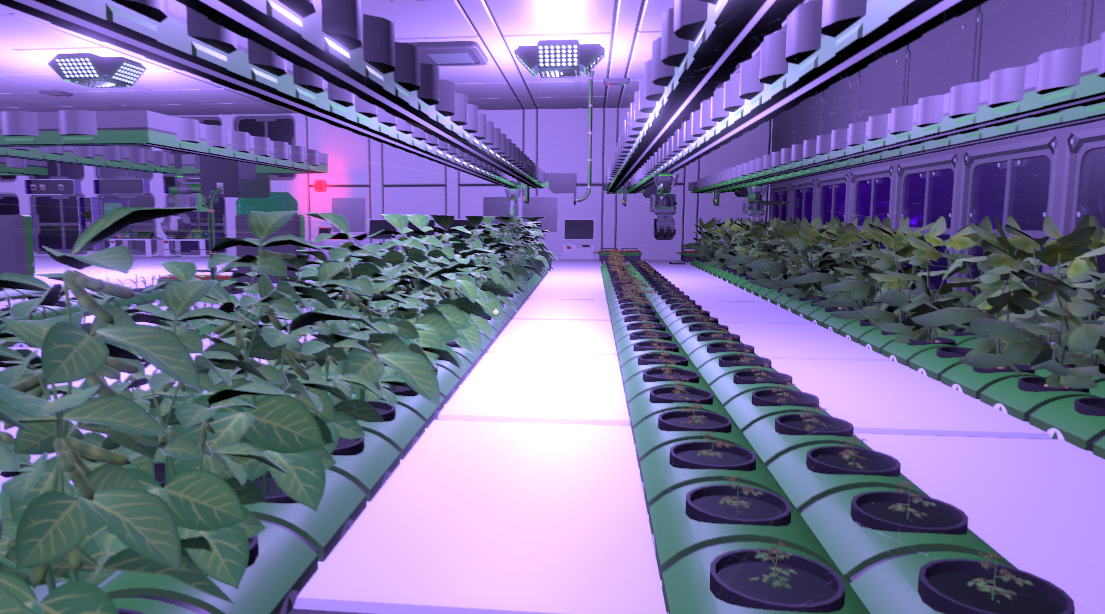
About GIAC - Greenhouse Info, Automation and Control
From Steam WorkshopFeatures: 100% FULLY automated LArRE operation (scan, plant, get seeds, get harvest) Additional grow light automation based on util.time_of_day optional control for air conditioners, filtrations and…
[h1]Features:[/h1]
- 100% FULLY automated LArRE operation (scan, plant, get seeds, get harvest)
- Additional grow light automation based on util.time_of_day
- optional control for air conditioners, filtrations and gas mixing based on moles
- Supports up to 400 (technically 449) plant trays per rail system (you don't need hydroponic devices; normal trays do the job fine)
- Live updates on all relevant data
- Easy setup with dropdowns to choose devices
- Designed to set up and forget
[h3]Status Overview Tab:[/h3]
- See the current temperature and pressure of the room in a glance
- Gas composition is shown with bars for O2, N and CO2
- Additional warnings that show up when volatiles, pollutants, or nitrous oxide are present
- Status overview for current LArRe operation mode as well as quick-access buttons to start/stop at any time
[h3]LArRE Overview Tab:[/h3]
- LArRE arm status overview (empty/full, current item held and quantity of that item, and the current LArRE position)
- Water status overview / pressure, temperature, liquid volume, mols [*]Additional warning if pipes bursted
- Current plant tray overview showing general info and plant status
- Full tray overview: LArRE scans all trays in the first cycle and saves the status depending on the tray to show it later with numbers and bars
- Additional Seed Vending Machine status for an overview of how many slots are used and how many seeds we got in total (not counting items in chutes)
[h3]Devices Tab:[/h3]
- Here you can set up your greenhouse air conditioning, filtration, and grow light system
- Quick overview for AirCon status/settings and buttons to change the setting/temperature and to force turn on/off the air conditioner or to switch to automatic mode
- Automatic mode turns off the air conditioner while the room temp is in between +-2°C from your temperature setting
- Filtration also comes with a quick overview of filter status and on/off/auto mode buttons
- For the grow light automation, we got quick access buttons to set time for on/off automation in hours and minutes as well as on/off/auto buttons
[h3]Settings Tab:[/h3]
- Here you have to set up all the devices you use. To make it easy, the script lists all devices for that slot, like AirCon, and shows it in a dropdown list
- You can also use multiple air conditioners or filtrations with 1 script/console display - All the devices just need to have the same name and the same prefab
- (I say the same prefab as it isn't possible to, for example, select normal AirCon and the mirror version - they have different prefab hashes, and the script only takes the hash from the selected device)
- You also need to set up the values for the text fields at the bottom for the total amount of stations (including bins), starting station number, and station numbers for import/export bins
- Every device except the LArRE & Import Bin is pretty much optional as they have fallback logic to not crash the script
LArRE Cycle Overview:
- We have 3 cycles: scan & destroy (dead plants) / harvest seeds and replant empty trays / harvest fruits. It will always go through the cycles in order
- It will scan each tray and save values/status in memory
- It is possible to cut power, reboot the device, or even reflash the script, and the LArRE will continue from the last operation/station. The same goes for the quick on/off buttons in the Status tab
- Edge case detection and fallback logic in every cycle/step to make sure operation always runs smoothly without the need for interaction from an engineer.
- This includes unstuck automatic
Limitations:
- Multiple seed types in one rail are possible script-wise, but you will need to build a different sort/eject method to get seeds into your trays
- The seed vending machine, which you can set up, is only designed scriptwise for 1 kind of seed. It just acts as a buffer, spitting out seeds to the export bin after stacking them in the machine. There is no actual check slot and spit out seed x logic
Setup:
- Subscribe and flash the code to your Lua chip and use it with a cartridge in a console (this can take a few seconds to load into the game and flash to the chip as the code is fairly big)
- Go to the settings tab and select all devices you need (at least LArRE/import chute should be used), and enter the setting for the total number of stations, station number of import/export bin, and such
- Reboot the device (turn off/on) to make sure the script loaded fully
- Turn on the auto mode in settings and press the start button on the status page - Done... Now you can enjoy an endless supply of food without lifting a finger
- Make sure that the plant trays are all empty at the first start to have a smooth workflow
- Air conditioner: Usual setup with active vent in, passive vent out
- Filtration: Same as AirCon - I Filter everything except co2 out and feed the "waste" to my tank/filtration line - only co2 goes back into the greenhouse
- Vent 1 & Vent 2 - designed to mix the gas composition you need for your greenhouse. Chosse your vent in the settings, choose the gas you will feed into the vent and adjust the total % you want of that gas with the slider
- Disable Code limits in the IC10 Editor Mod settings
- If the code doesn't load in game it may be due to steam workshop. You can check the lines in the code / it should be 4017 lines of code. If Steam workshop doesn't give you the full code you can download/copy it on my GitHub: GIAC - Greenhouse Info, Automation and Control
Highlights
From source dataFootprint
A 290 KB download, rated a light load on a server.
Last update
Its author last shipped an update 6 mo ago.
GIAC - Greenhouse Info, Automation and Control on Nxeon
From our catalogue- One-click install
- Not available. One-click install isn't available for this game's mods yet. Download it and upload it to your server in Files.
- Server load
- light
- Smallest plan we suggest
- Stationeers — 4 GB (4 GB RAM). This follows our own load rating above, not a benchmark.
- Latest build
- 2026-04-07, released 2026-04-07, 290 KB
Game versions by loader
| Loader | Game versions | Newest |
|---|---|---|
| Workshop |
From 1 recorded build of GIAC - Greenhouse Info, Automation and Control.
Dependencies
- Required: IC10 Editor
- Required: ScriptedScreens [StationeersLaunchPad]
- Required: StationeersLua [StationeersLaunchPad]
Declared by the newest build that lists any. Required ones are installed with it on one-click installs.
Run GIAC - Greenhouse Info, Automation and Control on a Stationeers server
Deploy a server above, then upload the file in Files.
What kind of mod it is
From the catalogTechnology & automation
Machines, power, logistics and automation.
Compatibility
- Game
- Stationeers
- File size
- 290 KB
Verified at the source
- ✓Steam WorkshopOfficial listing, checked 2026-10-09Open ↗
- ✓Author3xp, as published on Steam Workshop
- ✓LicenseNot published by the sourceFree









