






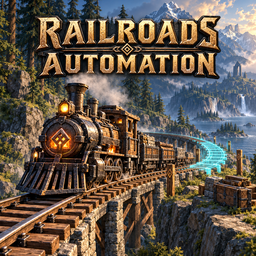
About RailroadsAutomation
From ThunderstorePlan railways, clear obstacles and build track with stone bridges over water and valleys using a shared stockpile. English and Russian.
Railroads Automation
Plan a railway, supply the materials, and let construction take care of the rest.
Railroads Automation builds track between route markers using resources from a construction site's stockpile. It clears natural obstacles, prepares the ground, and lays track section by section.
Features
- Route planning with a preview and material costs.
- Automatic clearing of trees, stumps, bushes and rocks along the route.
- Terrain grading and native Railroads curves and slopes.
- Stone bridges across water and deep depressions, with piers paid from the stockpile.
- Multiple independent lines sharing one stockpile.
- Saved construction progress, pause and resume.
- Connections to the open ends of existing track.
- English and Russian, selected automatically from the game's language. Other languages use English.
Requirements
- BepInEx for Valheim.
- Railroads 0.2.2 or newer; checked against the installed 0.2.9 APIs and native track geometry.
- Jötunn 2.30.2 or newer.
Install with your mod manager. For manual installation, install the requirements and copy the plugins folder into BepInEx.
Getting started
- Equip a hammer and open the Transport tab. Build a Railway Construction Site, an A — Railway Start marker and a B — Railway End marker.
- Give both markers the same line name, such as
NorthLine. Rotate A to point along the direction you want to build. To extend existing track, put A near its open end. - Press E at the site, enter the same name and choose Select / create.
- Press Calculate to preview the route and see its material cost.
- Use Open stockpile or Alt+E at the site to add materials, then press Build.
Use Pause to stop a line. After moving its markers, pause and recalculate before continuing. Use the arrow buttons to switch between lines.
For more control, add up to 16 Railway Waypoints. Give them the line name for automatic order from A to B, or use NorthLine:1, NorthLine:2, etc. for a custom order. Use one naming style per line.
Remove line markers removes A, B and all matching waypoints of the selected line, including old duplicate waypoints elsewhere in the world, and pauses its plan. Built track and the stockpile stay in place. Marker materials are not refunded. Other creators' markers and markers assigned to independent lines remain protected.
Crossing water and valleys
Place A and B on the banks at the height where the track should run. Banks at similar heights produce a nearly level crossing; use waypoints to shape longer approaches. The planner uses native rail slopes for height changes. Keep the track above water: very low shoreline markers must be raised.
With Automatic Bridges enabled, deep gaps are spanned instead of filled. Native stone pillar blocks are stacked down to the terrain or seabed, approximately every 8 metres. Their stone cost is included in Calculate. The sea floor is preserved. The default maximum pier height is 80 metres. Buildings, containers and existing infrastructure in a pier shaft stop construction.
After upgrading from 0.2.x, pause and recalculate unfinished lines. Built rails remain and the new plan continues from the open end. Already completed routes are not retrofitted automatically.
Configuration
Settings are in BepInEx/config/local.railroads.automation.cfg. Adjust construction speed, search limits, automatic clearing, terrain grading, track-bed width and automatic bridge limits. Keep Support Automated Tracks enabled for tall bridge piers; native stone support limits can otherwise cause collapse.
Current limitations
This is a beta for single-player/local worlds. Construction controls require the world host and site owner; remote multiplayer controls and dedicated-server operation are not supported.
Build in explored areas. Buildings and containers stop construction. Steep terrain, tight turns or occupied track junctions may need different marker positions or a manually placed switch. The planner does not guarantee a route across every landscape.
Construction runs while the world is open. Clearing and grading alter the route's surroundings; completed track remains after the site or markers are removed.
Highlights
From source dataLoaders
Runs on BepInEx.
Footprint
Rated a light load on a server.
Last update
Its author last shipped an update 9d ago.
RailroadsAutomation on Nxeon
From our catalogue- One-click install
- Supported on Nxeon Valheim servers, for BepInEx servers. We download it from Thunderstore, place it, and restart the server.
- Server type needed
- BepInEx
- Server load
- light
- Smallest plan we suggest
- Valheim — 4 GB (4 GB RAM). This follows our own load rating above, not a benchmark.
- Latest build
- 0.3.2, released 2026-10-26
Game versions by loader
| Loader | Game versions | Newest |
|---|---|---|
| BepInEx |
From 4 recorded builds of RailroadsAutomation.
Recent builds
| Build | Released | Game versions | Loaders |
|---|---|---|---|
| 0.3.2 | 2026-10-26 | n/a | BepInEx |
| 0.3.1 | 2026-10-26 | n/a | BepInEx |
| 0.3.0 | 2026-10-25 | n/a | BepInEx |
| 0.2.8 | 2026-10-22 | n/a | BepInEx |
Dependencies
Declared by the newest build that lists any. Required ones are installed with it on one-click installs.
Run RailroadsAutomation on a Valheim server
Pick a server or deploy a new one above; it is installed in one click.
What kind of mod it is
From the catalogBuilding & decoration
Blocks, furniture, decorations and building tools.
Compatibility
- Game
- Valheim
- Loaders
- BepInEx
- Requires
- One-click install needs a BepInEx server.
Verified at the source
- ✓ThunderstoreOfficial listing, checked 2026-10-27Open ↗
- ✓AuthorFinTeam, as published on Thunderstore
- ✓LicenseNot published by the sourceFree















