
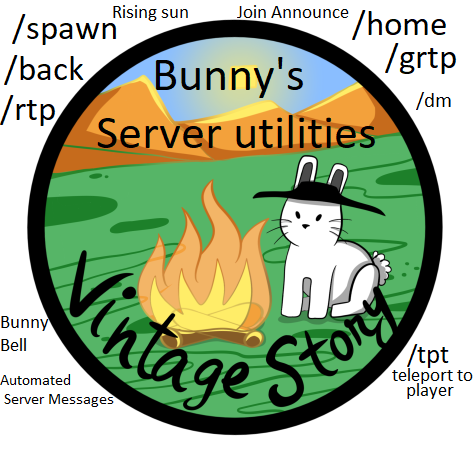
Bunny's Server Utility
1.19.8 - modular utility mod; announcements, /home, /back, /spawn, /grtp, /ironman, /warn, /dm more
Description
2.0.1 changelog-
- Fix /home delete
- Fix /home limit
- Add /home list
Translation Credits:
Mimarz, Shadowpotion
<span style="color: #000000;">This is a server-side mod. Bunny's Server Utility only needs to be installed on the server side. Each module can be enabled/disabled with a command.</span>
Languages: English, Russian, Polish, Spanish, German - Please reach out if you'd like to help translate this mod for others. Feel free to reach out if any translations are incorrect.
<span style="color: #000000;">General commands </span>
- <span style="color: #000000;">/bsu help - Get a list of all of the commands available to you</span>
- <span style="color: #000000;">/bsu version - Get the version of Bunny Server utility</span>
<span style="color: #000000;"> Admin General Commands:</span>
- <span style="color: #000000;">/removedeny playername - Removes a privilege denial from a player</span>
- <span style="color: #000000;">/warn playername reason - adds a warning to a player that can be viewed by anyone with the warn privilege. </span>
- <span style="color: #000000;">privilege "warn"</span>
- <span style="color: #000000;">/warn list - get a list of all players who have been warned</span>
- <span style="color: #000000;">/warn list number - Specific player warning information from /warn list</span>
- <span style="color: #000000;">/tpcost enable - enables teleport costs, players will have to pay for their teleports with the set item for each teleport</span>
- <span style="color: #000000;">/tpcost disable - Disables teleport costs</span>
<span style="color: #000000;">Home Commands - <span style="color: #27ae60;">[Enabled on default]</span></span>
- <span style="color: #000000;">/sethome - set your current position as your home. Include a number if you have 1 or more homes</span>
- <span style="color: #000000;">/home - return to your home point. Include a number if you have more than 1 home</span>
- <span style="color: #000000;">/home help - get help information for /home</span>
- <span style="color: #000000;">privilege "home"</span>
- <span style="color: #000000;">/home delete number - Delete the home saved at the corresponding number</span>
- <span style="color: #000000;">/home list - Show the user a list of their /home locations</span>
<span style="color: #000000;"> Admin Home Commands</span>
- <span style="color: #000000;">/home enable - enables the /home command</span>
- <span style="color: #000000;">/home disable - disables the /home command</span>
- <span style="color: #000000;">/home playercooldown minutes - How long players must wait before using this command again</span>
- <span style="color: #000000;">/home costitem - Sets the item that the TP will use as cost. You must use the game code: "game:gear-rusty", "modname:mod-item" </span>
- <span style="color: #000000;">/home costqty - Sets the number of the set item that must be spent to teleport</span>
- <span style="color: #000000;">/sethome costitem - Sets the item that /sethome will use as cost. You must use the game code: "game:gear-rusty", "modname:mod-item" </span>
- <span style="color: #000000;">/sethome costqty - Sets the number of the set item that must be spent to set a home</span>
- <span style="color: #000000;">/home limit number - set the number of homes the players may select</span>
<span style="color: #000000;">Back Commands - <span style="color: #27ae60;">[Enabled on default]</span></span>
- <span style="color: #000000;">/back - return to you last location of death or the last place you used a teleport command.</span>
- /back help - gets help for the back command
Admin Back Commands
- /back enable - enables the back command
- /back disable - disables the back command
- /back playercooldown - sets the minutes a player must wait between using this command
- <span style="color: #000000;">/back costitem - Sets the item that the TP will use as cost. You must use the game code: "game:gear-rusty", "modname:mod-item" </span>
- <span style="color: #000000;">/back costqty - Sets the number of the set item that must be spent to teleport</span>
Group Random Teleport Commands - <span style="color: #27ae60;">[Enabled on default]</span>
- /grtp - Teleport to a random location that changes periodically
- /grtp - help for the grtp command
Admin Group Random Teleport Commands
- /grtp enable - Enables the grtp command
- /grtp disable - Disables the grtp command
- /grtp cooldown -How often GRTP location moves
- /grtp radius - radius from world center that GRTP can teleport
- /grtp now - Start to generate a new GRTP location now
- /grtp playercooldown - Sets the minutes a player must wait between using this command
- <span style="color: #000000;">/grtp costitem - Sets the item that the TP will use as cost. You must use the game code: "game:gear-rusty", "modname:mod-item" </span>
- <span style="color: #000000;">/grtp costqty - Sets the number of the set item that must be spent to teleport</span>
Spawn Commands - <span style="color: #27ae60;">[Enabled on default]</span>
- /spawn - teleport to spawn
- /spawn help - help for the spawn command
Admin Spawn Commands
Ratings & reviews
Sign in to leave a rating or comment.



