
ChatUI
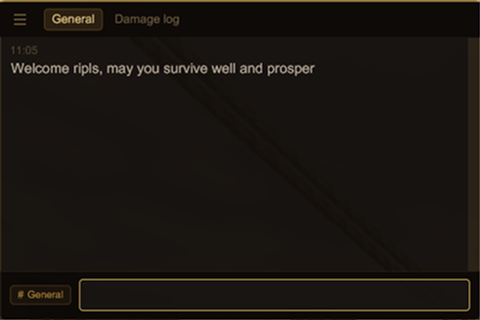
Custom chat dialog with channel tabs, command autocomplete, and player mentions.
Description
Overview
ChatUI replaces the vanilla chat dialog with a custom UI built on libGUI.
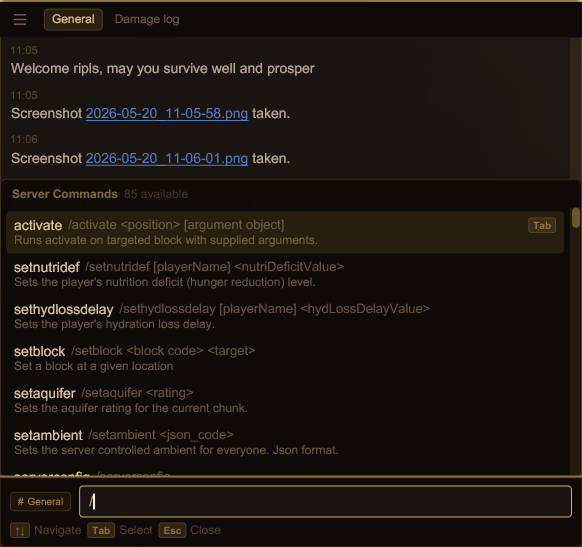
A HUD overlay shows recent messages while you play. The full dialog adds channel tabs, command autocomplete, and @mention suggestions.
Theming
To switch themes, set "theme" in ModConfig/libgui.json. The UI redraws the moment you save the file — no game restart, no reload command.
Looking for more looks? Check here.
Features
Channels & tabs
Pin any channel to the tab bar — General, Damage Log, Info Log, Server Info, or player groups. The browse button lists every channel the server has assigned you.
Command autocomplete
Type / to browse server commands, . for client commands. Each row shows the command name, full call syntax, and description. Navigate with <kbd>↑ ↓</kbd>, confirm with <kbd>Tab</kbd>.
@mention autocomplete
Type @ followed by any characters to filter online players by name. The matching part highlights as you type. Confirm with <kbd>Tab</kbd> or click.
Resizable window
Drag to reposition, resize to taste. Position and size are saved to chatui.json and restored on next login.
Hotkeys
ChatUI hooks into the vanilla hotkeys, so nothing needs rebinding.
<table style="border-collapse: collapse; font-size: 0.85em; margin-top: 8px;"> <tbody> <tr> <td style="padding: 4px 16px 4px 0; color: #7d4f50;">T / Tab</td> <td style="color: #5a4a3a;">Open chat</td> </tr> <tr> <td style="padding: 4px 16px 4px 0; color: #7d4f50;">/</td> <td style="color: #5a4a3a;">Open chat prefilled with / — server command mode</td> </tr> <tr> <td style="padding: 4px 16px 4px 0; color: #7d4f50;">.</td> <td style="color: #5a4a3a;">Open chat prefilled with . — client command mode</td> </tr> <tr> <td style="padding: 4px 16px 4px 0; color: #7d4f50;">Alt+up/down</td> <td style="color: #5a4a3a;">Prev/Next command in msg history</td></tr></tbody></table>Ratings & reviews
Sign in to leave a rating or comment.



