
Back to NxLabs
Craftable Cartography Fork
KBy kastrom3
More realistic experience of using the map and navigation according to Kastrom version
Description
This modification is a modified version of the original mod by <span class="mention username">ProfCupcake</span>, since some decisions in the mod did not suit me.
This mod disables access to coordinates, cardinal directions and the map. To get all this information, you need to use items:
- Compass - cardinal directions
- Sextant - coordinates
- Map - guess what))
Details of changes to the original mod with reasons <span style="color: #ffffff; background-color: #ffa500; font-size: 10pt;"> Сlick to read)) </span>
Compasses:
- Now all types of compasses must be held in your hand so that they can work (Either the active hotbar slot, or the second-hand slot)
- Primitive compass - was completely transferred from my Physical Map mod <span style="color: #e67e23;">(I decided to add it because in fact nothing prevents you from making a simple compass at the beginning of the game)</span>
- Has a cheap craft
- Allows you to see only the cardinal directions
- Compass
- Now again shows the cardinal directions and degrees in the window, and you no longer need to use it to find out direction <span style="color: #e67e23;">(Using it like a sextant is not justified, because you do not need to do calculations for it, the compass shows the cardinal directions constantly)</span>
- However, due to strong rotation the arrow will fluctuate and it will need time to stabilize
- Only pieces of iron ore can be used in crafting (Limonite, Hematite and Magnetite) <span style="color: #e67e23;">(In the original mod, you can use any metal as an arrow, even diamagnetics, which are not magnetized at all. In the Physical Map, I used iron ore because they can be found in nature already magnetized and can be used for compasses)</span>
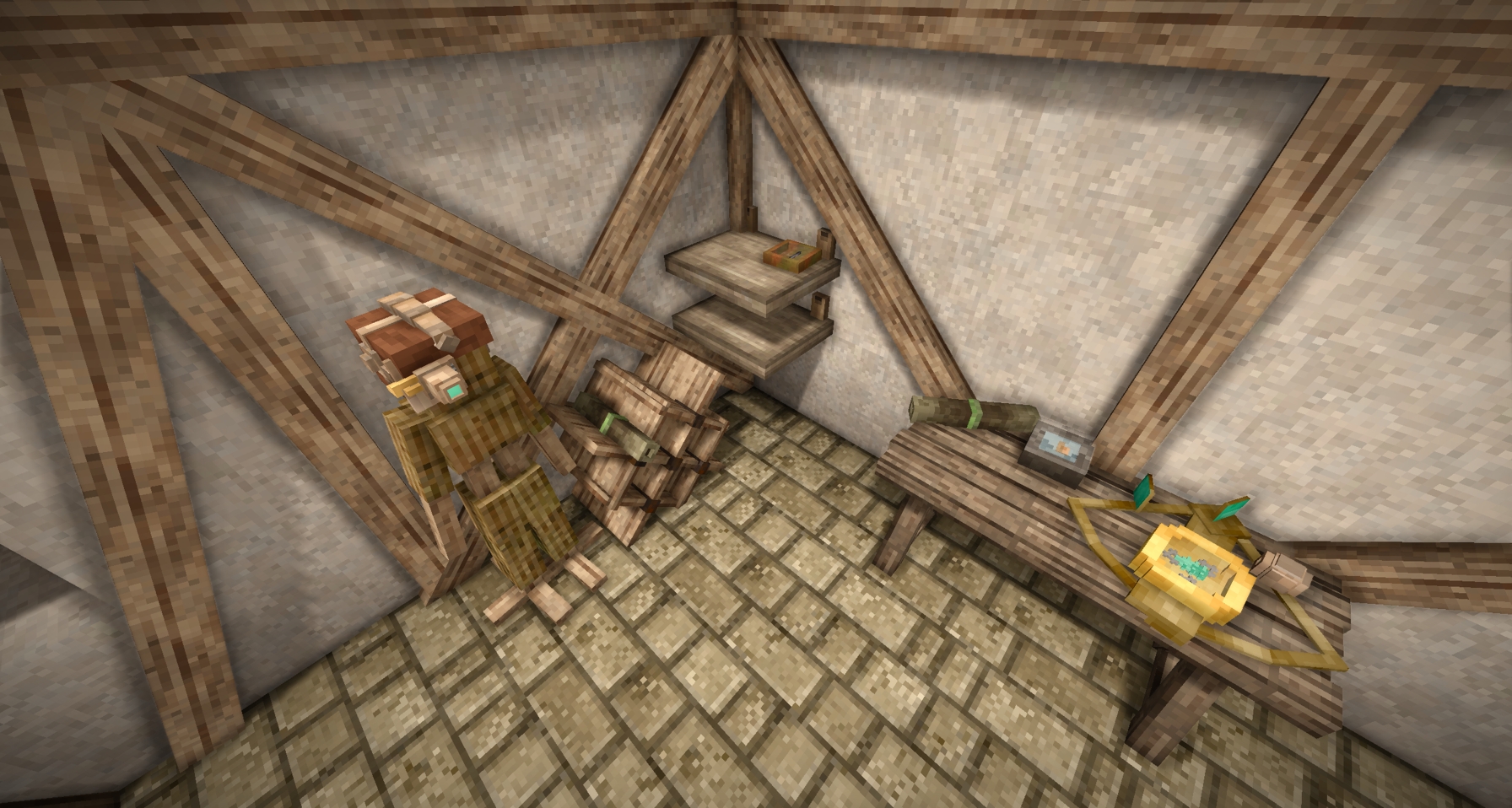
- Now the compass, as well as the primitive one, can be placed on the floor and shelf
- Temporal compass
- Now combined with the temporal sextant, i.e. shows and directions with degrees and coordinates, and, unlike conventional compasses, its values do not fluctuate <span style="color: #e67e23;">(The temporal compass for only determining cardinal directions is unreasonably expensive, so it was combined with the temporal sextant to be more useful)</span>
- Also, now if you hold it in your hands, the coordinates will be visible on the map
- The crafting has been changed, now it requires parts of Jonas and rusty gears
- The model that combines the sextant and the temporal compass from the Physical Map has been changed
- Now you can put it on the floor, but it always takes up a whole block, you can't put it on a shelf
Sextants:
- Sextant
- Now, under certain conditions, it is impossible to determine the coordinates: <span style="color: #e67e23;">(To use the sextant, you must have direct access to the sun, so if something is blocking it, you will not be able to calculate the coordinates)</span>
- If it is raining
- If you are not illuminated by the sun enough (Does not work with dynamic shadow shaders. Roughly speaking, if there is a block casting a shadow above you or it is dark enough outside, the sextant will not work)
- Fixed a bug where the determination of coordinates accelerated during the player's movement, now the process will gradually reset
- A second mode for the elevation angle display mode (angle relative to the horizon)
- Now you can put it on the floor, but it always takes up a whole block, you can't put it on a shelf
- Now, under certain conditions, it is impossible to determine the coordinates: <span style="color: #e67e23;">(To use the sextant, you must have direct access to the sun, so if something is blocking it, you will not be able to calculate the coordinates)</span>
- Temporal sextant - was removed from the mod
Map and JPS:
- Map
- With the map, coordinates, the location of Elk on the world map will no longer be displayed <span style="color: #e67e23;">(Due to the fact that the coordinates were not disabled, this made sextants useless because using paper and coal, you could always find out your approximate coordinates)</span>
To display coordinates, you must either take a temporal compass or put on JPS - Fixed a bug where, when you press the space bar in the world map, the map was centered on the player's position, allowing you to determine your location
- Now you can put it on the floor, shelf and scroll stand in the form of a scroll
- The front texture was changed to a more suitable
- A second mode is available through configuration, where you'll have to manually draw the terrain (special thanks to YangWenLi for his help)
- Drawing is only possible in black and white. You can either click on each pixel or drag while holding down the left mouse button
- You can choose from three scales: 16x16, 32x32, and 64x64 <span style="color: #e67e23;">(On low-end PCs, performance issues may occur at higher scales (At least at 128x128 on my 4070Ti Super, FPS dropped significantly) )</span>
- You can also rename maps to differentiate them
- With the map, coordinates, the location of Elk on the world map will no longer be displayed <span style="color: #e67e23;">(Due to the fact that the coordinates were not disabled, this made sextants useless because using paper and coal, you could always find out your approximate coordinates)</span>
- JPS
- Now it is a helmet that needs to be put on in the armor slot <span style="color: #e67e23;">(In the form of a helmet, it is less out of the style of the game and makes it more balanced by reducing the maximum level of protection. Now it will not be possible to use it always)</span>
- Now requires charging with a temporal gear
- One temporal gear is enough for 12 days
Ratings & reviews
No ratings yet
Sign in to leave a rating or comment.



