
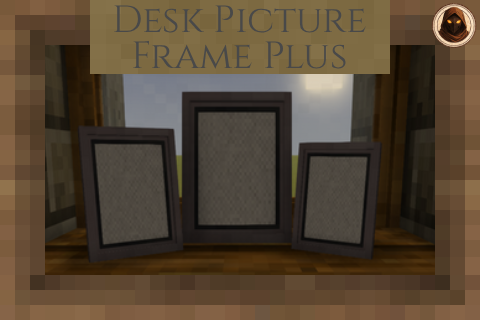
Desk Picture Frame Plus
Adds Desk Picture Frames and Wall Frames - Can add your own images via the mod config folder
Description
Desk Picture Frame Plus
Metal frames that show your own pictures, chosen in game
Requirements
How It Works
Drop your PNG files into one folder, then sneak and right-click any frame to choose which picture it shows. That is the whole thing - no unzipping the mod, no numbered slots to work out, no restarting the game
- <span style="color: #b5893d; font-weight: bold; font-size: 1.2rem; position: absolute; left: 5px; top: -2px;">•</span> Your pictures live here:
ModData/deskpictureframe/userimages/textures/pictures- name the files whatever you like - <span style="color: #b5893d; font-weight: bold; font-size: 1.2rem; position: absolute; left: 5px; top: -2px;">•</span> Add a picture while playing and it is there the next time you open the picker
- <span style="color: #b5893d; font-weight: bold; font-size: 1.2rem; position: absolute; left: 5px; top: -2px;">•</span> A frame keeps the picture you gave it - editing a file no longer changes every frame you have ever placed, and a frame you pick up and put down again still shows the same picture
- <span style="color: #b5893d; font-weight: bold; font-size: 1.2rem; position: absolute; left: 5px; top: -2px;">•</span> Sort them into folders if you have a lot - the picker gets a folder chooser, and you start with empty Landscape, Portrait and Square folders to use or ignore
Picture Rules
- <span style="color: #b5893d; font-weight: bold; font-size: 1.2rem; position: absolute; left: 5px; top: -2px;">•</span> PNG files only, up to 1 MB each
- <span style="color: #b5893d; font-weight: bold; font-size: 1.2rem; position: absolute; left: 5px; top: -2px;">•</span> Up to <span style="color: #b5893d;">480 x 320</span> pixels by default, or 320 x 480 standing up - a ceiling rather than a required size, so anything smaller is used as it is. A server owner can change this, and their figure is the one that counts when you play there
- <span style="color: #b5893d; font-weight: bold; font-size: 1.2rem; position: absolute; left: 5px; top: -2px;">•</span> A frame only offers pictures the right way round for it - the picker says which way it wants, and squares are offered either way
- <span style="color: #b5893d; font-weight: bold; font-size: 1.2rem; position: absolute; left: 5px; top: -2px;">•</span> Anything skipped is explained - the picker counts what was left out and the log names the files, so a picture is never just missing
- <span style="color: #b5893d; font-weight: bold; font-size: 1.2rem; position: absolute; left: 5px; top: -2px;">•</span> Up to 250 pictures loaded from your folder, which you can change in the settings
The two limits are separate, and neither predicts the other. PNG squeezes flat colour brilliantly and photographic detail hardly at all - a 2560 x 1440 game screenshot can be 798 KB while 1920 x 1080 artwork is 3.1 MB. So making a picture bigger on screen does not make a heavy one fit; if a picture will not show, make it smaller before dropping it in
The size limit is not fussiness - every picture becomes a real texture in the game's atlas, so one photo costs memory for everybody who can see the frame, not only for you
Ratings & reviews
Sign in to leave a rating or comment.



