
Back to NxLabs
EmojiMe
ZBy Zynth
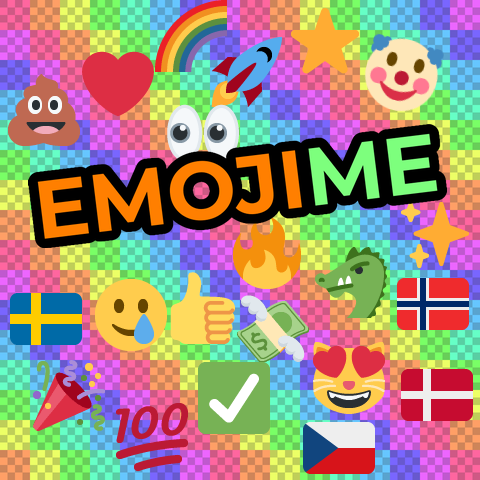
+4200 Twemoji emoji in chat with +8000 shortcodes following the Unicode CLDR standard. Animated too!
Description
A Vintage Story mod that adds +4200 emoji to chat, with support for custom server-side emoji packs - including animated GIF and WebP.
Features
- +4200 built-in emoji - powered by the full Twemoji SVG set
- +8000 shortcodes - type
:fire:,:thumbsup:,:grinning:etc. (case-insensitive) - Text smileys -
:),:D,;),<3,XDand more convert automatically (can be disabled) - Unicode emoji - paste or type raw emoji characters
- Skin tones and combined emoji - variants like 👍🏽 and compound emoji are supported
- Custom emoji packs - server admins add packs server-side, emoji images are sent to players on demand when used in chat
- Animated emoji - GIF and animated WebP play directly in chat
Installation
- Download the latest release
- Place the EmojiMe ZIP in your Vintage Story
Modsfolder - Restart the game
Shortcode Format
Shortcodes follow the Unicode CLDR standard, with additional aliases from Telegram, GitHub (gemoji), and Slack/Discord (iamcal/emoji-data). Matching is case-insensitive. Wrap a shortcode name in colons. See the full list of supported shortcodes.
<table style="border-collapse: collapse; width: 100%;" border="1"> <tbody> <tr> <td style="width: 30%;">Shortcode</td> <td style="width: 70%;">Result</td> </tr> <tr> <td style="width: 30%;">:fire:</td> <td style="width: 70%;">Fire emoji</td> </tr> <tr> <td style="width: 30%;">:thumbsup: or :+1:</td> <td style="width: 70%;">Thumbs up emoji</td> </tr> <tr> <td style="width: 30%;">:grinning:</td> <td style="width: 70%;">Grinning face emoji</td> </tr> </tbody> </table>
Configuration
EmojiMe creates a config file at
ModConfig/emojime.json on first run. Available options:
<table style="border-collapse: collapse; width: 100%;" border="1"> <tbody> <tr> <td style="width: 30%;">Option</td> <td style="width: 20%;">Default</td> <td style="width: 50%;">Description</td> </tr> <tr> <td style="width: 30%;">AutoConvertSmileys</td> <td style="width: 20%;">true</td> <td style="width: 50%;">Convert text emoticons like :) and :D to emoji automatically</td> </tr> <tr> <td style="width: 30%;">EmojiSize</td> <td style="width: 20%;">0</td> <td style="width: 50%;">Size in pixels for built-in emoji (8-128, 0 = match font size)</td> </tr> <tr> <td style="width: 30%;">AnimationMaxFps</td> <td style="width: 20%;">20</td> <td style="width: 50%;">Maximum frames per second for animated emoji (1-60)</td> </tr> <tr> <td style="width: 30%;">PreloadAnimations</td> <td style="width: 20%;">true</td> <td style="width: 50%;">Extract all animation frames on join instead of on first use. Disable for large packs (hundreds of animated emoji) to avoid slow initial load.</td> </tr> </tbody> </table>
Custom Emoji Packs
Server admins can add custom emoji packs. Players don't need to install anything - emoji images are sent on demand when used in chat. Just type the shortcode and the emoji appears.
Create a folder in
VintagestoryData/ModConfig/emojime/packs/ with a pack.json and an emojis/ subfolder containing your images. Supported formats: SVG, PNG, JPG, WebP, and GIF. Animated WebP and GIF play automatically in chat.
Example pack.json:
<pre>{ "name": "My Custom Pack", "prefix": "mypack", "maxSize": 64, "emojis": { "kappa": "kappa.png", "dance": "dance.gif", "wave": "wave.webp" } }</pre>
<table style="border-collapse: collapse; width: 100%;" border="1"> <tbody> <tr> <td style="width: 20%;">Field</td> <td style="width: 15%;">Required</td> <td style="width: 65%;">Description</td> </tr> <tr> <td style="width: 20%;">name</td> <td style="width: 15%;">Yes</td> <td style="width: 65%;">Display name for logging</td> </tr> <tr> <td style="width: 20%;">prefix</td> <td style="width: 15%;">No</td> <td style="width: 65%;">Namespace for shortcodes (defaults to folder name)</td> </tr> <tr> <td style="width: 20%;">maxSize</td> <td style="width: 15%;">No</td> <td style="width: 65%;">Maximum render size in pixels (8-128, default 128)</td> </tr> <tr> <td style="width: 20%;">emojis</td> <td style="width: 15%;">Yes</td> <td style="width: 65%;">Maps shortcode names to image filenames in the emojis/ subfolder</td> </tr> </tbody> </table>
Using custom emoji:
Each custom emoji gets two shortcodes:
- Bare shortcode (e.g.
:kappa:) - works if it doesn't conflict with a built-in emoji - Prefixed shortcode (e.g.
:mypack-kappa:) - always works, guaranteed unique
Ratings & reviews
No ratings yet
Sign in to leave a rating or comment.



