
Hide Gear
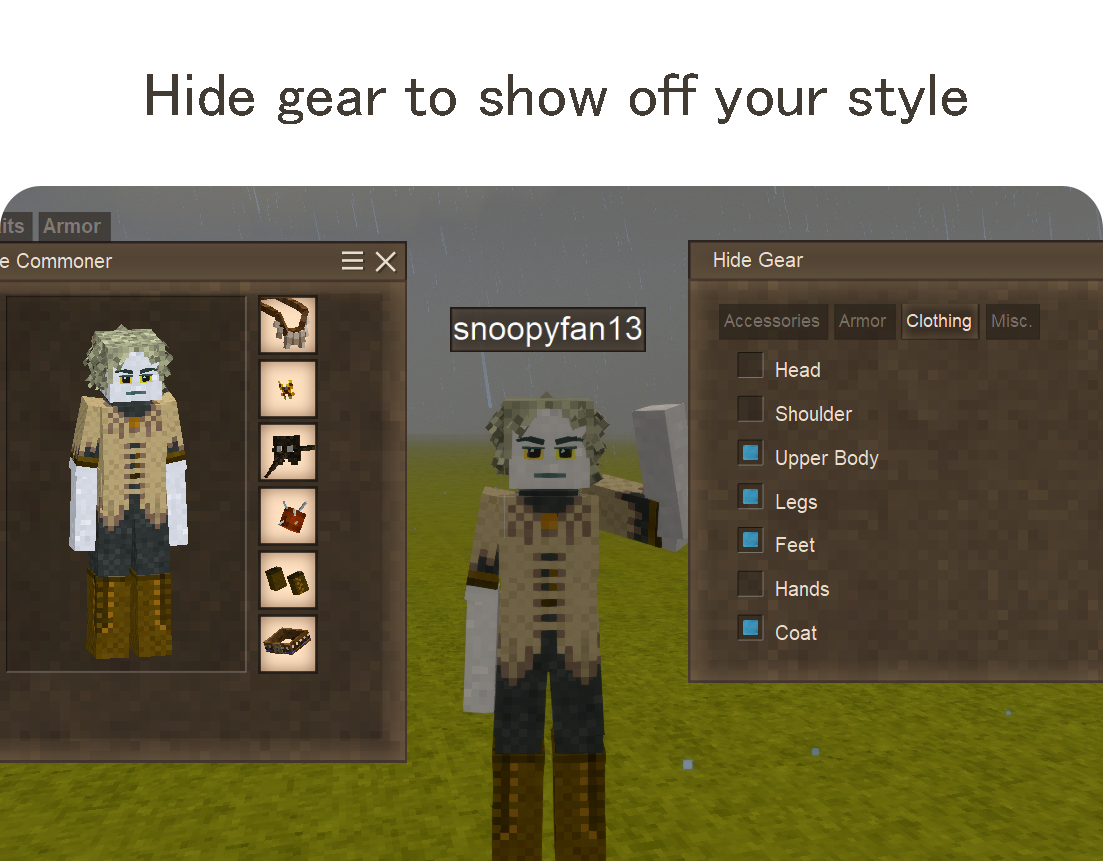
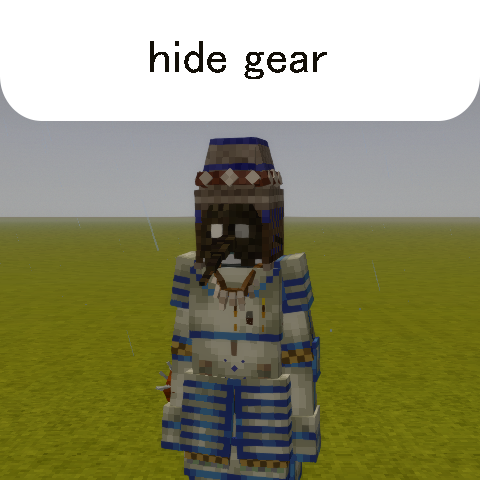
Hide or show equipped gear and clothing in single/multiplayer with a simple interface.
Description
Hide or show equipped gear and clothing with a simple interface. Press CTRL+SHIFT+C (or command .hidegear) to open the interface.
Install in single-player or onto a multiplayer server to allow players to show their style!
Adds options to toggle vanilla clothing/armor/accessories, backpacks, Combat Overhaul, and Quivers and Sheaths with no custom configuration necessary in multiplayer.
Compatible with Player Model Lib and Ana's Flag of War<span style="text-decoration: underline;">.</span>
New!: Force-show hidden gear in PvP with Ana's Flag of War!
Server admins can extend the configuration to include gear slots (from other mods not supported out of the box).
Created to avoid visual bugs / excessive logging / performance / compatibility issues from similar mods.
No polling or per-tick actions, synced in multiplayer using typical methods found in vanilla.
HideGear allows server administrators to customize which gear slots are available for players to hide, and to add support for additional mods.
<span style="color: #34495e;">Configuration File</span>
The config file is located at:
<pre class="language-c">VintagestoryData/ModConfig/hidegear-config.json</pre>
On first run, the mod creates a default config:
<pre class="language-javascript">{ "HiddenSlots": [], "AdditionalSlots": [], "AnasFlagOfWar": { "PollingInterval": 1000, "Enabled": true } }</pre> <span style="color: #34495e;">Hiding Built-in Toggle Options</span>
<span style="color: #000000;">If you want to prevent players from hiding certain gear, add the slot's IdentifierKey to the HiddenSlots array.</span>
<span style="color: #34495e;">Example: Prevent players from hiding their head armor and emblem:</span>
<pre class="language-javascript">{ "HiddenSlots": ["head", "emblem", "vanillaarmorhead"], "AdditionalSlots": [], "AnasFlagOfWar": { "PollingInterval": 1000, "Enabled": true } }</pre> <span style="color: #34495e;">Available Built-in Slot IDs that can be removed from the GUI:</span>
<table style="border-collapse: collapse; width: 45.9815%; height: 1036px;" border="0"> <tbody> <tr style="height: 28px;"> <td style="width: 9.1063%; height: 28px;">Slot ID</td> <td style="width: 24.5282%; height: 28px;">Description</td> <td style="width: 16.3656%; height: 28px;">Required mod</td> </tr> <tr style="height: 20px;"> <td style="width: 9.1063%; height: 20px;">Backpack</td> <td style="width: 24.5282%; height: 20px;">Backpack slots
</td> <td style="width: 16.3656%; height: 20px;">
</td> </tr> <tr style="height: 28px;"> <td style="width: 9.1063%; height: 28px;">head</td> <td style="width: 24.5282%; height: 28px;">Head slot (hats, hoods)
</td> <td style="width: 16.3656%; height: 28px;">
</td> </tr> <tr style="height: 28px;"> <td style="width: 9.1063%; height: 28px;">shoulder</td> <td style="width: 24.5282%; height: 28px;">Shoulder slot (scarf)</td> <td style="width: 16.3656%; height: 28px;"> </td> </tr> <tr style="height: 28px;"> <td style="width: 9.1063%; height: 28px;">upperbody</td> <td style="width: 24.5282%; height: 28px;">Upper body (shirts)</td> <td style="width: 16.3656%; height: 28px;"> </td> </tr> <tr style="height: 28px;"> <td style="width: 9.1063%; height: 28px;">legs</td> <td style="width: 24.5282%; height: 28px;">Legs (pants)</td> <td style="width: 16.3656%; height: 28px;"> </td> </tr> <tr style="height: 28px;"> <td style="width: 9.1063%; height: 28px;">feet</td> <td style="width: 24.5282%; height: 28px;">Feet (shoes)
</td> <td style="width: 16.3656%; height: 28px;">
</td> </tr> <tr style="height: 28px;"> <td style="width: 9.1063%; height: 28px;">hands</td> <td style="width: 24.5282%; height: 28px;">Hands (gloves)</td> <td style="width: 16.3656%; height: 28px;"> </td> </tr> <tr style="height: 28px;"> <td style="width: 9.1063%; height: 28px;">coat</td> <td style="width: 24.5282%; height: 28px;">Coat</td> <td style="width: 16.3656%; height: 28px;"> </td> </tr> <tr style="height: 28px;"> <td style="width: 9.1063%; height: 28px;">neck</td> <td style="width: 24.5282%; height: 28px;">Neck (necklaces, capes)</td> <td style="width: 16.3656%; height: 28px;"> </td> </tr> <tr style="height: 28px;"> <td style="width: 9.1063%; height: 28px;">emblem</td> <td style="width: 24.5282%; height: 28px;">Emblem/medal/pin</td> <td style="width: 16.3656%; height: 28px;"> </td> </tr> <tr style="height: 28px;"> <td style="width: 9.1063%; height: 28px;">face</td> <td style="width: 24.5282%; height: 28px;">Face (masks)</td> <td style="width: 16.3656%; height: 28px;"> </td> </tr> <tr style="height: 28px;"> <td style="width: 9.1063%; height: 28px;">belt</td> <td style="width: 24.5282%; height: 28px;">Belt (vanilla)</td> <td style="width: 16.3656%; height: 28px;"> </td> </tr> <tr style="height: 28px;"> <td style="width: 9.1063%; height: 28px;">arm</td> <td style="width: 24.5282%; height: 28px;">Arm (tailor pin, etc)</td> <td style="width: 16.3656%; height: 28px;"> </td> </tr>Ratings & reviews
Sign in to leave a rating or comment.



