
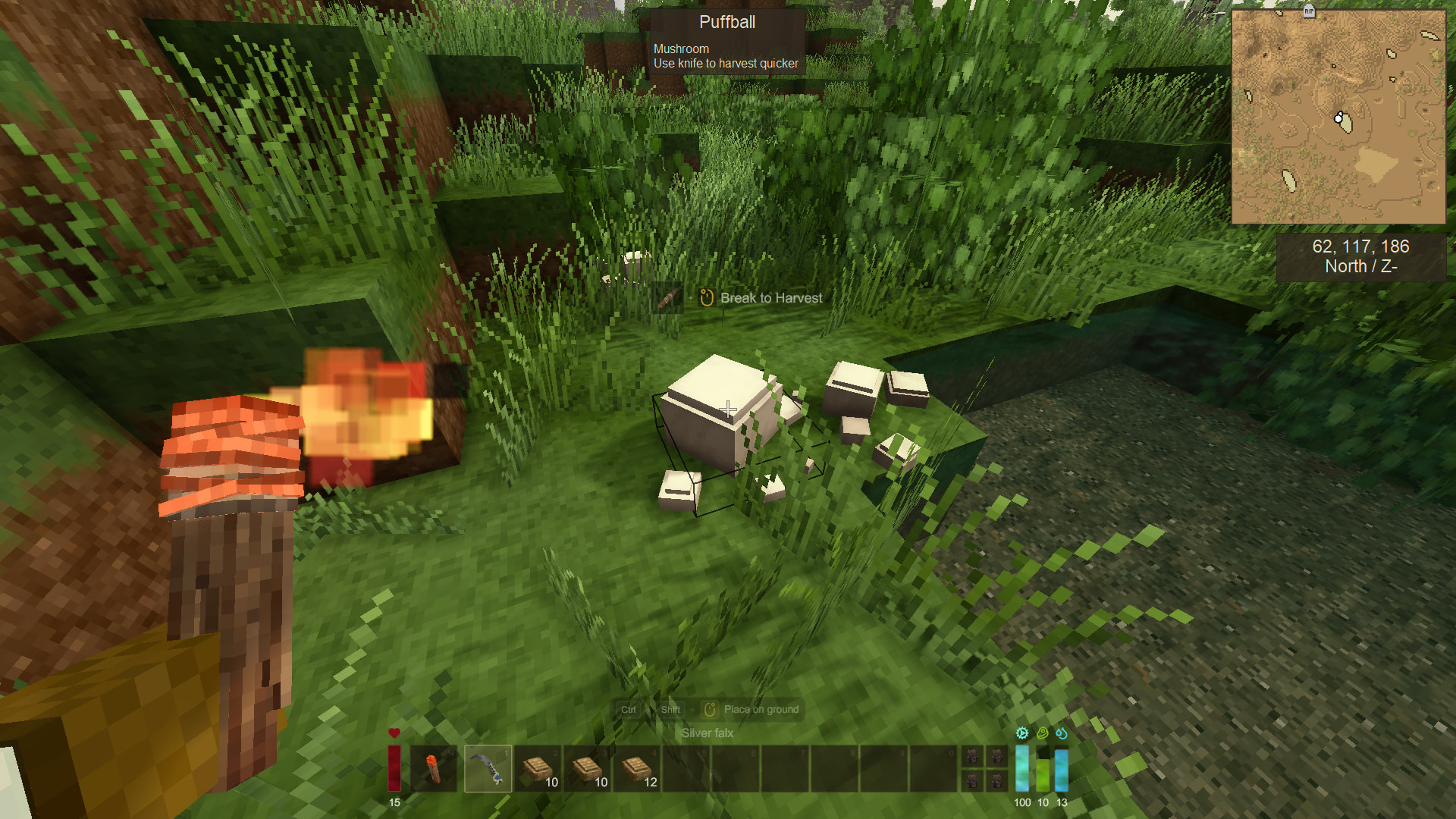
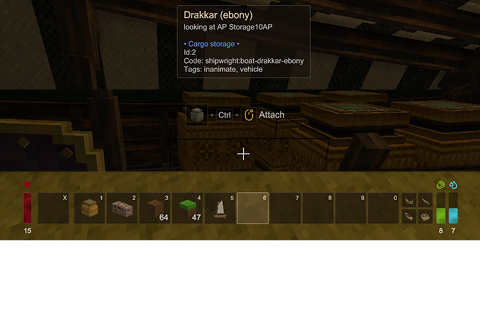
Description
Overview
HudUI replaces the vanilla hotbar, world interaction help, block info with a custom UI built on libGUI.
If your mod adds a new stat, you can register a bar into the edge-bar system — no patching required.
Theming
To switch themes, set "theme" in ModConfig/libgui.json. The UI redraws the moment you save the file — no game restart, no reload command.
Looking for more looks? Check here.
For Mod Authors — Adding a Bar
HudUI exposes EdgeBarController.Instance — initialized during StartClientSide.
1. Register the bar
Create two ValueNotifier<float> fields and call AddBar in StartClientSide. Update .Value whenever your stat changes — the GUI redraws automatically.
_myStatNotifier = new ValueNotifier<float>(1f); _myStatDisplay = new ValueNotifier<float>(0f);
api.Event.RegisterGameTickListener(_ => { float current = / your current value /; float max = / your max value /; if (max <= 0) return;
_myStatNotifier!.Value = current / max; _myStatDisplay!.Value = current; }, 20);
EdgeBarController.Instance!.AddBar( "mymod:mystat", EdgeBarSide.Right, new EdgeBarConfig( "#48cae4".FromHex(), _myStatNotifier, displayValueSource: _myStatDisplay, flashThreshold: 0.2f, tooltipBuilder: (_, _) => new BarTooltipContent("My Stat", _currentMyStat, _maxMyStat), iconDomain: "mymod", iconPath: "textures/hud/mystat.svg" ) ); }</pre>
2. Dynamic bars (optional)
Show a bar only when needed — add and remove it on the fly:
<pre style="font-family: 'JetBrains Mono', monospace; background: #e8d8ce; border-left: 3px solid #7d4f50; padding: 14px 18px; font-size: 0.85em; border-radius: 0 4px 4px 0; margin: 8px 0; line-height: 1.6;">var controller = EdgeBarController.Instance!; bool isActive = / your condition /; bool hasBar = controller.HasBar("mymod:mystat");if (isActive && !hasBar) controller.AddBar("mymod:mystat", ...); if (!isActive && hasBar) controller.RemoveBar("mymod:mystat");</pre>
3. Cleanup
Dispose your notifiers in ModSystem.Dispose:
Ratings & reviews
Sign in to leave a rating or comment.



