
Description
Inventory Transfer
Take your loot to a new world.
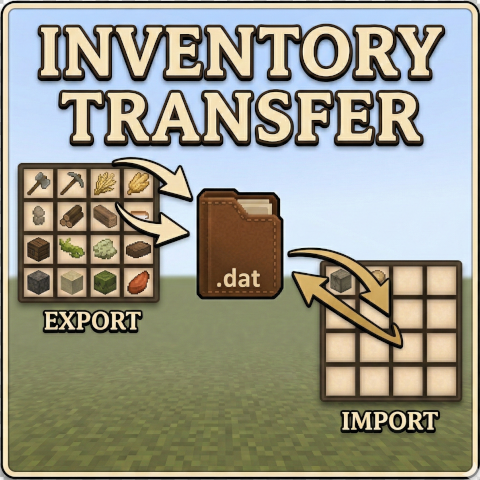
Inventory Transfer lets you export items from one Vintage Story world and import them into another. Whether you're migrating to a fresh seed, moving to a friend's server, or just want to carry
your hard-earned gear forward — this mod handles it.
How It Works
Exporting (/exportinv): Collects items from your player inventory (hotbar, character slots, bags and their contents) and from every storage block within a 30-block radius — chests, crates,
trunks, barrels, baskets, vessels, planters, tool racks, ground storage piles, shelves, bookshelves, display cases, mold racks, scroll racks, armor stands, and anything else that exposes an
inventory. Storage blocks now travel even when empty, so your new base arrives already stocked with containers to fill. Decor blocks (banners, tapestries, rugs, carpets, paintings, lanterns,
and glass) are lifted as their item form so painted/dyed/type attributes survive the trip. Mechanical blocks (windmill rotors, axles, angled gears, large gears, transmissions, clutches, brakes,
and toggles) are picked up as well. The manifest is saved to a config file that persists outside the world save.
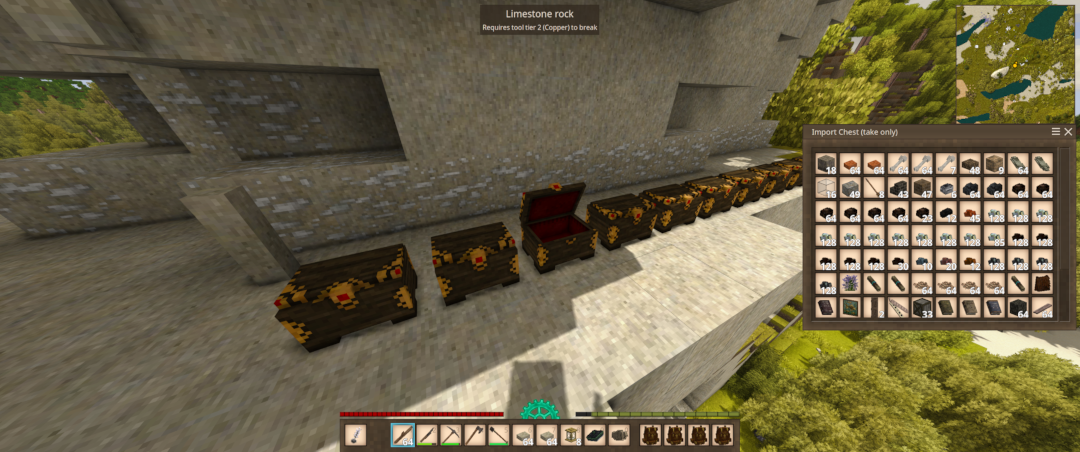
Importing (/importinv): Reads the exported data and places items into your inventory. If your inventory fills up, the mod spawns overflow chests at your feet and walks east, filling each one
in turn. The manifest is sorted before placement so same-type stacks land in contiguous chests (and merge into full stacks), with decor parked in its own section at the end of the chest row.
After import, you get a per-source audit report so you can verify every category transferred cleanly.
Decor and mechanical blocks won't auto-place themselves in the new world — they arrive as items in your import chest and you re-place them where you like.
What Gets Exported
Most items and blocks are exported, including tools, weapons, armor, food, ingots, ores, gems, animal parts, dyes, clothing, bags (and their contents), chests and other containers (empty or
full), torches, molds, decor blocks, mechanical parts, and any other items or blocks not on the filter list below.
Item attributes are preserved — tool durability, food freshness, custom names, dyed/painted decor patterns, and other metadata all carry over.
Bags: A bag's contents are pulled out and transferred as their own line items, and the bag itself arrives as a fresh, empty container. Worn bags, bags sitting in chests, and nested bags are
all handled — no duplication, no loss, even for bulk contents.
What Gets Filtered Out
To keep exports clean and focused on valuables, the following common bulk blocks are automatically skipped:
- Stone (all stone-material blocks)
- Soil/Dirt (all soil-material blocks)
- Gravel (all gravel-material blocks)
- Sand (all sand-material blocks)
- Cobblestone
- Plaster
- Planks
- Logs
Exceptions: Anything explicitly collected by a dedicated pass is exported even if it would otherwise match a filtered material — containers, torches, molds, decor, bags, mechanical parts, and
(when you use --all) crafted build blocks.
Liquids
Liquids don't travel — only the vessels do.
- On export, any liquid-portion stacks (the way barrels store liquid in a slot) are dropped.
- On import, liquid contents are stripped from buckets, jugs, barrels, and watering cans (where liquid is stored as item attributes). The vessel comes through clean and ready to use; the
liquid is gone.
- The audit report notes this as "Liquid vessels emptied: N".
Cooked Food Limitation
When VS cooks food and stores it in a crockpot or bowl, it saves the ingredient stacks with numeric item IDs that are assigned per-world. Those numbers are essentially the item's index in that
world's registry — and they don't match in a different world. When transferred, those IDs resolve to completely wrong items.
What does transfer:
- The crockpot itself (arrives empty, ready to cook in)
- The bowl itself (arrives empty)
- All raw ingredients, tools, ore, gear, etc. — anything that doesn't embed nested item stacks
What can't transfer:
- The cooked meal inside — it's a blended result with embedded ingredient references that are world-specific
Creative Mode
Both commands refuse to run while you're in Creative mode and print a clear error explaining why. In Creative, your inventory has effectively infinite capacity, so the overflow chests would
never spawn and items would vanish silently into the creative inventory. Switch to Survival, run the command, switch back if you want.
<span style="background-color: #f1c40f;">Export Everything (--all)</span>
Download
No download link is available for this entry right now.
Ratings & reviews
Sign in to leave a rating or comment.



