
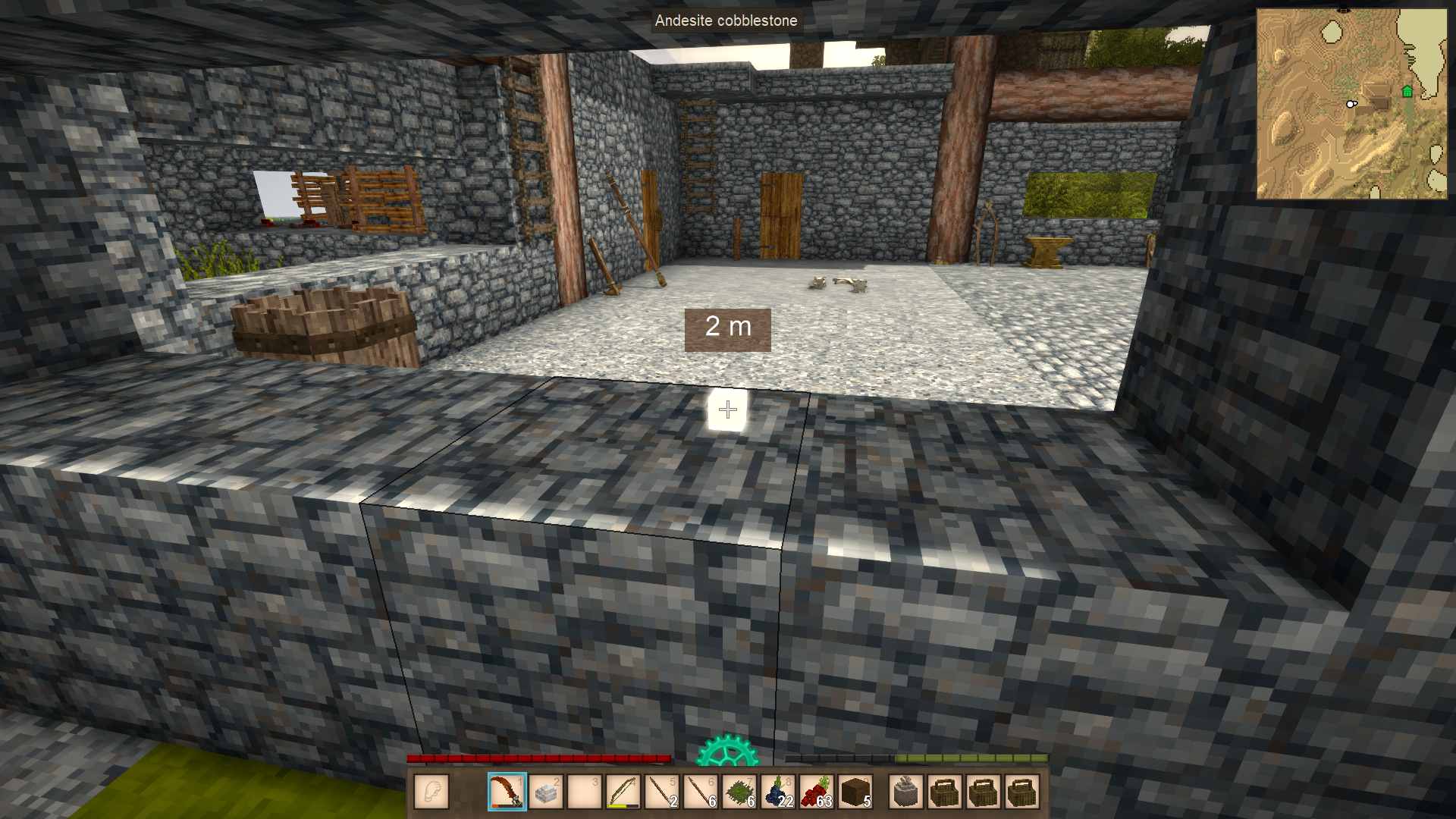
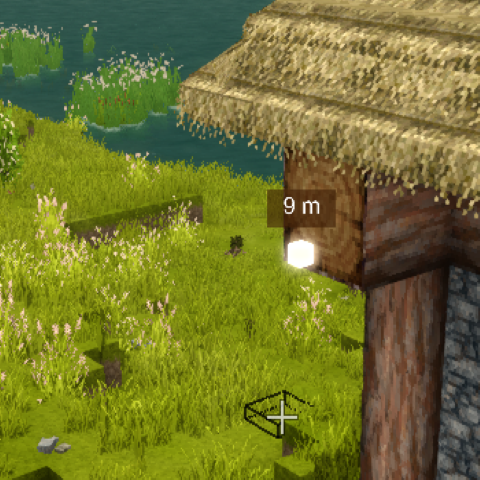
Ping Markers
Ping location like in co-op FPS games. Even shows distance directly in world.
Description
Ping Markers
I just missed this feature so much I had to add it.
The goal is to improve cooperation and the sense of co-presence in the game with other players.
By default, if the player is in any group, it pings all players in their group. If they aren't in a group, it broadcasts to the whole server (intended for smaller servers).
How to Use
Press V to ping.
(This can be changed in Settings > Controls, just search for "ping").
Features & Roadmap
[x] Color pings based on players (dynamically via eye color or custom hex)
[x] Ping type based on what is pinged (entity, block...)
[x] Add player name to ping
[x] Ping sticks to entities (follows animals/players as they move)
[x] Config with mod properties
[x] Configurable max distance + allow global pings
[ ] Add map marker to pinged location
Configuration
Configuration files are generated after running the game with the mod installed. They can be found in your Vintage Story data folder:
%AppData%/VintagestoryData/ModConfig/
Server Configuration (PingMarkersConfig-Server.json)
<table style="width: 975px;" data-path-to-node="13"> <thead> <tr> <td style="width: 179.212px;">Setting</td> <td style="width: 72.0875px;">Default</td> <td style="width: 722.9px;">Description</td> </tr> </thead> <tbody> <tr> <td style="width: 179.212px;"><span data-path-to-node="13,1,0,0">EnableGlobalPings</span></td> <td style="width: 72.0875px;"><span data-path-to-node="13,1,1,0">false</span></td> <td style="width: 722.9px;"><span data-path-to-node="13,1,2,0">If true, a player's pings are broadcast to all online players in the server (when they aren't in a group).</span></td> </tr> </tbody> </table> Client Configuration (PingMarkersConfig-Client.json)
<table style="width: 972px;" data-path-to-node="15"> <thead> <tr> <td style="width: 233.975px;">Setting</td> <td style="width: 100.975px;">Default</td> <td style="width: 636.25px;">Description</td> </tr> </thead> <tbody> <tr> <td style="width: 233.975px;"><span data-path-to-node="15,1,0,0">MaxRenderDistanceMeters</span></td> <td style="width: 100.975px;"><span data-path-to-node="15,1,1,0">10000</span></td> <td style="width: 636.25px;"><span data-path-to-node="15,1,2,0">Maximum visual range from which ping markers can be seen.</span></td> </tr> <tr> <td style="width: 233.975px;"><span data-path-to-node="15,2,0,0">MaxPingDistanceMeters</span></td> <td style="width: 100.975px;"><span data-path-to-node="15,2,1,0">100</span></td> <td style="width: 636.25px;"><span data-path-to-node="15,2,2,0">Maximum distance the player's view raycast can travel when creating new pings.</span></td> </tr> <tr> <td style="width: 233.975px;"><span data-path-to-node="15,3,0,0">CooldownSeconds</span></td> <td style="width: 100.975px;"><span data-path-to-node="15,3,1,0">1.0</span></td> <td style="width: 636.25px;"><span data-path-to-node="15,3,2,0">Cooling delay needed between ping casts.</span></td> </tr> <tr> <td style="width: 233.975px;"><span data-path-to-node="15,4,0,0">DistanceTextDigits</span></td> <td style="width: 100.975px;"><span data-path-to-node="15,4,1,0">0</span></td> <td style="width: 636.25px;"><span data-path-to-node="15,4,2,0">Number of decimal digits shown along with the distance text.</span></td> </tr> <tr> <td style="width: 233.975px;"><span data-path-to-node="15,5,0,0">ShowDistance</span></td> <td style="width: 100.975px;"><span data-path-to-node="15,5,1,0">true</span></td> <td style="width: 636.25px;"><span data-path-to-node="15,5,2,0">Displays the numerical distance overlay above the markers.</span></td> </tr> <tr> <td style="width: 233.975px;"><span data-path-to-node="15,6,0,0">ShowPlayerName</span></td> <td style="width: 100.975px;"><span data-path-to-node="15,6,1,0">true</span></td> <td style="width: 636.25px;"><span data-path-to-node="15,6,2,0">Shows the name of the player who cast the ping.</span></td> </tr> <tr> <td style="width: 233.975px;"><span data-path-to-node="15,7,0,0">ShowPingedTargetName</span></td>Ratings & reviews
Sign in to leave a rating or comment.



