
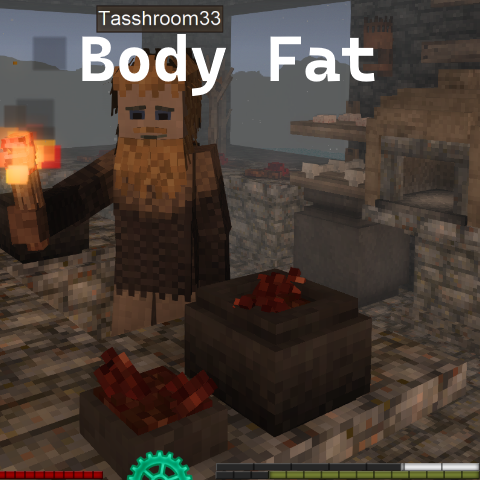
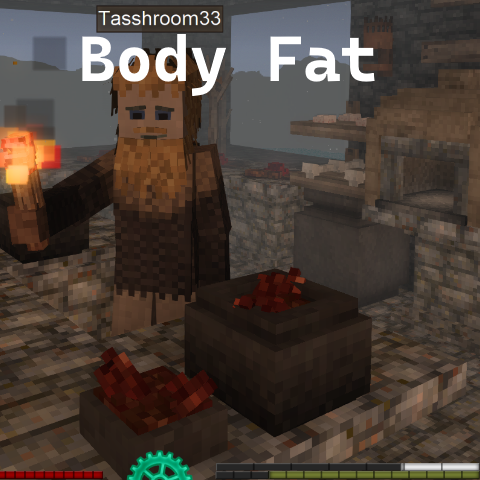
Body Fat by Tasshroom
Body Fat - Stuff your face and save up those calories for the long journey ahead
Description
Features:
Gain Fat: When full gain a fat bar (white).
Lose Fat: When starving convert fat to hunger bar.
Configure Fat: All config options below
v0.1.3 Update:
Added server commands for server owners to more easily manage players body fat
-Body Fat loss is and always has been removed on death by default, see config options to disable-
Settings: ModConfig/TasshroomBodyFat/TasshroomBodyFatConfig.json
Player fat data: ModData/<world id>/tassbodyfat-players.json
Logs: everything the mod does is tagged [TasshroomBodyFat <version>] in Logs/server-main.log. With EnableDebugLogging on, a verbose private log appears at Logs/TasshroomBodyFat/ (overwritten each session).
Commands:
Client:
" .tassbodyfat bar " Allows you to move\save the position of the fatbar. Click save to save the position, click and drag the dialog box to move it.
Server:
/tassbodyfat list— /tassbodyfat get <player>— get players body fat (works for offline as well)/tassbodyfat set <player> <fat>— set a players body fat (if offline apllies when they join)/tassbodyfat setallowance <player> <amount>— manually set the allowance of body fat (normally the defaut +250 daily)/tassbodyfat delete <player> confirm— reset a players body fat to 0/tassbodyfat wipe confirm— run before removing the mod to clear all data/tassbodyfat migration— list of users pre-post v0.1.3
=== TasshroomBodyFat Configuration Guide ===
Configuration file: TasshroomBodyFatConfig.json
Available settings:
1. MaxBodyFat (default: 10500)
- Maximum amount of body fat a player can store
- Range: 1 to 100,000
- Higher values allow more fat storage but may impact game balance
2. DailyFatLimit (default: 250)
- Maximum amount of fat a player can gain per day
- Range: 1 to 10,000
- This resets each in-game day at midnight
3. FatConversionPercent (default: 40)
- Percentage of excess food (beyond saturation threshold) that converts to fat
- Range: 1% to 200%
- 100% means all excess food becomes fat, 50% means half does
4. EnableDebugLogging (default: false)
- Enables detailed debug logging to TasshroomBodyFatDebugger.log file
- Set to true only when troubleshooting issues
- When false, important messages still go to the game's main log
5. MaxSaturationOverride (default: 0)
- Manual override for max saturation detection
- Range: 0 (auto-detect) or 100 to 10,000
- Set to 0 to automatically detect max saturation from other mods
- Only set a value if automatic detection doesn't work properly
6. FatConversionThreshold (default: 1.0)
- When food starts converting to fat, as a percentage of max saturation
- Range: 0.5 to 1.0
- 1.0 = Start at 100% saturation (must be completely full)
- 0.9 = Start at 90% saturation (can gain fat while slightly hungry)
- 0.8 = Start at 80% saturation, etc.
7. StarvationConversionPercent (default: 25)
- Percentage of current fat to convert per starvation tick (every 5 seconds)
- Range: 1% to 100%
- Higher values mean faster fat burning during starvation
- 10% means convert 10% of current fat every 5 seconds when starving
- Example: With 1000 fat and 10%, converts 100 fat per tick
8. BarPosX and BarPosY (default: -1, -1)
- Position of the fat bar on screen
- -1 means use automatic positioning (above saturation bar)
- Set to specific pixel coordinates to customize position
- The bar respects GUI scale settings
- Position is saved exactly where you place it
9. DeathFatPenalty (default: true)
- Whether to apply fat loss penalty on death
- true = Lose fat on death based on DeathFatLossPercent setting
- false = Keep all fat on death
- This setting overrides the world's death punishment setting for fat only
- Other inventory items still follow the world's death punishment rules
10. DeathFatLossPercent (default: 100)
- Percentage of fat to lose on death when DeathFatPenalty is true
- Range: 0% to 100%
- 100 = Lose all fat on death (classic behavior)
- 50 = Lose half of current fat on death
- 25 = Lose quarter of current fat on death
- 0 = Keep all fat (same effect as DeathFatPenalty = false)
- Also reduces daily limits proportionally
- Example: With 1000 fat and 50%, you'd lose 500 fat and keep 500
DEATH PENALTY EXAMPLES:
- Hardcore mode: DeathFatPenalty = true, DeathFatLossPercent = 100
(Lose all fat on death, regardless of world settings)
- Forgiving mode: DeathFatPenalty = true, DeathFatLossPercent = 25
(Lose only 25% of fat on death as a mild penalty)
- No penalty mode: DeathFatPenalty = false
(Never lose fat on death, even if world has drop-on-death enabled)
Note: This mod's death settings only affect body fat. Your regular inventory
items will still follow the world's normal death punishment rules.
Ratings & reviews
Sign in to leave a rating or comment.



