
Trait Tailor
Remove or add and customize individual attributes to player's class
Description
Change the attributes that come pre-selected with each class.
<span style="color: #3598db;">Comes with a server-side config for balancing the user experience.</span>
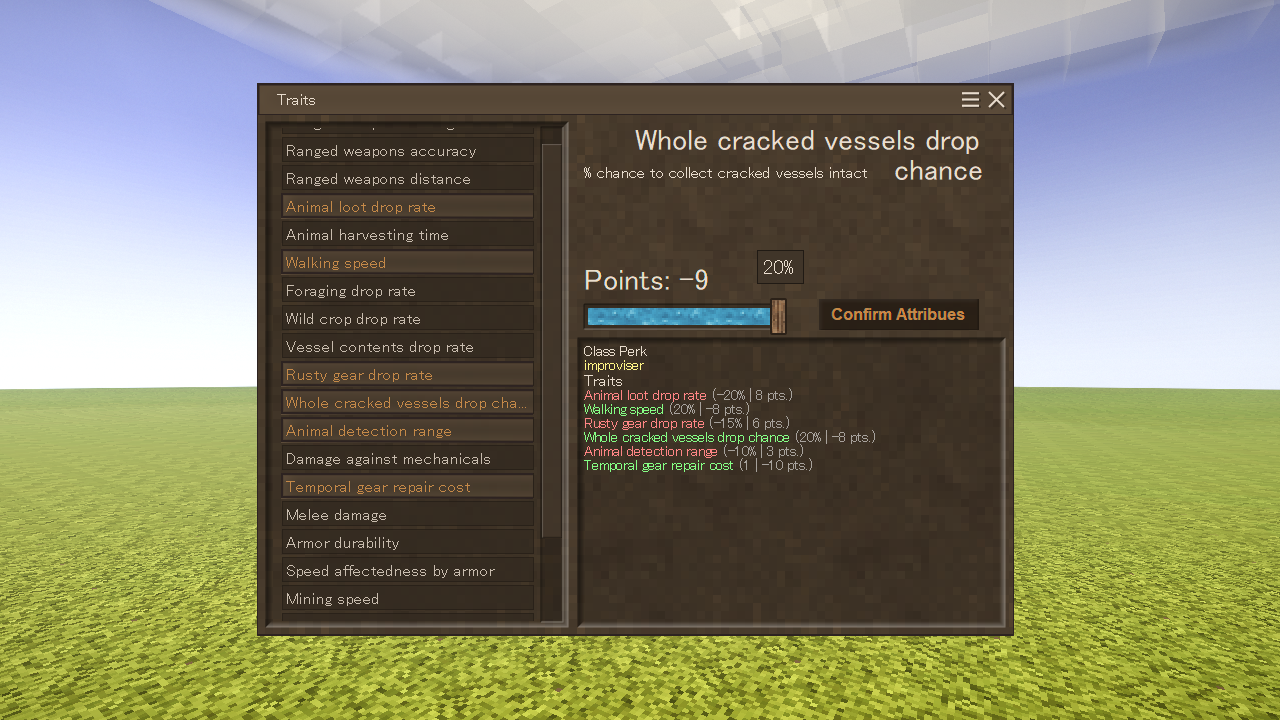
Adds a command .ttailor that allows players for one time customization of class attributes.
Admins can use /player <playername> atto to allow the player to customize thier attributes one more time.
<span style="color: #e74c3c;">Important!</span> Current workaround for showing selected attributes is using a command <span style="text-decoration: underline;">.ttailor show</span>
With these config settings you can limit which attributes is the player able to choose
and how much big of a bonus or penalty is the player able to apply.
Inside ModConfig\TraitTailorConfig.json
- classPerks
First value(key) is the ingame code name of the class.
Second value(value) is the ingame code name of the attribute.
In the current version of the mod the default configuration assigns unique class attribute[1] based on the selected class by the player. (exluding commoner)
Currently you can only assign one free attribute to class and it's valHundredths will be 1.
- attributeValues
By default attributeValues is a list composed of all vanilla attributes.
- Names
- Code: The ingame code name[2] of the attribute
- Name: Easier to read name of the attribute that will be shown to the player
- Bools (true or false)
- positiveValue: Only put false if the attribute being negative is actaully positive for the player
(e.g. attribute armorWalkSpeedAffectedness being negative is actually slowing the player less while wearing armor if its negative) - percentileValue: Only false if the attribute affects the player stats by a rational number (e.g. 5, 1.5, 0.75) instead of %
(e.g. attribute maxhealthExtraPoints adds or removes set number from the deafult player health value so its percentileValue is false)
- positiveValue: Only put false if the attribute being negative is actaully positive for the player
- Attribute value
- valHundredths: If the percentileValue is:
true: 0.01 will be 1% and 0.15 will be 15%
false: is for attributes that read values as rational number or integer, 1 will be 1, 2.5 will be 2.5
- valHundredths: If the percentileValue is:
- Slider values
- stepRangeNeg: how many times can the player move the slider under the value of 0
- stepRangePos: how many times can the player move the slider over the value of 0
Both accept only full positive numbers (To set only positive or negative range set the other value to 0)
(e.g. for attribute maxhealthExtraPoints valHundredths=0.5, stepRangeNeg=3, stepRangePos=8
With those settings the slider for this attribute can be moved maximally 3 times from 0 to the left
resulting in possible range of attribute values being -0.51=<span style="text-decoration: underline;">-0.5</span>, -0.52=<span style="text-decoration: underline;">-1</span> and finally -0.53=<span style="text-decoration: underline;">-1.5</span>
or 8 times to the right resulting in maximal possible value being 0.58=<span style="text-decoration: underline;">4</span>) - pointValue: Accepts only positive integers.
This point value is multiplied by each "step" of selected attribute.
(For each "step" to the left on the slider, the points will be multiplied by -n "steps" to the left or by +n when moving to the right
unless positiveValue is set to false)
In order for the player to finalize his selection, the sum of points must be 0 or higher - stepSetVal: leave at 0, it is set to the multiplied valHundredths when using the slider
- Vanilla attributes table
You can safely remove any whole {} from inside attributeValues list[].
In case you want to re-add any attribute or just change default values remeber
to set positiveValue and percentileValue according to the table below
Download
No download link is available for this entry right now.
Ratings & reviews
Sign in to leave a rating or comment.



