
Back to NxLabs
VanillaBuilding: Expanded
DBy dsisco
Adds quality-of-life improvements (eg: block placement preview/snapping) without affecting balance
Description


Vanilla Building: Expanded enhances the building experience in Vintage Story by introducing tools and mechanics that make construction more intuitive and precise.
The mod is designed to feel like a natural extension of the base game rather than a complete overhaul.
Reporting Issues
Please file all issues on the issue tracker linked above, this greatly helps us keep track of what needs to be fixed and allows issues to be dealt with in a timely manner.
A big thank you to everyone who takes time to report issues!
🔨 Build Hammer
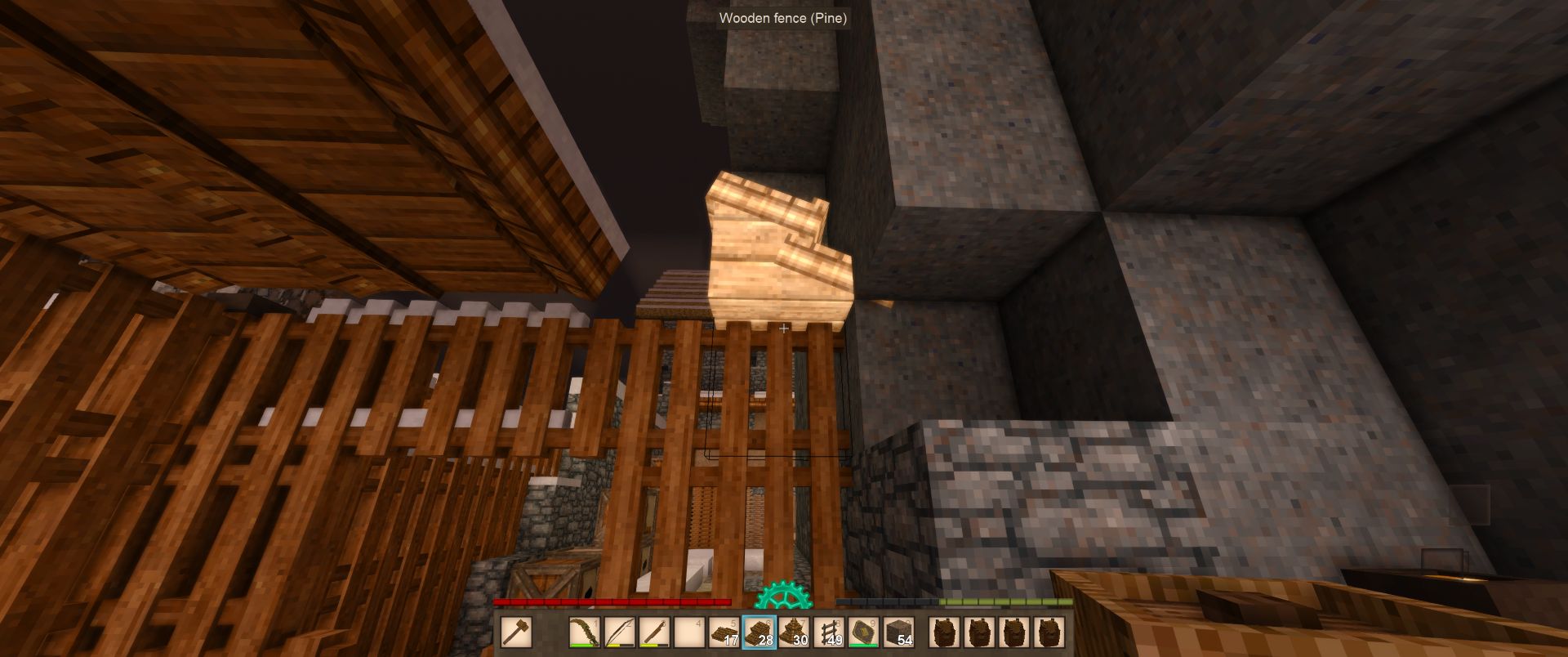
The Build Hammer is the core tool introduced by this mod. It provides the player with precise control over block placement through a preview and snapping system.
Using the build hammer
Simply place the build hammer in your off-hand and then switch to a placeable block on your hotbar. The build preview will instantly appear!
Key Features
- Block Preview Rendering - See exactly where your block will be placed before committing, with a real-time ghost preview of the block
- Orientation Control - Cycle through available block orientations to place blocks exactly how you want them
- Visual Feedback - Invalid placement positions are highlighted in red, valid positions render normally
- Snapping Modes - Multiple snapping modes to help align blocks precisely:
- Horizontal & Vertical - Full grid snapping for maximum precision
- Horizontal Only - Snap to horizontal planes
- Vertical Only - Snap to vertical planes
- None - Free placement without snapping constraints
Crafting
The Build Hammer can be crafted using simple materials available early in the game, just a log and a stick.
Simply place a log above a stick in the crafting grid to create a Building Hammer.
Controls
<table style="border-collapse: collapse; width: 74.2128%; height: 158px;" border="1"> <thead> <tr style="height: 20px; text-align: center;"> <td style="width: 25.1718%; height: 20px;">Action</td> <td style="width: 26.2479%; height: 20px;">Default Hotkey</td> <td style="width: 26.2479%; height: 20px;">Description</td> </tr> </thead> <tbody> <tr style="height: 20px;"> <td style="width: 25.1718%; height: 20px;">Rotate Build Brush - Forward</td> <td style="width: 26.2479%; height: 20px;">R</td> <td style="width: 26.2479%; height: 20px;">Rotates the placement preview</td> </tr> <tr style="height: 20px;"> <td style="width: 25.1718%; height: 20px;">Rotate Build Brush - Backward</td> <td style="width: 26.2479%; height: 20px;">Shift + R</td> <td style="width: 26.2479%; height: 20px;">Rotates the placement preview</td> </tr> <tr style="height: 20px;"> <td style="width: 25.1718%; height: 20px;">Snapping Mode - Next</td> <td style="width: 26.2479%; height: 20px;">Middle Mouse</td> <td style="width: 26.2479%; height: 20px;">Cycles to the next brush snapping mode</td> </tr> <tr style="height: 20px;"> <td style="width: 25.1718%; height: 20px;">Snapping Mode - Previous</td> <td style="width: 26.2479%; height: 20px;">Shift + Middle Mouse</td> <td style="width: 26.2479%; height: 20px;">Cycles to the previous brush snapping mode</td> </tr> <tr style="height: 58px;"> <td style="width: 25.1718%; height: 58px;">Offset Brush</td> <td style="width: 26.2479%; height: 58px;">Shift</td> <td style="width: 26.2479%; height: 58px;">Offsets the block placement position by 1 block in the direction of the block face you are targeting, this is useful for placing roofing or stairs, for example.</td> </tr> </tbody> </table> Roadmap
- Snapping indicators to visualize which edges the "build brush" is snapping to
- Placement restriction modes (e.g. only placing blocks along a specific plane, such as when you are building a long straight wall or flooring)
- Support for "block-entities" (e.g. crates, chests, etc)
- Support for "multi-blocks" (e.g. double-chests, doors)
Ratings & reviews
No ratings yet
Sign in to leave a rating or comment.



