VSMineralMasonry: Grout and Tile Textures
Placeable grout decor, colored grout, rock-texture grout, tile-pattern grout, and tools
Description
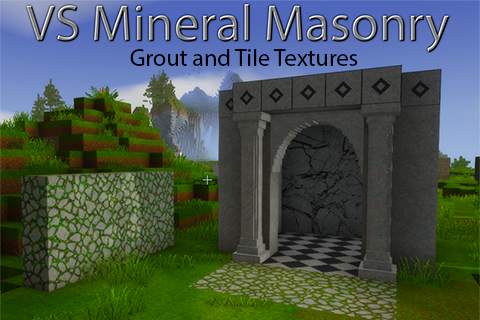
VSMineralMasonry: Grout and Tile Textures is part of the split VSMineralMasonry collection, a set of modular stone-building mods for Vintage Story. Each module can be installed separately, depending on which kinds of stone detail you want in your world.
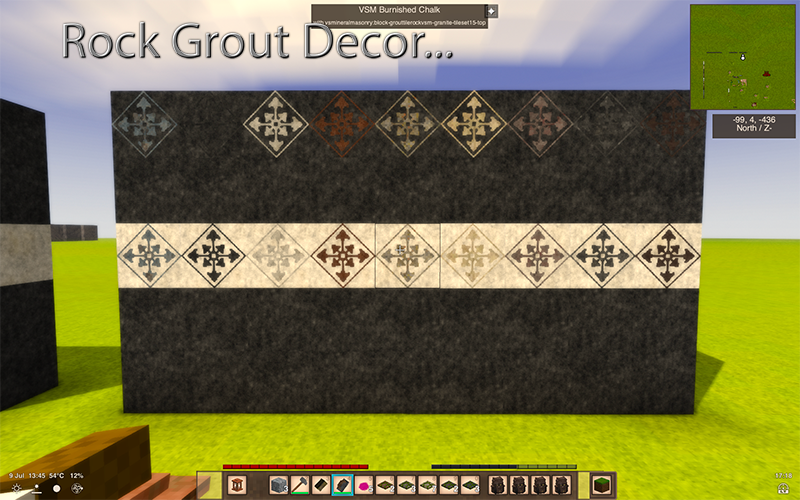
This module adds placeable grout decor, colored grout, rock-texture grout, tile-pattern grout, and tools for shaping or removing grout overlays. It is meant for players who want more control over surface details such as borders, seams, corners, tile lines, decorative inlays, and stone accents.
New features:
- Placeable grout decor
- Colored grout variants
- Rock-texture grout variants
- Tile-pattern grout variants
- Thick grout variants
- Triangle overlay details
- Crushed stone and stone slurry crafting support
- Grout shaping with the grout trowel
- Grout cleanup with the grout sponge
Supported grout colors:
Black, White, Orange, Purple, Pink, Red, Blue, Green, Yellow, Grey
Supported rock-texture grout types:
Andesite, Basalt, Chalk, Chert, Granite, Limestone, Phyllite, Shale, Slate, White Marble
Tile texture sets:
This mod includes 16 tile sets for colored grout and rock-texture grout. These can be used to create patterned surface details rather than plain solid grout.
The supported colors, rock textures, and tile sets were limited intentionally for the first release to avoid unnecessary mod bloat. Additional colors, rock textures, or tile patterns may be added later if there is interest or if specific types are requested.
How grout works:
Grout is decor placed on top of blocks. It does not replace the block underneath.
Place grout first by right-clicking with grout in your main hand. Then use the grout trowel to shape the placed grout. Press F while holding the trowel to select a shape, then right-click placed grout to apply or cycle that shape.
The trowel can be used for borders, edges, corners, frames, tile patterns, and other surface accents.
Use the grout sponge to remove placed grout decor.
Important notes:
Reapplying the same grout color, type, or rock texture to the same face should not consume extra grout. Grout should only be consumed when placing new grout or changing the existing grout to a different type.
Chiseling a block that has grout on it will currently destroy the grout. Stone-texture grout can also be used to cover mural slab block surfaces using the first tileset, which is useful for adding extra detail to mural slab builds.
This module focuses on grout overlays, tile textures, and grout tools. It does not include arches, pillars, cobblestones, stone paths, or mural slab blocks.
You can place it on chiseled surfaces but it will not follow the chiseled surface shape and just lay flat over the block.
Texture note:
This mod uses custom 64x64 pixel textures to allow for a higher level of detail in grout overlays, tile patterns, and rock-textured surface accents. Vanilla Vintage Story commonly uses 32x32 textures, so these overlays may look more detailed than some vanilla stone textures.
Testing note:
Download
No download link is available for this entry right now.
Ratings & reviews
Sign in to leave a rating or comment.