






About Better Gamepad
From Steam WorkshopPalworld's controller layout has a few awkward overlaps that cannot be changed through the normal settings menu. BetterGamepad makes a small set of targeted controller changes, including melee…
Palworld's controller layout has a few awkward overlaps that cannot be changed through the normal settings menu.
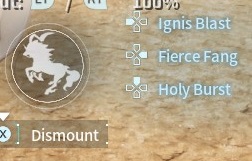
BetterGamepad makes a small set of targeted controller changes, including melee handling on Square / X, and configurable Riding Skill 3 placement.
WHAT IT CHANGES
• Square / X can also be used for melee attacks
• Riding Skill 3 can be moved to another controller button using the included UserOption.sav presets
• Partner Skill Arming - hold the Partner Skill button before summoning a Pal and the Partner Skill will activate when the Pal appears
IMPORTANT! USEROPTION.SAV
Palworld does not allow Riding Skills to be reassigned through the normal controller settings.
Because of this, BetterGamepad includes several [code]UserOption.sav[/code] presets.
The preset you choose determines which button BetterGamepad uses for Riding Skill 3, so this directly affects how the mod behaves.
INCLUDED PRESETS
Standard:
• Square / X — Riding Skill 3 • D-Pad Up — Riding Skill 3 • R2 / RT — Riding Skill 3 • L1 / LB — Riding Skill 3
For PalWheel users, separate presets are included:
• Square / X — Riding Skill 3 • D-Pad Up — Riding Skill 3 • R2 / RT — Riding Skill 3 • All Riding Skills on D-Pad: - Skill 1 — D-Pad Left - Skill 2 — D-Pad Right - Skill 3 — D-Pad Up
Only use the PalWheel presets if you are using PalWheel.
INSTALLING A USEROPTION PRESET
1. Close Palworld completely.
2. Open the BetterGamepad\Scripts\UserOption Presets\ folder and choose the UserOption preset with the Riding Skill 3 layout you want.
3. Open:
%LOCALAPPDATA%\Pal\Saved\SaveGames\[/code]

4. Back up your existing:

[code]UserOption.sav
5. Copy the chosen preset into that folder.
6. Rename it to:
UserOption.sav[/code]

7. Replace the existing file and start Palworld.


[b]Important:[/b]

The included presets are complete UserOption.sav files. Replacing yours may also replace other controller bindings and settings stored in that file.

Keep your original file as a backup.


[h2]REQUIREMENTS[/h2]

Requires UE4SS.

If you are installing manually instead of through Steam Workshop, place the BetterGamepad folder in your UE4SS Mods directory.

Common locations:

[code]...\Palworld\Pal\Binaries\Win64\ue4ss\Mods
or
...\steamapps\common\Palworld\Mods\NativeMods\UE4SS\Mods[/code]


[h2]CREDITS[/h2]

Created by ChubbyAlvin.

If you modify, redistribute, or use this mod's source code in another project, please retain the included MIT license and appropriate attribution.


[h2]SOURCE CODE[/h2]

Source code and releases are also available on GitHub.


[h2]DISCLAIMER[/h2]

BetterGamepad is an unofficial community mod and is not affiliated with or endorsed by Pocketpair.

Game updates, Palworld changes, or UE4SS changes may affect compatibility.

Use game modifications at your own risk and back up important save or configuration data when appropriate.Highlights
From source dataFootprint
Rated a light load on a server.
Last update
Its author last shipped an update 43d ago.
Better Gamepad on Nxeon
From our catalogue- One-click install
- Not available. One-click install isn't available for this game's mods yet. Download it and upload it to your server in Files.
- Server load
- light
- Smallest plan we suggest
- Palworld — 8 GB (8 GB RAM). This follows our own load rating above, not a benchmark.
- Latest build
- 2026-09-22, released 2026-09-22
Game versions by loader
| Loader | Game versions | Newest |
|---|---|---|
| Workshop |
From 1 recorded build of Better Gamepad.
Dependencies
- Required: UE4SS Experimental (Palworld)
Declared by the newest build that lists any. Required ones are installed with it on one-click installs.
Run Better Gamepad on a Palworld server
Deploy a server above, then upload the file in Files.
What kind of mod it is
From the catalogQuality of life & UI
Small conveniences, tweaks and interface improvements players notice straight away.
Compatibility
- Game
- Palworld
Verified at the source
- ✓Steam WorkshopOfficial listing, checked 2026-11-04Open ↗
- ✓AuthorChubbyAlvin, as published on Steam Workshop
- ✓LicenseNot published by the sourceFree











