






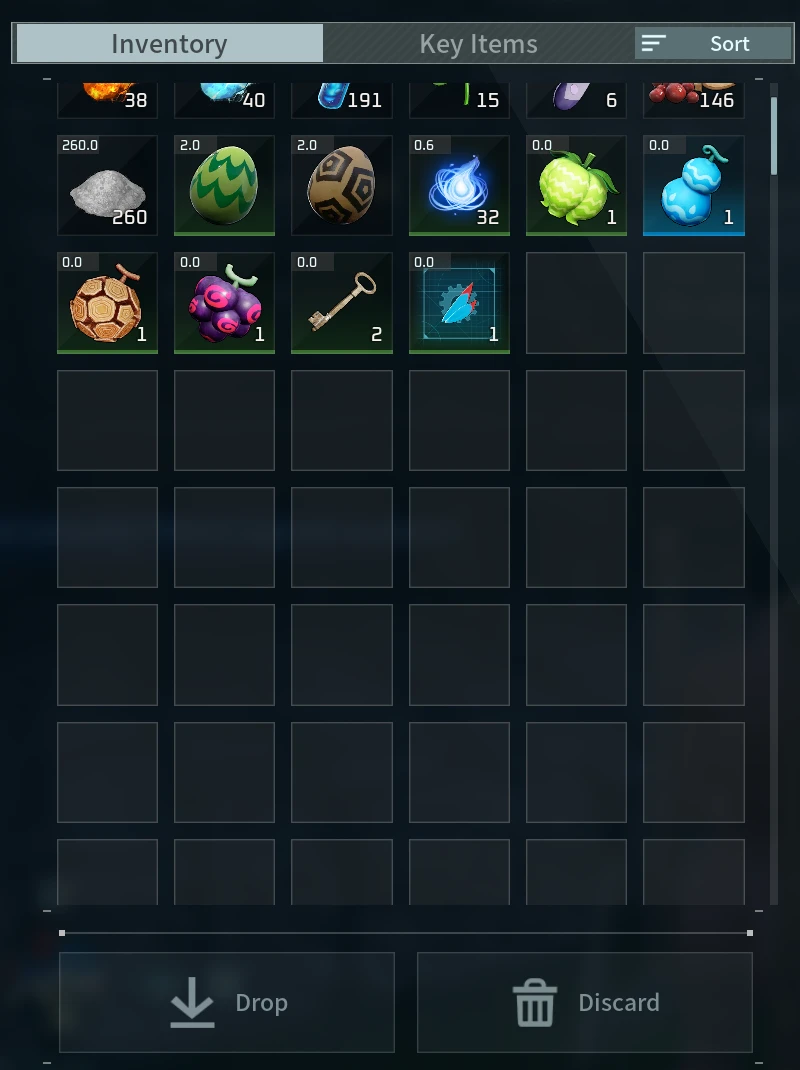
About Inventory Expansion
From Steam WorkshopWhat it does Inventory Expansion adds 100 slots to the player's normal inventory by default. The amount can be changed in the config from 0 through 5000. All slots remain part of Palworld's normal…
What it does
Inventory Expansion adds 100 slots to the player's normal inventory by default. The amount can be changed in the config from 0 through 5000.
All slots remain part of Palworld's normal inventory and use the existing scrollable inventory list.
It works offline on windows. Don't know about servers, use at your own risk. Heard people using proton/wine have issues with this mod.
Requirements
- Palworld on Steam
- UE4SS Experimental (Palworld)
Installation
[olist] [*]Subscribe to UE4SS Experimental and Inventory Expansion. [*]Launch Palworld and open Mod Management. [*]Enable UE4SS Experimental and Inventory Expansion. [*]Restart Palworld. [/olist]
It won't work on servers unless the server installs the mod.
Configuration
Close Palworld, then edit:
<Palworld>\Mods\NativeMods\UE4SS\Mods\InventoryExpansion\config\config.ini[/code]

Default configuration:

[code][General]
Enabled=true

[Capacity]
Enabled=true
AdditionalSlots=100
AdditionalSlots supports values from 0 through 5000. Restart Palworld after changing it. If you are trying to remove the mod, ensure the extra slots are not used, set the extra slots to 0, then load and save your game and visibly verify it worked first.
Compatibility
- Do not combine this with another mod that changes player inventory capacity.
- Works with No Inventory Or Storage Lag.
- Made and tested on Palworld for Windows through Steam.
- PC Game Pass, Linux or Proton, and dedicated servers have not been tested.
Save data and uninstall warning
Palworld saves the expanded inventory capacity. Simply disabling or unsubscribing from the mod will not safely reduce the inventory size.
Back up your save first. Move every item out of the extra slots, set AdditionalSlots=0, load your world, make sure the game saves, then exit Palworld. After that, disable or unsubscribe from Inventory Expansion.
Online and co-op saves may behave differently. Use extra caution and keep a backup.
Nexus Mods
Highlights
From source dataFootprint
Rated a light load on a server.
Last update
Its author last shipped an update 3 mo ago.
Inventory Expansion on Nxeon
From our catalogue- One-click install
- Not available. One-click install isn't available for this game's mods yet. Download it and upload it to your server in Files.
- Server load
- light
- Smallest plan we suggest
- Palworld — 8 GB (8 GB RAM). This follows our own load rating above, not a benchmark.
- Latest build
- 2026-08-05, released 2026-08-05
Game versions by loader
| Loader | Game versions | Newest |
|---|---|---|
| Workshop |
From 1 recorded build of Inventory Expansion.
Dependencies
- Required: UE4SS Experimental (Palworld)
Declared by the newest build that lists any. Required ones are installed with it on one-click installs.
Run Inventory Expansion on a Palworld server
Deploy a server above, then upload the file in Files.
What kind of mod it is
From the catalogQuality of life & UI
Small conveniences, tweaks and interface improvements players notice straight away.
Compatibility
- Game
- Palworld
Verified at the source
- ✓Steam WorkshopOfficial listing, checked 2026-11-01Open ↗
- ✓AuthorShady, as published on Steam Workshop
- ✓LicenseNot published by the sourceFree











