






About PalWheel
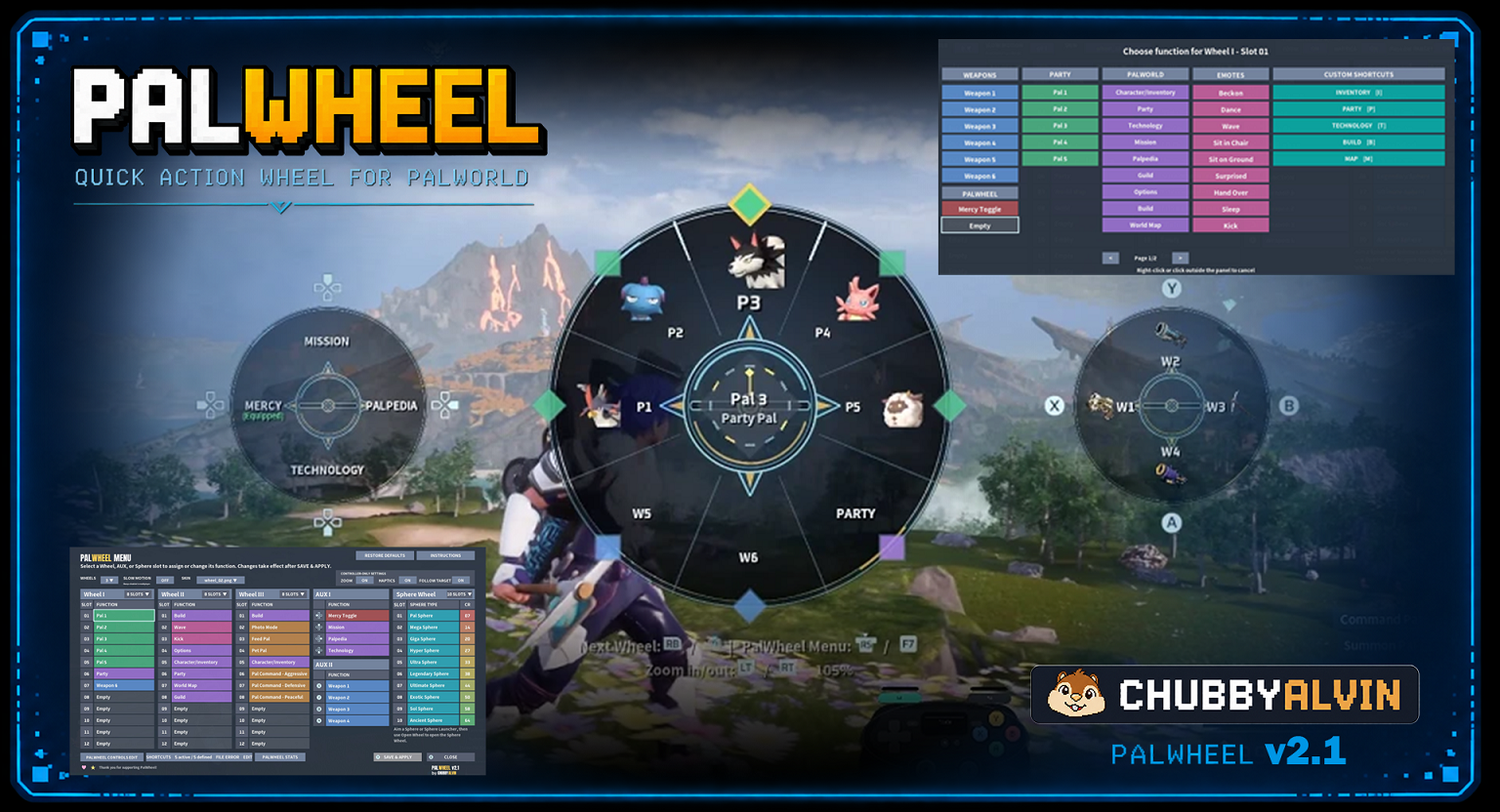
From Steam WorkshopPalWheel Quick Action Wheel for Palworld 3 Main Wheels • AUX Shortcuts • Separate Sphere Wheel • F7 In-Game Menu PalWheel is a customizable radial quick-action wheel for Palworld. It gives fast…
PalWheel
Quick Action Wheel for Palworld
3 Main Wheels • AUX Shortcuts • Separate Sphere Wheel • F7 In-Game Menu
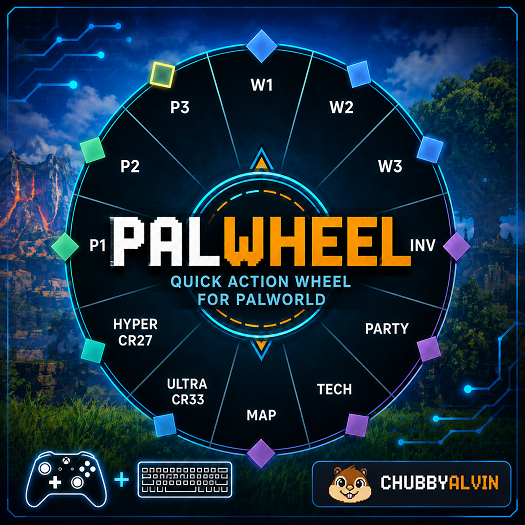
PalWheel is a customizable radial quick-action wheel for Palworld.
It gives fast access to party Pals, weapons, Palworld menus, Pal actions, emotes, Custom Shortcuts, and Pal Spheres without digging through multiple menus.
Designed for controller, with full keyboard and mouse support.
What's New in v2.0
- Up to 3 configurable Main Wheels
- AUX I and AUX II for direct quick-use shortcuts
- Separate Sphere Wheel so spheres do not take Main Wheel slots
Main Features
- Up to 3 Main Wheels
- 36 saved Main Wheel assignments — 12 per wheel
- 4–12 visible slots per Main Wheel
- AUX I and AUX II direct shortcuts
- Separate Sphere Wheel with configurable sphere order
- Controller, keyboard, and mouse support
- In-game F7 PalWheel Menu
- Configurable Custom Shortcuts
- Selectable wheel skins
- Optional Slow Motion, Controller Zoom, Haptics, and Sphere Follow Target
- Mercy Toggle support
Assignable Actions
Party Pals Pal 1–5 normally, plus Pal 6+ automatically when expanded party capacity is detected
Weapons Weapon 1–6
Palworld Menus Inventory • Party • Technology • Mission • Palpedia • Guild • Options • Build • World Map
Pal Actions Feed Pal • Pet Pal • Photo Mode • Pal Command: Peaceful / Defensive / Aggressive
Emotes Beckon • Dance • Wave • Sit in Chair • Sit on Ground • Surprised • Hand Over • Sleep • Kick
Mercy Toggle Toggles a supported mercy accessory
Custom Shortcuts User-defined keyboard shortcuts for Palworld or other mods
Default Controls
Controller
- Hold L1 / LB — Open Main Wheel
- Right Stick — Select a Main Wheel slot
- Release L1 / LB — Activate selected slot
- R1 / RB — Next Main Wheel
- R3 / RS while the wheel is open — Open the PalWheel Menu
Keyboard / Mouse
- Hold Caps Lock — Open Main Wheel
- Mouse — Select a Main Wheel or AUX slot
- Left Click — Activate selected slot
- Middle Mouse — Next Main Wheel
- F7 — Open or close the PalWheel Menu
Installation — Steam Workshop
- 1. Subscribe to PalWheel and its required dependencies
- 2. Start Palworld
- 3. Open Options → Mod Management
- 4. Enable PalWheel
- 5. Save your Mod Management settings
- 6. Allow Palworld to restart if prompted
- 7. Enter a world
Important: Subscribing to a Workshop mod does not automatically enable it in Palworld. You must enable it in Mod Management.
Requirements
- Palworld for Windows
- UE4SS for Palworld
Permissions
PalWheel © 2026 CHUBBYALVIN. All Rights Reserved.
Do not redistribute, reupload, repackage, publish modified versions, or incorporate PalWheel into another project without permission.
PalWheel includes PalworldKeyInjector, distributed under the MIT License.
Disclaimer
PalWheel is an unofficial community mod and is not affiliated with or endorsed by Pocketpair.
Game updates, Palworld changes, or UE4SS changes may affect compatibility.
Highlights
From source dataFootprint
Rated a light load on a server.
Last update
Its author last shipped an update 56d ago.
PalWheel on Nxeon
From our catalogue- One-click install
- Not available. One-click install isn't available for this game's mods yet. Download it and upload it to your server in Files.
- Server load
- light
- Smallest plan we suggest
- Palworld — 8 GB (8 GB RAM). This follows our own load rating above, not a benchmark.
- Latest build
- 2026-09-09, released 2026-09-09
Game versions by loader
| Loader | Game versions | Newest |
|---|---|---|
| Workshop |
From 1 recorded build of PalWheel.
Dependencies
- Required: UE4SS Experimental (Palworld)
Declared by the newest build that lists any. Required ones are installed with it on one-click installs.
Run PalWheel on a Palworld server
Deploy a server above, then upload the file in Files.
What kind of mod it is
From the catalogQuality of life & UI
Small conveniences, tweaks and interface improvements players notice straight away.
Compatibility
- Game
- Palworld
Verified at the source
- ✓Steam WorkshopOfficial listing, checked 2026-10-28Open ↗
- ✓AuthorChubbyAlvin, as published on Steam Workshop
- ✓LicenseNot published by the sourceFree











