







About [B42] Mod Manager
From Steam WorkshopA comprehensive mod manager that adds numerous missing features and fixes existing ones for the in-game modifications menu. Key Features: • Added sorting by installation & update date. • Added…
A comprehensive mod manager that adds numerous missing features and fixes existing ones for the in-game modifications menu.
Key Features:
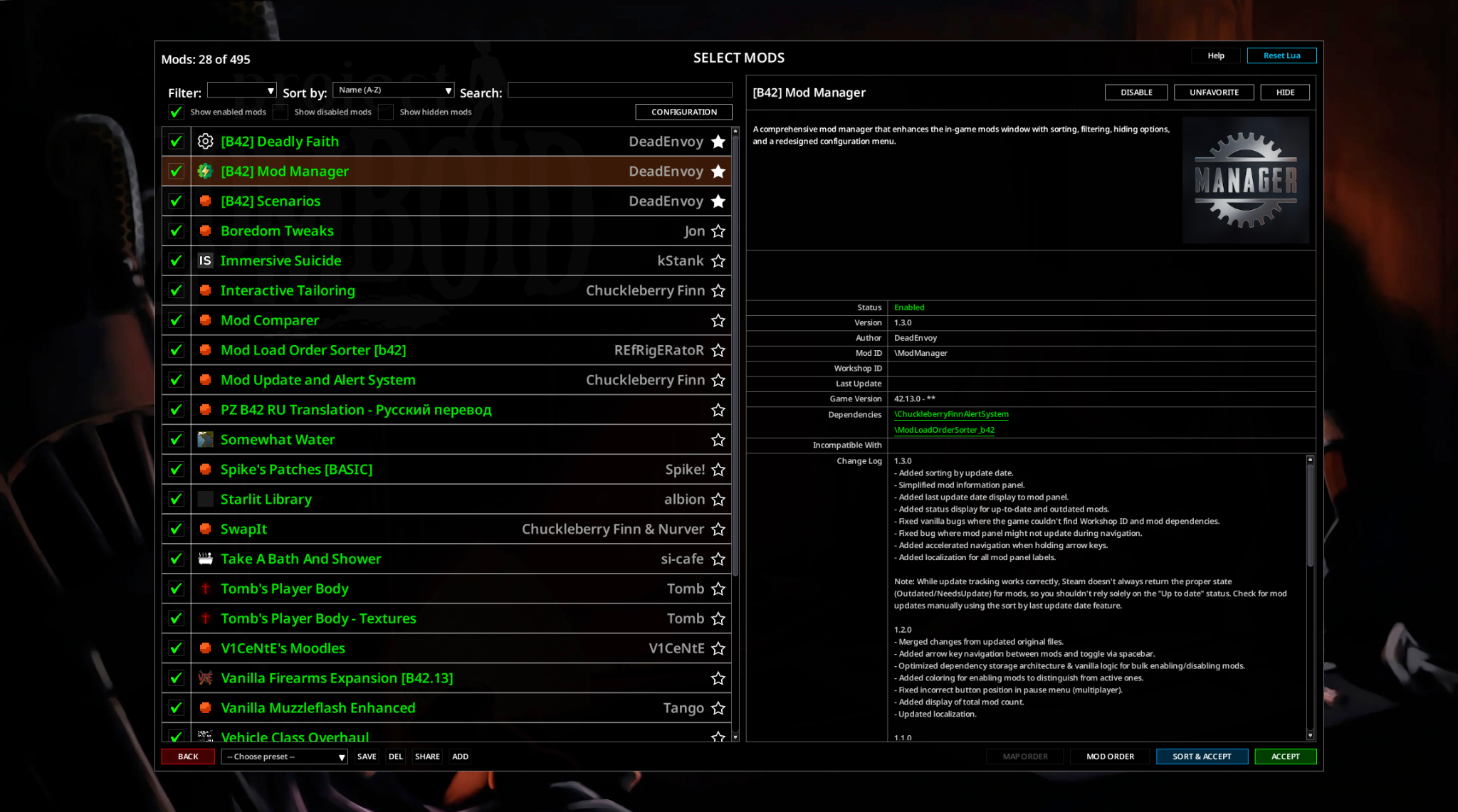
• Added sorting by installation & update date. • Added display of mod changelog (if provided by the author):

• Added ability to hide modifications. • Added display of the total number of mods:
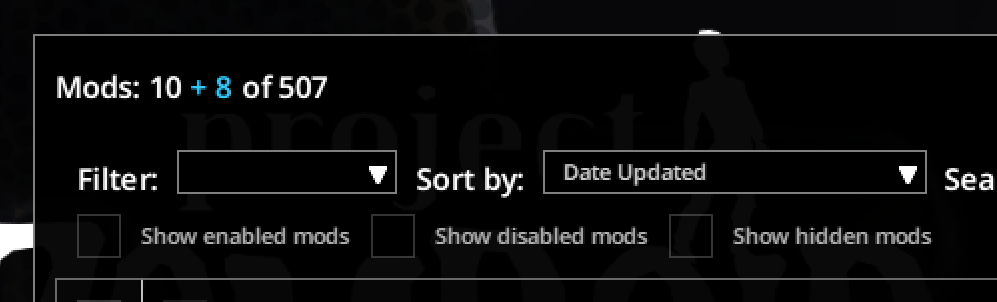
• Simplified mod information panel:

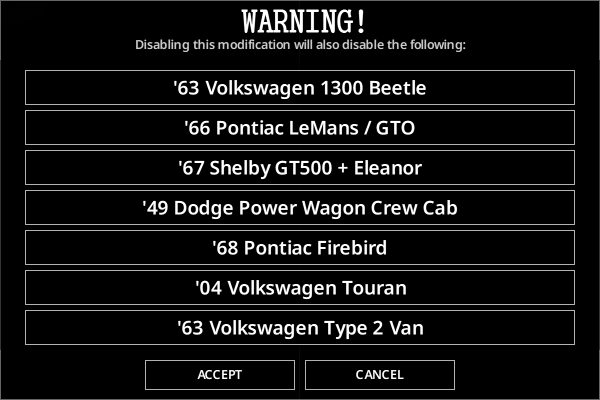
• Added "Reload Lua" and "SORT & ACCEPT" buttons. • Added keyboard navigation with arrow keys and spacebar to toggle mods. • Added coloring for mods being enabled to distinguish them from those already active. • Added display of mod status (Up to date / Update available) and last update date. • Added a warning dialog when disabling library mods and those that other mods depend on:
• Added filter to display only disabled mods. • Favorited mods now appear at the top of the list. • Completely redesigned the mod settings menu: 

• Added the ability for mod authors to add images in the configuration window:

• Added ability to view and search mods by author. • Various other interface fixes and improvements.
Mod Update and Alert System
To support the new Markdown format and the integration of recently updated mods, I've made changes to both the text rendering and the mod list displayed in Mod Update and Alert System.
Please keep this in mind when using the mod manager — and if you run into any issues related to either of the changes mentioned above, don't report them to the MUAS author; direct them to me instead.
Incompatibilities
[olist] [*]Zed's Better ModList — alternative mod manager. [*]Better Server Settings & Multiplayer UI — conflicts with the server settings screen. [*]Workshop Update Checker — is redundant and doubles requests to Steam. [/olist]
F.A.Q
1. Is this compatible with [...]?
I don't know, check it yourself. And if not, report it.
2. Will [...] feature be added?
While I consider suggestions for improvements, I prefer to work on developing and implementing ideas independently.
3. I found a bug! Read the comments!
Comments are not a bug tracker, and reports there are ignored and/or deleted. Open an issue on GitHub instead:

4. Why are the comments closed? Is the mod no longer supported?
No, the mod is still maintained and keeps getting updates. But for the sake of my own sanity, I've decided to remove this channel of communication.
Donations
If you want to see updates and new mods come out faster, or just want to say thanks, you can support me via Tribute (https://web.tribute.tg/d/KU3):

Ask for permission This mod can only be added to and extended with the express permission from the original creator. Having received permission, credit must be given to the original creator, both within the files of the mod and wherever the mod roams online.
The mod is provided as-is. If something about it doesn't suit you and/or you disagree with the author's vision, you are free to simply not use it.
Workshop ID: 3567084868 Mod ID: ModManager
Highlights
From source dataFootprint
Rated a light load on a server.
Last update
Its author last shipped an update 2 mo ago.
[B42] Mod Manager on Nxeon
From our catalogue- One-click install
- Supported on Nxeon Project Zomboid servers. We download it from Steam Workshop, place it, and restart the server.
- Server load
- light
- Smallest plan we suggest
- Project Zomboid — 6 GB (6 GB RAM). This follows our own load rating above, not a benchmark.
- Latest build
- 2026-08-28, released 2026-08-28
Game versions by loader
| Loader | Game versions | Newest |
|---|---|---|
| Workshop |
From 1 recorded build of [B42] Mod Manager.
Dependencies
- Required: Mod Load Order Sorter [b42]
Declared by the newest build that lists any. Required ones are installed with it on one-click installs.
Run [B42] Mod Manager on a Project Zomboid server
Pick a server or deploy a new one above; it is installed in one click.
What kind of mod it is
From the catalogQuality of life & UI
Small conveniences, tweaks and interface improvements players notice straight away.
Compatibility
- Game
- Project Zomboid
Verified at the source
- ✓Steam WorkshopOfficial listing, checked 2026-11-01Open ↗
- ✓AuthorDuncan E., as published on Steam Workshop
- ✓LicenseNot published by the sourceFree















