






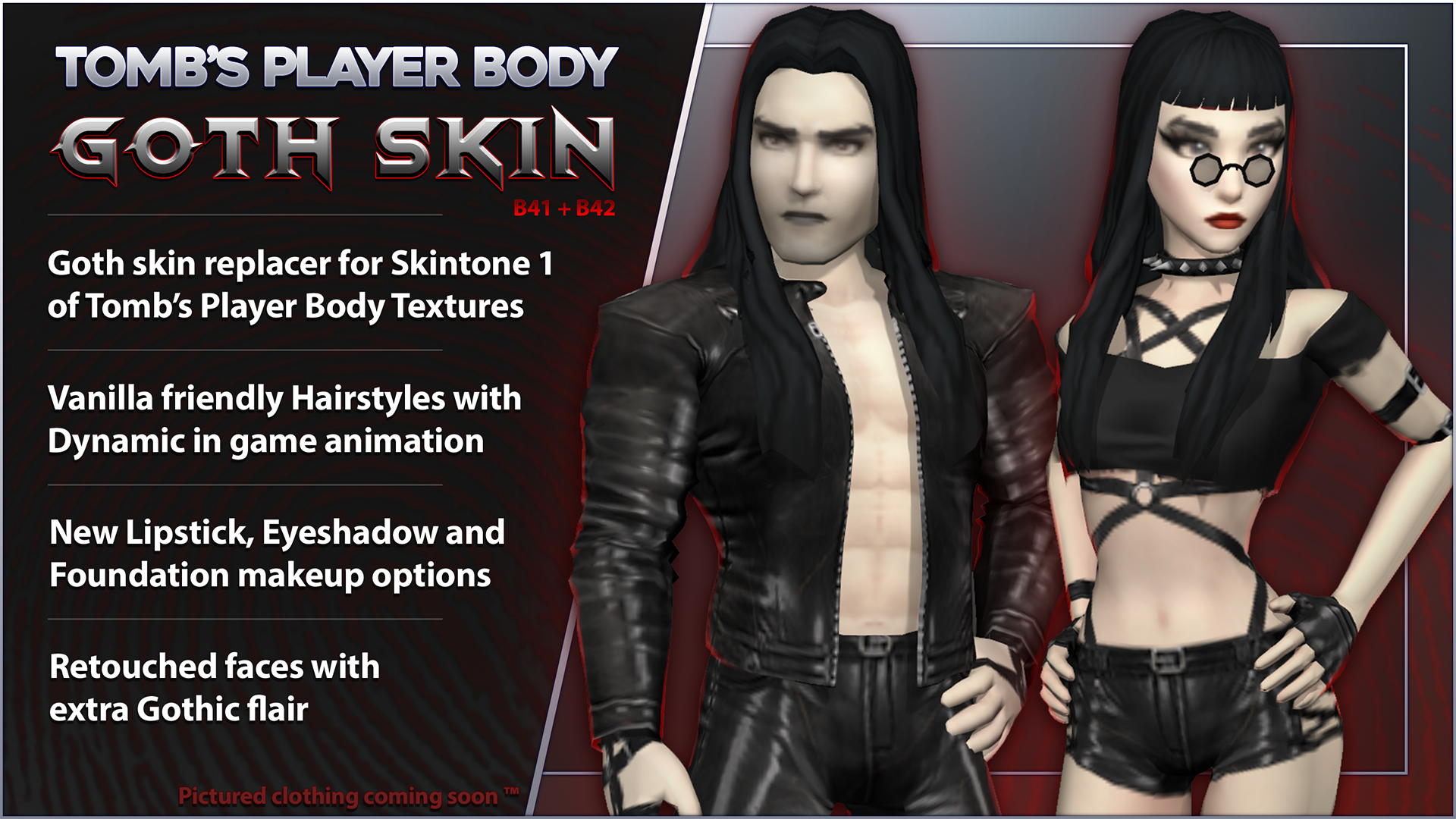
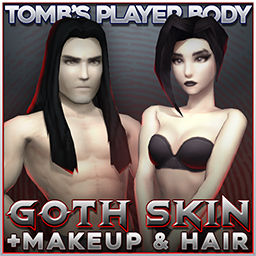
About Tomb's Player Body - Goth Skin
From Steam WorkshopWorking with B42 stable Tomb's Goth Skin - Texture, Hair and Makeup pack. One for all the moon tan enjoyers. This mod replaces the lightest skin tone of Tomb's Player Body Textures with a complexion…
Working with B42 stable
[h1]Tomb's Goth Skin - Texture, Hair and Makeup pack.[/h1] One for all the moon tan enjoyers. This mod replaces the lightest skin tone of Tomb's Player Body Textures with a complexion pale enough to make even the zombies envious. It also includes new makeup and several new dynamic hairstyles for you to truly get your Goth on. What do I mean by dynamic? Check the mod pics! The mod is split into parts so you can pick and choose what you like, only want the hair? No problem.
To look as pictured the textures in this mod require the full install of Spongie's Customiser and Tomb's Player Body. If you install without those mods you will just get the body texture which if applied to the vanilla body will work, but will not look as pictured here. [h2]The texture mod is an additive patch and requires the original textures from Tomb's Player Body and the correct load order-[/h2] [list] [*] Install Spongie's Customiser and Tomb's Player Body + Texture with the correct load order. Refer to installation instructions on the body mod's page for more detail if you need it. [*] Activate the module from this mod that syncs with your texture pack of choice (In B42 you can not make a mismatched pairing). [*] In the load order, make sure this mod's textures are loaded after all the modules from the base Tomb's Player Body install, this includes the customisation mod. For B41 you'll need a mod such as Mod Manager to gain access to the load order. [*] Restart the game. [/list] When installed correctly your mod load order should look like this:
If you followed these instructions, Skin Tone 1 will be replaced. If it isn't, drop a note in the pinned topic and I will try to assist. [h2]The Hair and Makeup -[/h2] [list] [*] Just enable them. The Hair and Makeup are stand alone and are compatible with vanilla body models and textures if the Body / Pale textures aren't your thing. [*] For B41 multiplayer specifically - In the server options make sure you enable hair mods in the "steam workshop" section and not the "mods" section or they will not work.[/list] [h3]Note that Fluffy Hair is a hard requirement for the hairstyles.[/h3] I also highly recommend the use of Spongie's Hair API otherwise you will not have the ability to choose between the longer styles when cutting your hair ingame.
This pack was made specifically to be paired with Tomb's Wardrobe - Alternative pack! Grab it below!

+ Announcing: Collaboration between the Frockin' Splendor! franchise and Tomb's Player Body! These pallid tones pair perfectly with Frockin' Splendor, which I can't recommend strongly enough. Follow the link below to check it out.

Notes: I've tested all the hair on both my body and the vanilla body, B41 and B42 with a lot of hats etc, but it's inevitable that I will have missed some clipping or random issue somewhere. If you see any oddities with any of the hairstyles, please report them in the pinned thread below or preferably in the discord with a screenshot TY! Due to the lighter skin tone of this mod, Spongie's set of custom faces for the customiser will be quite yellow in comparison and are not really compatible. Safe to use with existing saves etc (but you should always make backups!) Shoutouts to GanydeBielovzki for being an invaluable sounding board while working on this. Also big thanks to everyone in the discord for your lovely support and feedback <3
If you want to stay up to date with future development and other upcoming mods, join us in the Discord where I post updates regularly.[h3]If you like the mod please consider giving a like and a favourite to help others find it![/h3]
[h3]If you want to support my efforts[/h3]

[h3]Please respect and support the original release and do not edit, re-package or re-upload this mod without permission TY.[/h3]
Workshop ID: 3531765630 Mod ID: TombGothHair Mod ID: TombGothMakeup Mod ID: TombGothTex Mod ID: TombGothTexDOLL Mod ID: TombGothTexNUDE
Highlights
From source dataFootprint
Rated a light load on a server.
Last update
Its author last shipped an update 8 mo ago.
Tomb's Player Body - Goth Skin on Nxeon
From our catalogue- One-click install
- Supported on Nxeon Project Zomboid servers. We download it from Steam Workshop, place it, and restart the server.
- Server load
- light
- Smallest plan we suggest
- Project Zomboid — 6 GB (6 GB RAM). This follows our own load rating above, not a benchmark.
- Latest build
- 2026-03-15, released 2026-03-15
Game versions by loader
| Loader | Game versions | Newest |
|---|---|---|
| Workshop |
From 1 recorded build of Tomb's Player Body - Goth Skin.
Dependencies
- Required: Fluffy Hair [B41/B42]
- Required: Tomb's Player Body Overhaul
Declared by the newest build that lists any. Required ones are installed with it on one-click installs.
Run Tomb's Player Body - Goth Skin on a Project Zomboid server
Pick a server or deploy a new one above; it is installed in one click.
What kind of mod it is
From the catalogQuality of life & UI
Small conveniences, tweaks and interface improvements players notice straight away.
Compatibility
- Game
- Project Zomboid
Verified at the source
- ✓Steam WorkshopOfficial listing, checked 2026-11-01Open ↗
- ✓AuthorTomb, as published on Steam Workshop
- ✓LicenseNot published by the sourceFree















